AI agent for health and safety specialists
Contractor Safety Prequalification Agent
Only contractors with verified safety credentials start work
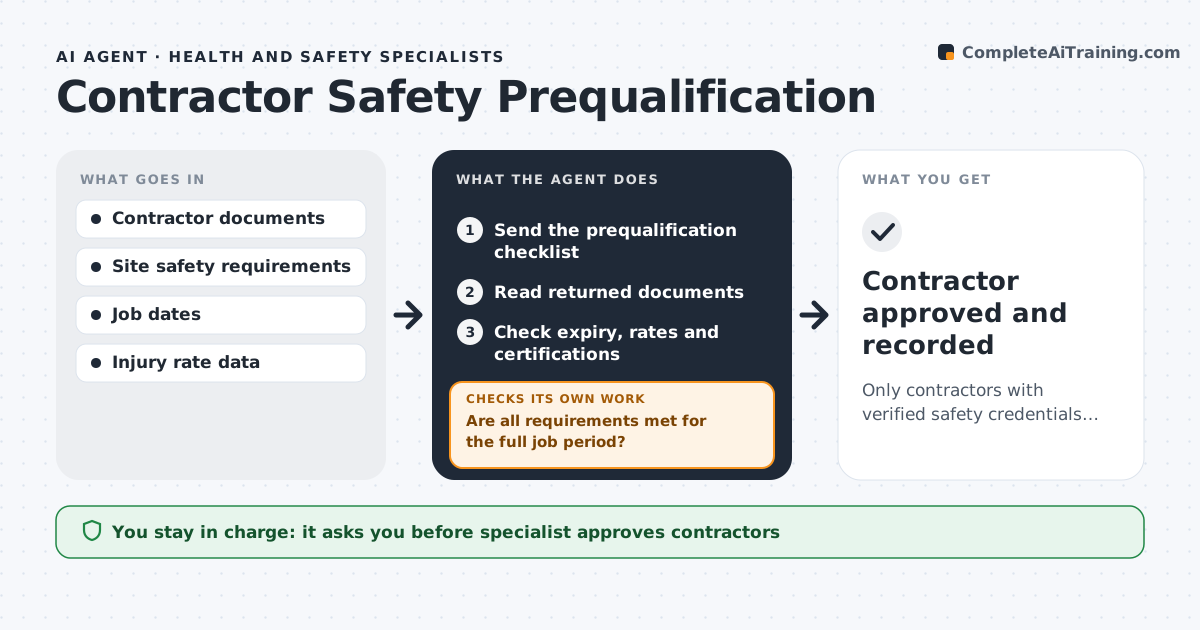
What it does
Before contractors work on site, their safety programs, insurance, injury rates and worker training must be checked, and paperwork often arrives late or incomplete. When a contractor is requested, this agent sends the prequalification checklist and reads the documents returned. It checks expiry dates, injury rates and required certifications against site rules for the full job period. If anything is missing or short, it lists the gaps for the contractor and waits for new documents, then checks again. Injury rates above the site limit go to the specialist for review. It then checks that a job-specific safety plan exists, because no plan means no start. The specialist approves the contractor. Edge case: if insurance expires during the planned job, the agent flags the gap instead of approving.
How it works
Follow the arrows from top to bottom. The orange dashed arrow is the loop: when a check fails, the agent goes back and tries again.
Read the steps as a list
- Contractor requested
- Send the prequalification checklist
- Read returned documents
- Check expiry, rates and certifications
- Are all requirements met for the full job period?If not: list gaps for the contractor and wait for documents. Back to step 3.
- Check the job safety plan
- Specialist approves the contractorThe agent waits here for your OK.
- Contractor approved and recorded
How it decides
All required documents must be valid for the full job period, and injury rates must be under the site limit.
- Insurance must cover the whole job period
- Injury rates above the site limit need a review
- No job plan, no start
Make it yours
Every agent is a starting point. You choose these settings for your own situation.
- Required documents
- Injury rate limit
- Job plan template
- Expiry warning window
What keeps you in control
It always asks you first
- Specialist approves contractors
- Messages to contractors approved by staff
Hard limits
- Never lets work start without approval
- Never contacts contractors without staff approval
It stops when
- Done: approved
- Stop: contractor withdraws
Set it up
We guide you through the set-up, step by step
Members get the full set-up guide for this agent. No technical skills needed: you copy, paste and upload.
- One set of instructions to paste into your AI, with the clicks for ChatGPT, Claude, Microsoft 365 Copilot, Gemini and Grok
- The agent then walks you through connecting your own data, one source at a time
- A downloadable copy with the flow chart, the rules and the full guide