AI agent for process engineers
Control Loop Performance Review Agent
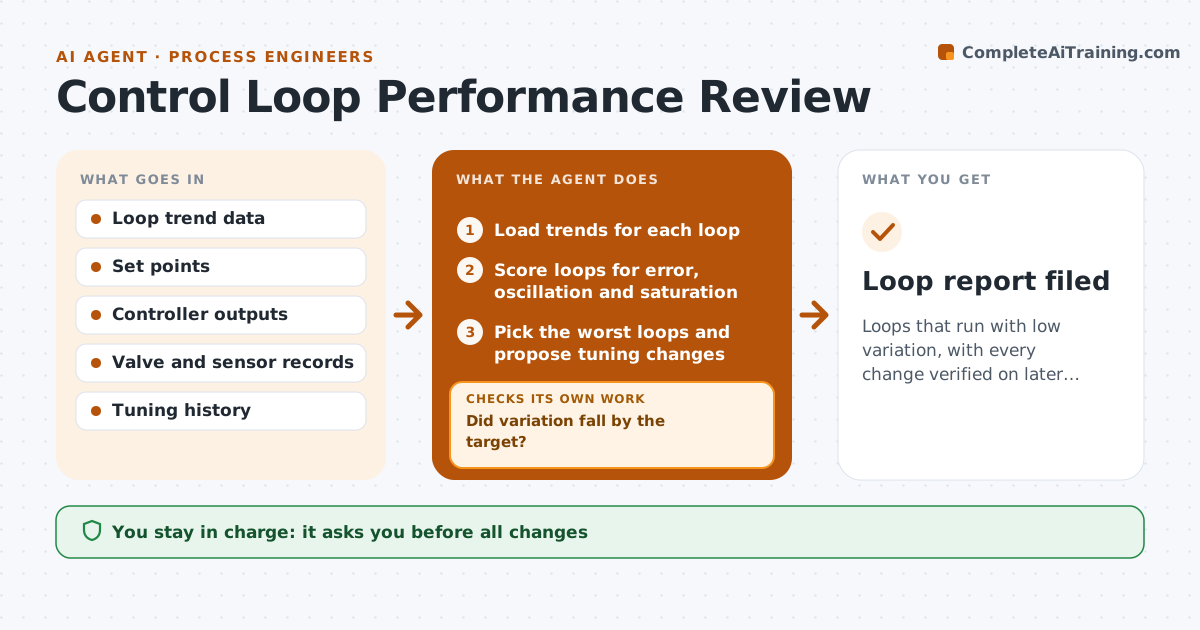
Loops that run with low variation, with every change verified on later data
What it does
Poorly tuned control loops waste energy and cause variation that no one notices. This agent scores loops from trend data and finds oscillation and valve saturation. It proposes tuning changes for the worst loops and, after approval and a change, checks later data for improvement. Loops that do not improve are re-diagnosed for valve or sensor faults, such as stiction or a drifting sensor, and the diagnosis is sent to maintenance. It reports gains in variation and energy. The engineer approves all changes. Edge case: a loop oscillates only when a downstream pump starts, so the agent flags interaction rather than a tuning problem.
How it works
Follow the arrows from top to bottom. The orange dashed arrow is the loop: when a check fails, the agent goes back and tries again.
Read the steps as a list
- Monthly loop data is ready
- Load trends for each loop
- Score loops for error, oscillation and saturation
- Pick the worst loops and propose tuning changes
- Engineer approves the changesThe agent waits here for your OK.
- Collect data after the change
- Did variation fall by the target?If not: re-diagnose for valve or sensor faults and send to maintenance. Back to step 6.
- Is the loop stable across operating conditions?If not: restore the earlier tuning and propose a new change. Back to step 4.
- Report variation and energy changes
- Loop report filed
How it decides
A loop is poor when error, oscillation or saturation exceeds the limit. A tuning change is judged by variation after the change over the same operating conditions.
- Poor loop: variation above 10 percent of range
- Check for stiction when output saturates
- Require a 30 percent variation drop
- Compare only like operating conditions
Make it yours
Every agent is a starting point. You choose these settings for your own situation.
- Variation limit (default 10 percent)
- Target improvement (default 30 percent)
- Loops included
- Review frequency
What keeps you in control
It always asks you first
- All changes
Hard limits
- Never change controller settings
- Never ignore an unsafe reading
It stops when
- Done: loops improved or faults reported
- Stop: trend data is missing
Set it up
We guide you through the set-up, step by step
Members get the full set-up guide for this agent. No technical skills needed: you copy, paste and upload.
- One set of instructions to paste into your AI, with the clicks for ChatGPT, Claude, Microsoft 365 Copilot, Gemini and Grok
- The agent then walks you through connecting your own data, one source at a time
- A downloadable copy with the flow chart, the rules and the full guide