AI agent for quality control inspectors
Control Plan Review Agent
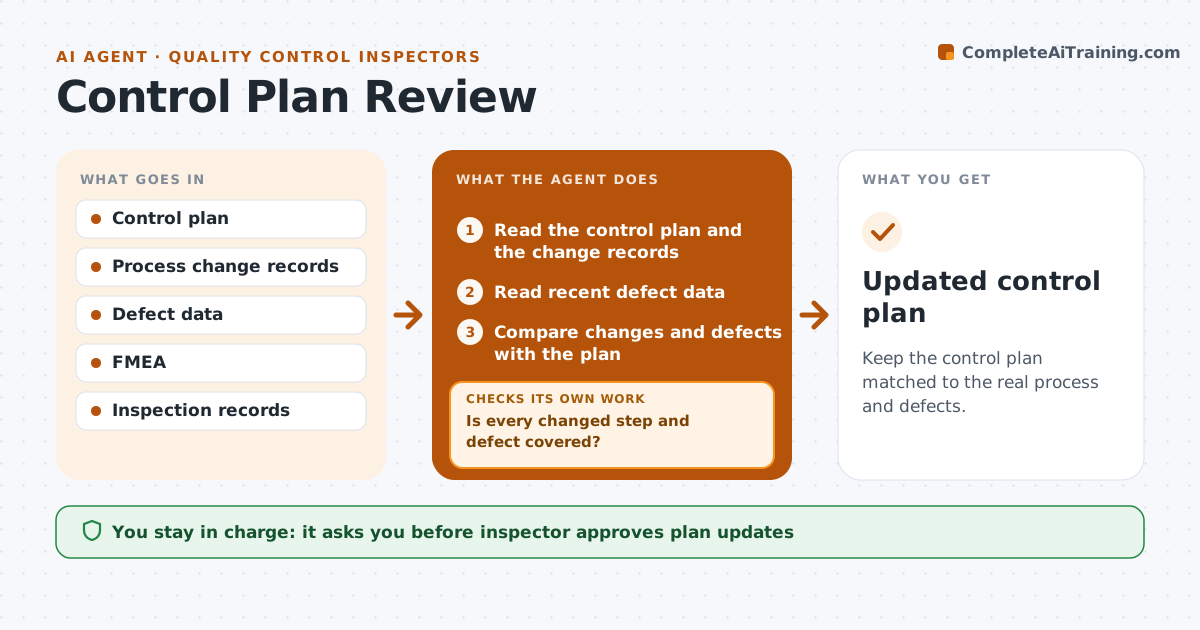
Keep the control plan matched to the real process and defects.
What it does
A control plan that does not reflect the process changes becomes paperwork. This agent compares the plan with changes made to the process and with defect data. It flags steps that are not covered and failure modes that appear in the data without a control. It drafts updates to the plan. After the updates, it compares the new plan with recent defects to confirm every failure mode is covered. The inspector approves the changes. Edge case: a new defect type with no matching line in the plan is added as a new row with a proposed check.
How it works
Follow the arrows from top to bottom. The orange dashed arrow is the loop: when a check fails, the agent goes back and tries again.
Read the steps as a list
- Process change or monthly review
- Read the control plan and the change records
- Read recent defect data
- Compare changes and defects with the plan
- Is every changed step and defect covered?If not: List the gaps. Back to step 2.
- Draft plan updates
- Inspector approves the updatesThe agent waits here for your OK.
- Update the control plan
- Match the new plan to recent defects
- Is every failure mode covered by a control?If not: Add the missing control and recheck. Back to step 5.
- Updated control plan
How it decides
It flags gaps where a changed step or a recent defect has no control, and confirms coverage against the defect list.
- Flag defects seen more than twice without a control
- Update the plan within 5 days of a process change
- Check measurement method and frequency
- Match every failure mode to a control
Make it yours
Every agent is a starting point. You choose these settings for your own situation.
- Review frequency
- Defect count that triggers a flag (default 3)
- Update deadline
- Format of the plan
What keeps you in control
It always asks you first
- Inspector approves plan updates
Hard limits
- Never edit the control plan without approval
- Never ignore a repeated defect
It stops when
- Done: the plan covers all changes and defects
- Stop: the process is not stable and the team reviews it first
Set it up
We guide you through the set-up, step by step
Members get the full set-up guide for this agent. No technical skills needed: you copy, paste and upload.
- One set of instructions to paste into your AI, with the clicks for ChatGPT, Claude, Microsoft 365 Copilot, Gemini and Grok
- The agent then walks you through connecting your own data, one source at a time
- A downloadable copy with the flow chart, the rules and the full guide