AI agent for farmers
Farm Food Safety Record Agent
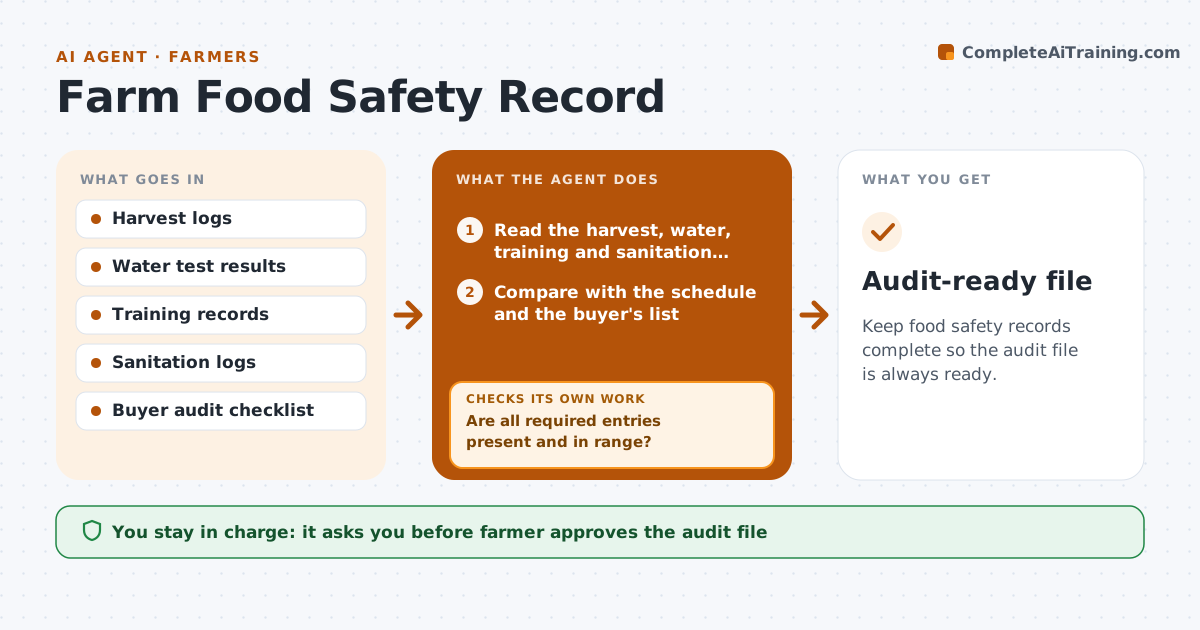
Keep food safety records complete so the audit file is always ready.
What it does
Buyers and auditors ask for records on harvest, wash water, worker training and sanitation, and farms often find gaps only at the audit. This agent tracks those records throughout the season. It checks daily and weekly logs against the schedule, and notes entries that are blank or out of range, such as a wash water test missed or a training sheet unsigned. It prompts the right person to fill them in and checks that they did. Before an audit it builds a file with everything in order and a list of corrections made. The farmer approves the file. Edge case: if a water test is out of range, it asks for the action taken and a retest before the entry is closed.
How it works
Follow the arrows from top to bottom. The orange dashed arrow is the loop: when a check fails, the agent goes back and tries again.
Read the steps as a list
- Daily record check
- Read the harvest, water, training and sanitation logs
- Compare with the schedule and the buyer's list
- Are all required entries present and in range?If not: Prompt the person responsible to fill in or explain. Back to step 2.
- Send reminders for missing entries
- Record out of range results and ask for corrective action
- Do the corrective actions and retests pass?If not: Hold the lot and ask for a new retest. Back to step 6.
- Build the audit file with the corrections listed
- Farmer approves the fileThe agent waits here for your OK.
- Audit-ready file
How it decides
It flags any record missing for its date or out of range, and closes it only when the entry and the corrective action exist.
- A missing entry older than 2 days is escalated to the farmer
- Out of range water tests need a retest
- Training records must be signed before the person works
- Group records by the buyer's checklist order
Make it yours
Every agent is a starting point. You choose these settings for your own situation.
- Record types and frequency
- Reminder timing
- Buyer checklist
- Who to escalate to
What keeps you in control
It always asks you first
- Farmer approves the audit file
Hard limits
- Never alter a record
- Never mark a failed test as passed
It stops when
- Done: the audit file is complete and approved
- Stop: a test fails twice and the farmer decides whether to stop harvest
Set it up
We guide you through the set-up, step by step
Members get the full set-up guide for this agent. No technical skills needed: you copy, paste and upload.
- One set of instructions to paste into your AI, with the clicks for ChatGPT, Claude, Microsoft 365 Copilot, Gemini and Grok
- The agent then walks you through connecting your own data, one source at a time
- A downloadable copy with the flow chart, the rules and the full guide