AI agent for manufacturing engineers
Production Test Yield Review Agent
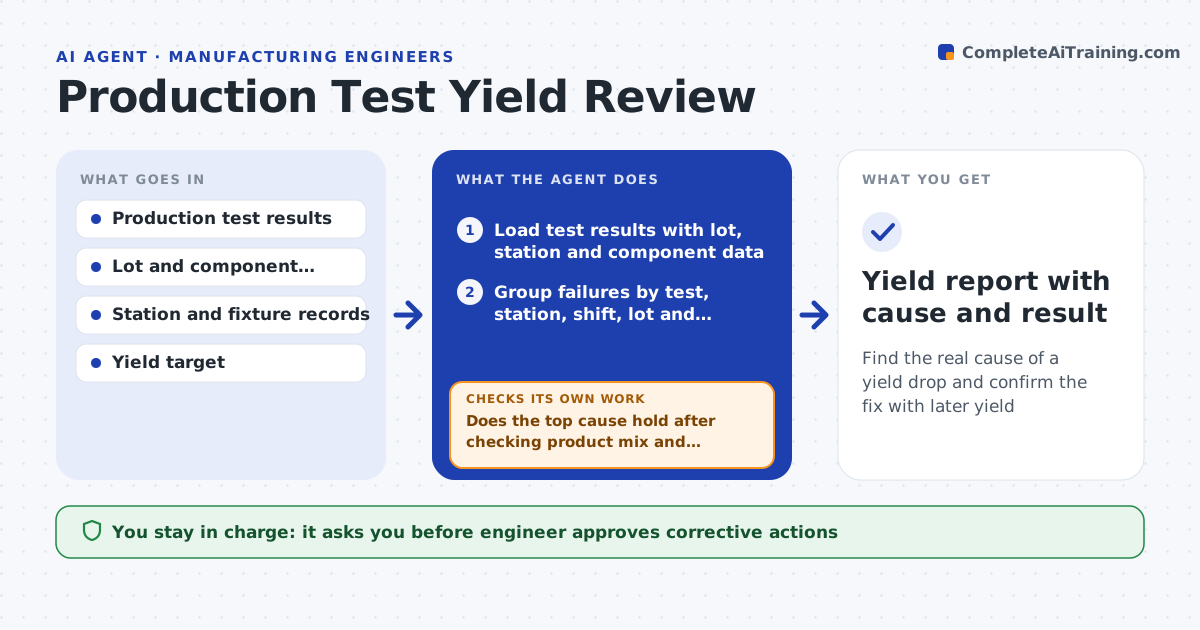
Find the real cause of a yield drop and confirm the fix with later yield
What it does
Yield drops from 97% to 91% and the team blames the operator, the supplier or bad luck. This agent reads the production test data and groups failures by test step, lot, station, shift and component date code. It looks for the grouping where the failures concentrate, and tests each likely cause against the data: does the failure follow one station, or one reel of parts? It lists the best explanations with the numbers. It proposes a corrective action, such as recalibrating a fixture, quarantining a lot or changing a test limit review. After the change it checks yield for the next batches. The engineer approves the corrective action. Edge case: failures follow one station, but that station only tests one product, so the agent checks the product mix.
How it works
Follow the arrows from top to bottom. The orange dashed arrow is the loop: when a check fails, the agent goes back and tries again.
Read the steps as a list
- Yield falls below target
- Load test results with lot, station and component data
- Group failures by test, station, shift, lot and date code
- Rank groupings by concentration and size
- Does the top cause hold after checking product mix and sample size?If not: drop it, check the next grouping, and combine factors. Back to step 3.
- Draft a corrective action with expected yield effect
- Engineer approves the corrective actionThe agent waits here for your OK.
- Apply the action and mark the affected units and lots
- Read the yield for the next batches
- Is yield back within 1 point of target?If not: reopen the analysis with the new data and test the next cause. Back to step 3.
- Yield report with cause and result
How it decides
It ranks groupings by how strongly failures concentrate beyond what chance would give, and checks each cause for confounders before it recommends action.
- Require at least 30 failures in a group before calling it a cause
- Check product mix before blaming a station
- Quarantine a lot when its failure rate is 3 times the others
- Review again after 3 batches or 500 units
Make it yours
Every agent is a starting point. You choose these settings for your own situation.
- Yield target
- Minimum group size (default 30)
- Fields used for grouping
- Review window (default 3 batches)
- Who approves quarantine
What keeps you in control
It always asks you first
- Engineer approves corrective actions
- Quality lead approves lot quarantine
Hard limits
- Never release or scrap units without approval
- Never loosen a test limit to raise yield
It stops when
- Done: yield recovers and the cause is documented
- Stop: no cause is found and the agent recommends a deeper investigation
Set it up
We guide you through the set-up, step by step
Members get the full set-up guide for this agent. No technical skills needed: you copy, paste and upload.
- One set of instructions to paste into your AI, with the clicks for ChatGPT, Claude, Microsoft 365 Copilot, Gemini and Grok
- The agent then walks you through connecting your own data, one source at a time
- A downloadable copy with the flow chart, the rules and the full guide