AI agent for team leads
Data Entry Error Rate Audit Agent
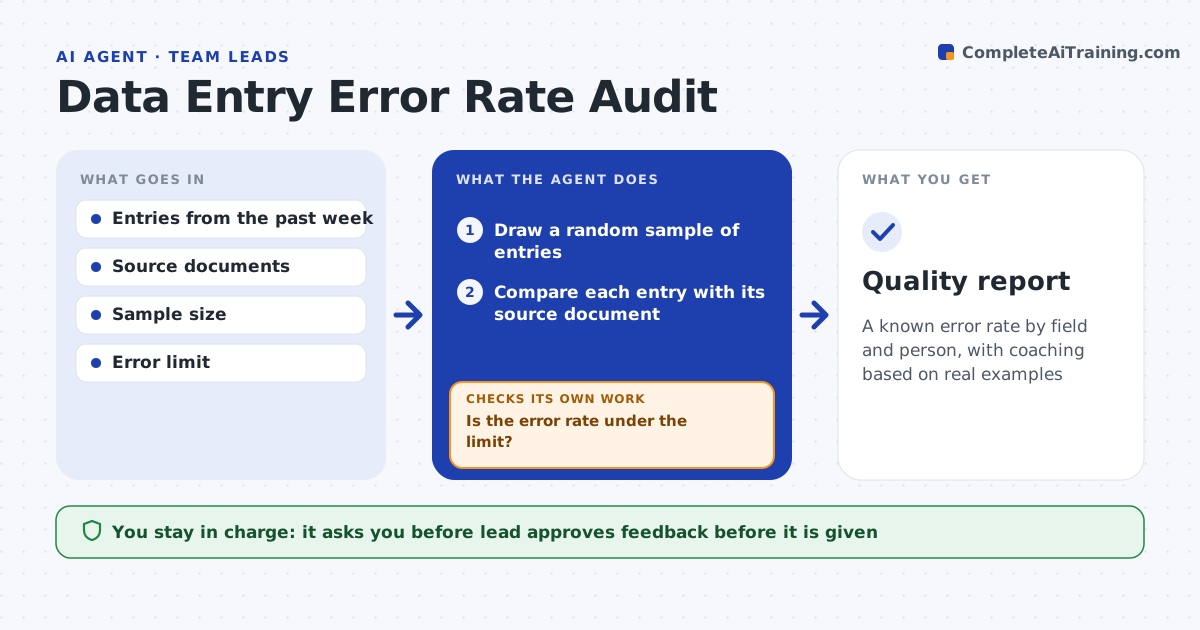
A known error rate by field and person, with coaching based on real examples
What it does
Quality problems are found only when customers complain. Each week this agent samples entries and compares them with the source documents. It calculates the error rate by field and by person and compares it with the limit. If the rate is over the limit, it widens the sample to see whether the problem is isolated. It then drafts coaching notes that point to specific examples. The lead approves any feedback before it is given. Edge case: one field has most of the errors because the form layout changed, so the agent flags the form, not the person.
How it works
Follow the arrows from top to bottom. The orange dashed arrow is the loop: when a check fails, the agent goes back and tries again.
Read the steps as a list
- Weekly quality audit
- Draw a random sample of entries
- Compare each entry with its source document
- Record errors by field and person
- Is the error rate under the limit?If not: widen the sample and repeat the comparison. Back to step 2.
- Find patterns by field, form and time
- Do errors cluster in one field or form rather than one person?If not: flag the form or process, not the person. Back to step 5.
- Draft coaching notes with specific examples
- Lead approves any feedbackThe agent waits here for your OK.
- Quality report
How it decides
The error rate is errors divided by fields checked. Over the limit means a larger sample and a closer look at fields and forms.
- Sample at least 5% of entries
- Widen the sample when the rate is over the limit
- Check fields before blaming people
- Use examples in every coaching note
Make it yours
Every agent is a starting point. You choose these settings for your own situation.
- Error limit (default: 0.3%)
- Sample size (default: 5%)
- Fields to track
- Review day
What keeps you in control
It always asks you first
- Lead approves feedback before it is given
Hard limits
- Never shares individual error rates beyond the lead
- Never corrects entries itself
It stops when
- Done: the report is approved
- Stop: source documents are not available
Set it up
We guide you through the set-up, step by step
Members get the full set-up guide for this agent. No technical skills needed: you copy, paste and upload.
- One set of instructions to paste into your AI, with the clicks for ChatGPT, Claude, Microsoft 365 Copilot, Gemini and Grok
- The agent then walks you through connecting your own data, one source at a time
- A downloadable copy with the flow chart, the rules and the full guide