AI agent for copywriters
Copy Claims Substantiation Agent
Every factual claim in the draft has a current source or is reworded
What it does
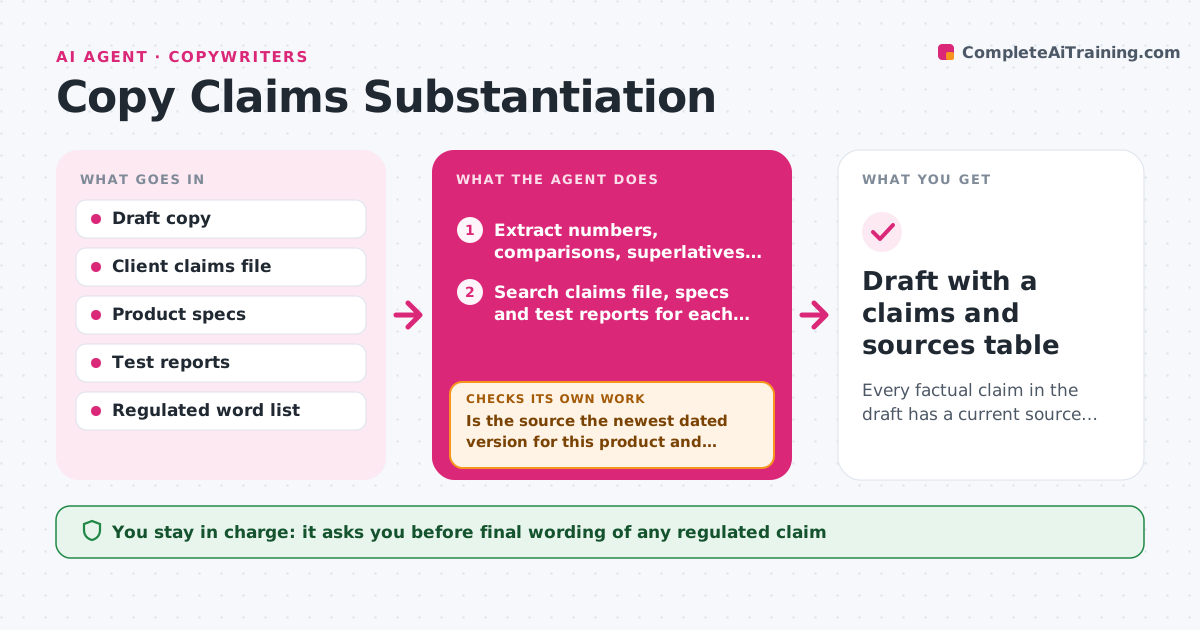
Copywriters often write strong claims under deadline and assume someone will check them. This agent reads a draft and pulls out every factual claim: numbers, comparisons, superlatives, guarantees and test results. For each one it looks for a source in the client's claims file, test reports or product specs. It decides whether the source fully supports the claim, partly supports it, or is missing. For partial support it drafts a softer, accurate wording. It then rechecks the revised draft to make sure no new claim crept in. Missing sources become a question list for the client. The copywriter and client decide what stays. Edge case: a claim was true last year but the spec sheet has changed, so the agent always uses the newest dated source.
How it works
Follow the arrows from top to bottom. The orange dashed arrow is the loop: when a check fails, the agent goes back and tries again.
Read the steps as a list
- Draft marked ready for client review
- Extract numbers, comparisons, superlatives and guarantees
- Search claims file, specs and test reports for each claim
- Rate each claim supported, partly supported or missing
- Is the source the newest dated version for this product and market?If not: search for a newer source and re-rate the claim. Back to step 3.
- Draft softer wording for partly supported claims
- Does the revised draft contain any new unsupported claim?If not: rerun extraction on the new wording. Back to step 2.
- Build a question list for missing sources
- Copywriter and client approve final wordingThe agent waits here for your OK.
- Draft with a claims and sources table
How it decides
A claim is supported when a dated source states the same fact for the same product and market. A superlative needs a comparison source, not just a spec.
- Superlatives need a comparison study, not a spec sheet
- Health and finance claims need a source dated within 24 months
- Words on the regulated list always go to the client
- Numbers must match the source exactly, including units
Make it yours
Every agent is a starting point. You choose these settings for your own situation.
- Regulated word list
- Maximum source age (default 24 months)
- Markets the copy runs in
- Output format for the claims table
What keeps you in control
It always asks you first
- Final wording of any regulated claim
Hard limits
- Never mark a claim supported without a source
- Never give legal advice; regulated claims go to the client
It stops when
- Done: every claim supported or reworded
- Stop: key claims have no source, sent to client
Set it up
We guide you through the set-up, step by step
Members get the full set-up guide for this agent. No technical skills needed: you copy, paste and upload.
- One set of instructions to paste into your AI, with the clicks for ChatGPT, Claude, Microsoft 365 Copilot, Gemini and Grok
- The agent then walks you through connecting your own data, one source at a time
- A downloadable copy with the flow chart, the rules and the full guide