AI agent for elearning developers
Course Package LMS Test Agent
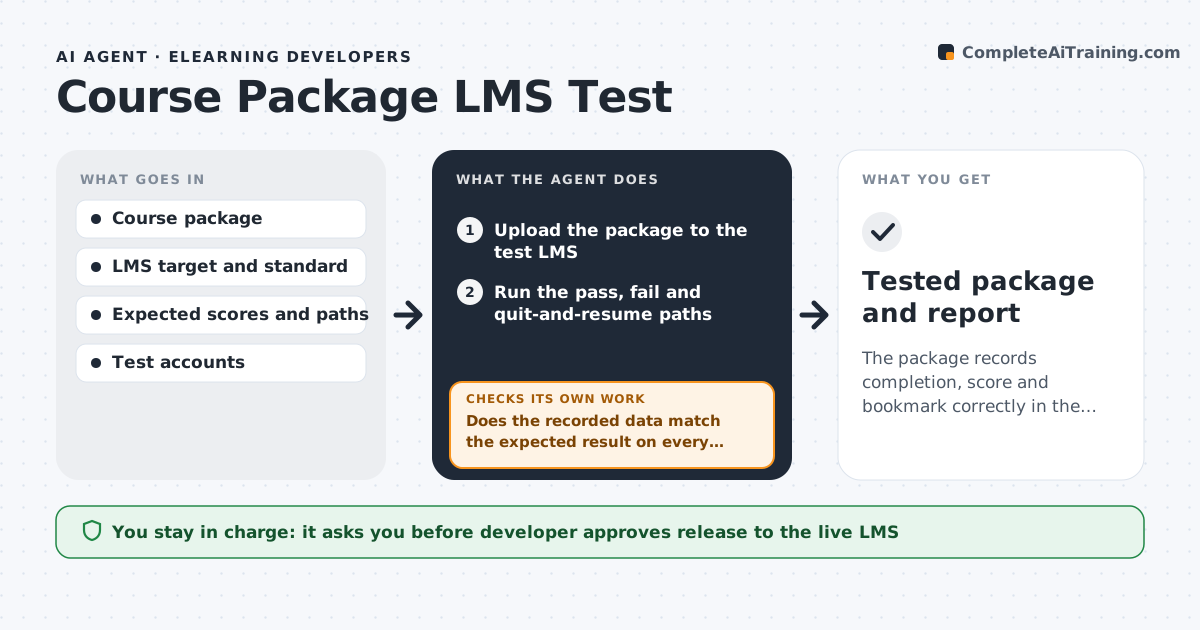
The package records completion, score and bookmark correctly in the LMS before release.
What it does
A course that plays perfectly in preview can fail in the learning management system: completion is never recorded, the score is wrong or the bookmark resets. After export, the agent uploads the package to a test LMS and runs through each path, the pass path, the fail path and a quit-and-resume path. It reads the completion status, score and bookmark data the LMS stores and compares them with what the course should report. It logs each failure with the path and the data seen. It suggests fixes, such as a tracking setting or a mastery score, makes them in a copy, re-exports and retests. The developer approves the release to the live LMS. Edge case: a course that works in one LMS standard may fail in another, so it runs the same tests in each target format.
How it works
Follow the arrows from top to bottom. The orange dashed arrow is the loop: when a check fails, the agent goes back and tries again.
Read the steps as a list
- Package exported
- Upload the package to the test LMS
- Run the pass, fail and quit-and-resume paths
- Read completion, score and bookmark data from the LMS
- Does the recorded data match the expected result on every path?If not: Log the failure, suggest a settings fix and re-export the package. Back to step 3.
- Apply the fix in a copy and re-export
- Upload the new package and rerun failed paths
- Do all paths now pass?If not: Log the remaining failures and try the next likely cause. Back to step 3.
- Write the test report with evidence
- Developer approves release to the live LMSThe agent waits here for your OK.
- Tested package and report
How it decides
It compares recorded data with the expected result for each path and traces each mismatch to a setting.
- Completion must record on the pass path only
- Score must equal the expected value within 1 point
- Bookmark must resume at the exit screen
- Run every target standard
Make it yours
Every agent is a starting point. You choose these settings for your own situation.
- LMS standards to test
- Mastery score
- Paths to run
- Test accounts
- Report format
What keeps you in control
It always asks you first
- Developer approves release to the live LMS
- Developer approves any change to scoring rules
Hard limits
- Never publish to the live LMS without approval
- Never test with real learner accounts
- Never alter scoring rules without approval
It stops when
- Done: all paths pass in every target format
- Stop: the LMS itself is faulty and the developer is told
Set it up
We guide you through the set-up, step by step
Members get the full set-up guide for this agent. No technical skills needed: you copy, paste and upload.
- One set of instructions to paste into your AI, with the clicks for ChatGPT, Claude, Microsoft 365 Copilot, Gemini and Grok
- The agent then walks you through connecting your own data, one source at a time
- A downloadable copy with the flow chart, the rules and the full guide