AI agent for students
Course Syllabus Setup Agent
Give the student one reliable term calendar with start dates for big work and no hidden clashes
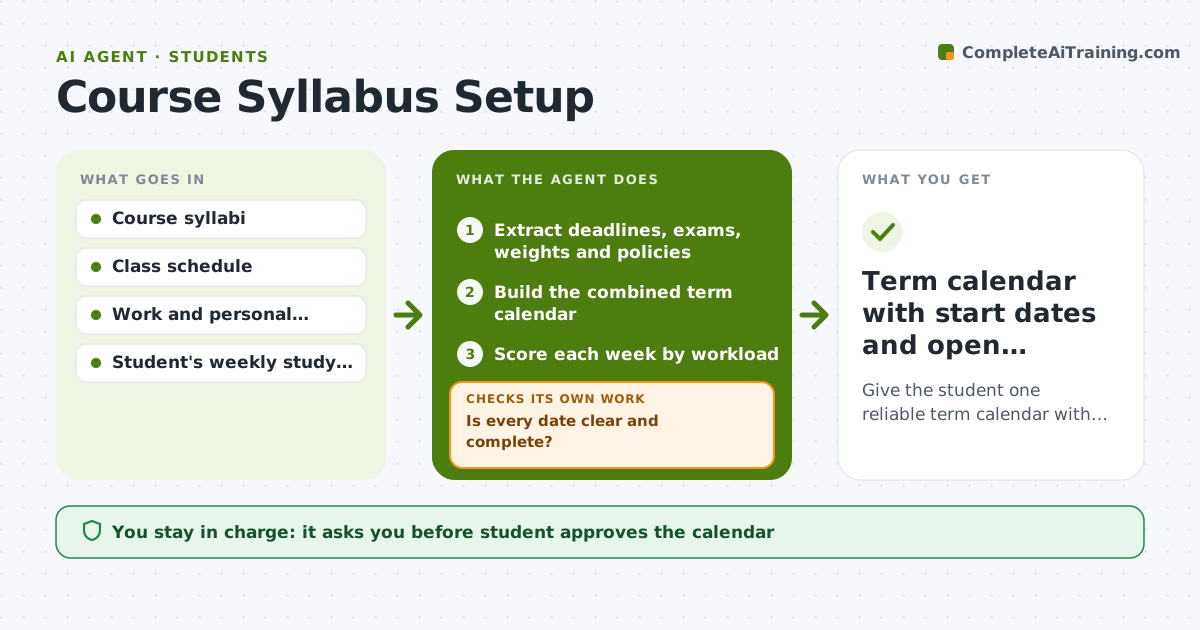
What it does
On day one a student has five syllabi, each with different deadlines and rules, and a vague plan. This agent reads each syllabus and extracts deadlines, exams, grading weights, late policies and office hours. It builds a combined term calendar and checks it for clashes, such as three deadlines in the same week, and for heavy weeks. If conflicts appear, it proposes earlier start dates for the big items and spreads the work over the weeks before. It then checks the new plan again for overload. It flags any date that appears in only one place or looks wrong. The student approves the final calendar and any email to a professor. Edge case: a vague date like midterm week gets marked as to be confirmed.
How it works
Follow the arrows from top to bottom. The orange dashed arrow is the loop: when a check fails, the agent goes back and tries again.
Read the steps as a list
- Term begins and syllabi are uploaded
- Extract deadlines, exams, weights and policies
- Is every date clear and complete?If not: Mark unclear dates as to be confirmed and list questions. Back to step 2.
- Build the combined term calendar
- Score each week by workload
- Is any week over the student's capacity?If not: Propose earlier start dates and rebalance, then rescore. Back to step 5.
- Draft questions for professors about unclear dates
- Student approves the calendar and any emailThe agent waits here for your OK.
- Term calendar with start dates and open questions
How it decides
It scores each week by hours of work due and flags weeks over the student's capacity, then moves start dates earlier to level the load.
- Flag a week when more than 3 major items fall due
- Start papers and projects at least 2 weeks before the deadline
- Mark vague dates as to be confirmed
- Place study blocks around fixed classes and work
Make it yours
Every agent is a starting point. You choose these settings for your own situation.
- Weekly study hours (default 20)
- Start-early rule for big work (default 2 weeks)
- Calendar app format (default a standard calendar file)
- Overload threshold (default 3 major items per week)
What keeps you in control
It always asks you first
- Student approves the calendar
- Student approves any email to a professor
Hard limits
- Never email a professor without student approval
- Never change official course dates
- Mark guesses clearly
It stops when
- Done: Calendar approved and open questions listed
- Stop: Syllabi are missing, so ask the student to upload them
Set it up
We guide you through the set-up, step by step
Members get the full set-up guide for this agent. No technical skills needed: you copy, paste and upload.
- One set of instructions to paste into your AI, with the clicks for ChatGPT, Claude, Microsoft 365 Copilot, Gemini and Grok
- The agent then walks you through connecting your own data, one source at a time
- A downloadable copy with the flow chart, the rules and the full guide