AI agent for tutors
Learner Study Schedule Adaptation Agent
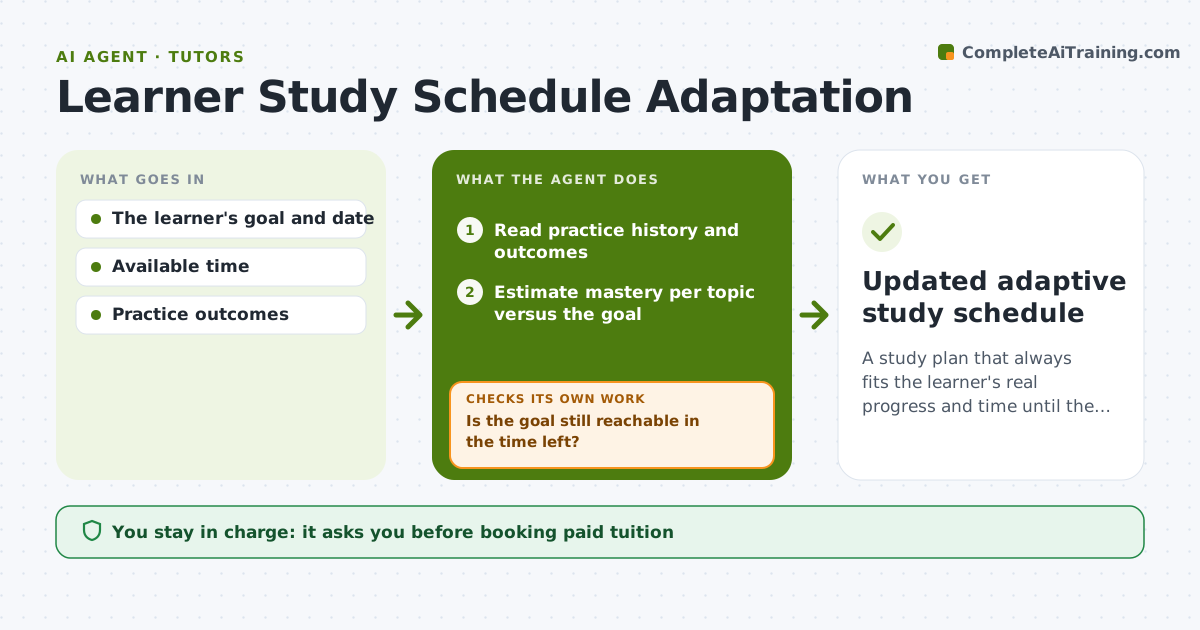
A study plan that always fits the learner's real progress and time until the goal.
What it does
Study plans often assume every scheduled task gets done and ignore real progress. Learners fall behind without noticing until the exam. This agent reads the learner's practice history and outcomes after each session, or when their availability changes. It estimates mastery per topic against the goal and checks whether the goal is still reachable in the time left. If not, it reduces scope or adds targeted practice, and tells the learner plainly. It then drafts the next sessions in the learner's private calendar, choosing tasks with the highest gain per hour. After each session it records completion and difficulty and plans again. The learner can accept or change the plan. Edge case: a gap in a prerequisite topic moves that topic forward, even if it is not on the exam.
How it works
Follow the arrows from top to bottom. The orange dashed arrow is the loop: when a check fails, the agent goes back and tries again.
Read the steps as a list
- Session completed or availability changed
- Read practice history and outcomes
- Estimate mastery per topic versus the goal
- Is the goal still reachable in the time left?If not: reduce scope or add targeted practice, and tell the learner. Back to step 3.
- Draft the next sessions in the private calendar
- Record completion and difficulty after each session
- Updated adaptive study schedule
How it decides
It compares mastery with what the goal needs and the time left, then chooses tasks with the highest gain per hour; a missing prerequisite moves to the front.
- Next task: the highest gain per hour toward the goal.
- Re-scope: when the remaining time can't cover the plan.
- Prerequisite first: when an assessment shows a gap.
Make it yours
Every agent is a starting point. You choose these settings for your own situation.
- Goal and exam date
- Weekly study hours available (default 5)
- Mastery level counted as done (default 80% on topic quizzes)
- Topics that may be dropped if time runs short
- Calendar used for session drafts (default the learner's private calendar)
What keeps you in control
It always asks you first
- Booking paid tuition
- Formal performance decisions
Hard limits
- Drafts calendar entries; the learner confirms.
It stops when
- Done: goal date reached.
- Paused: learner pauses the plan.
Set it up
We guide you through the set-up, step by step
Members get the full set-up guide for this agent. No technical skills needed: you copy, paste and upload.
- One set of instructions to paste into your AI, with the clicks for ChatGPT, Claude, Microsoft 365 Copilot, Gemini and Grok
- The agent then walks you through connecting your own data, one source at a time
- A downloadable copy with the flow chart, the rules and the full guide