AI agent for chefs
Tasting Feedback to Menu Revision Agent
Turn tasting comments into a revised menu that is costed, safe and doable at event size.
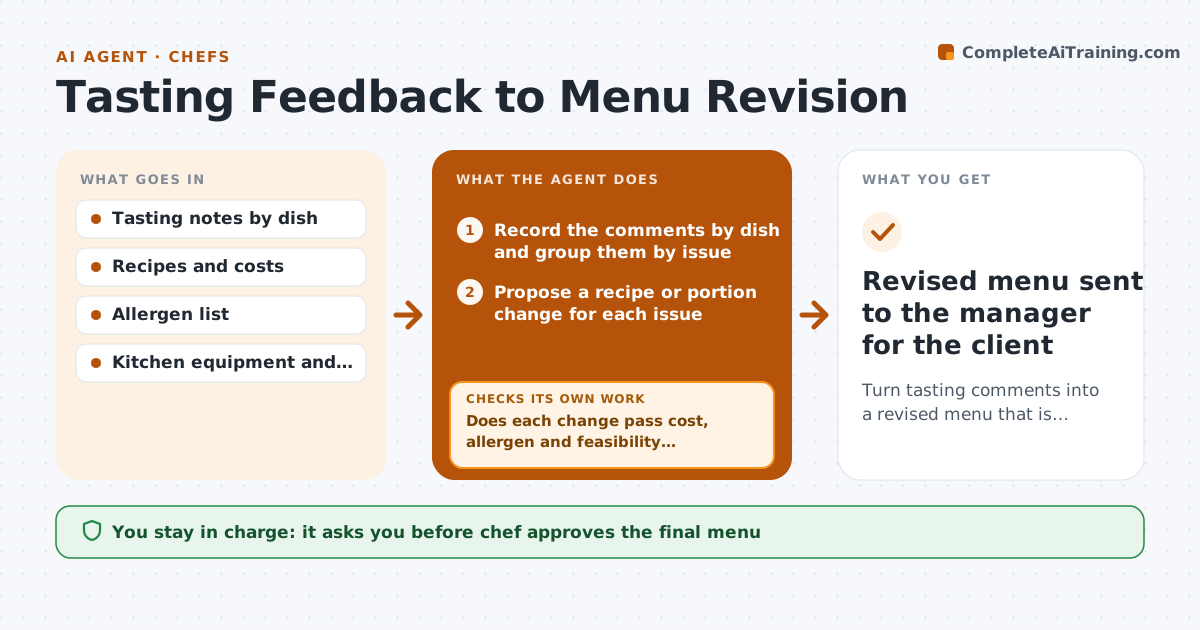
What it does
After a tasting, the couple says 'a bit salty' and 'more vegetarian', the notes are on a napkin and the chef changes three dishes by feel. The agent records the client's comments by dish and by person and groups them, such as seasoning, portion, temperature and dietary. For each issue it proposes a recipe or portion change. It then costs the change, checks it against the allergen list, and tests whether the kitchen can prepare it at the event size with the equipment and staff available. If a change fails any of those tests, it proposes another option and checks again. It builds the revised menu and a change summary for the client. Edge case: two clients with opposite comments on the same dish. The agent flags it for the manager and chef. The chef approves the final menu.
How it works
Follow the arrows from top to bottom. The orange dashed arrow is the loop: when a check fails, the agent goes back and tries again.
Read the steps as a list
- Tasting ends
- Record the comments by dish and group them by issue
- Propose a recipe or portion change for each issue
- Cost each change against the recipe and quote
- Check the change against the guest allergen and diet list
- Test feasibility for the event size, equipment and staff
- Does each change pass cost, allergen and feasibility checks?If not: propose another option for that dish and test it again. Back to step 2.
- Flag comments that conflict between clients
- Build the revised menu and change summary
- Chef approves the final menuThe agent waits here for your OK.
- Revised menu sent to the manager for the client
How it decides
Each change is accepted only if cost stays within the margin, allergens are covered and the kitchen can produce it at event scale. Otherwise another option is tried.
- Group comments by dish and issue before proposing changes
- Reject changes that add an allergen not on the guest list
- Reject changes that raise the cost per guest by more than 5 percent
- Flag opposite comments for a decision
Make it yours
Every agent is a starting point. You choose these settings for your own situation.
- Cost increase limit (default 5 percent)
- Issue categories
- Allergen sources
- Feasibility checks
- Summary format
What keeps you in control
It always asks you first
- Chef approves the final menu
- Manager approves price changes for the client
Hard limits
- Never change an allergen declaration without the chef
- Do not promise a change to the client
It stops when
- Done: menu approved and summary ready
- Stop: client wants a dish outside the kitchen's scope, ask the chef
Set it up
We guide you through the set-up, step by step
Members get the full set-up guide for this agent. No technical skills needed: you copy, paste and upload.
- One set of instructions to paste into your AI, with the clicks for ChatGPT, Claude, Microsoft 365 Copilot, Gemini and Grok
- The agent then walks you through connecting your own data, one source at a time
- A downloadable copy with the flow chart, the rules and the full guide