AI agent for mobile app developers
Crash Rate Rollout Guard Agent
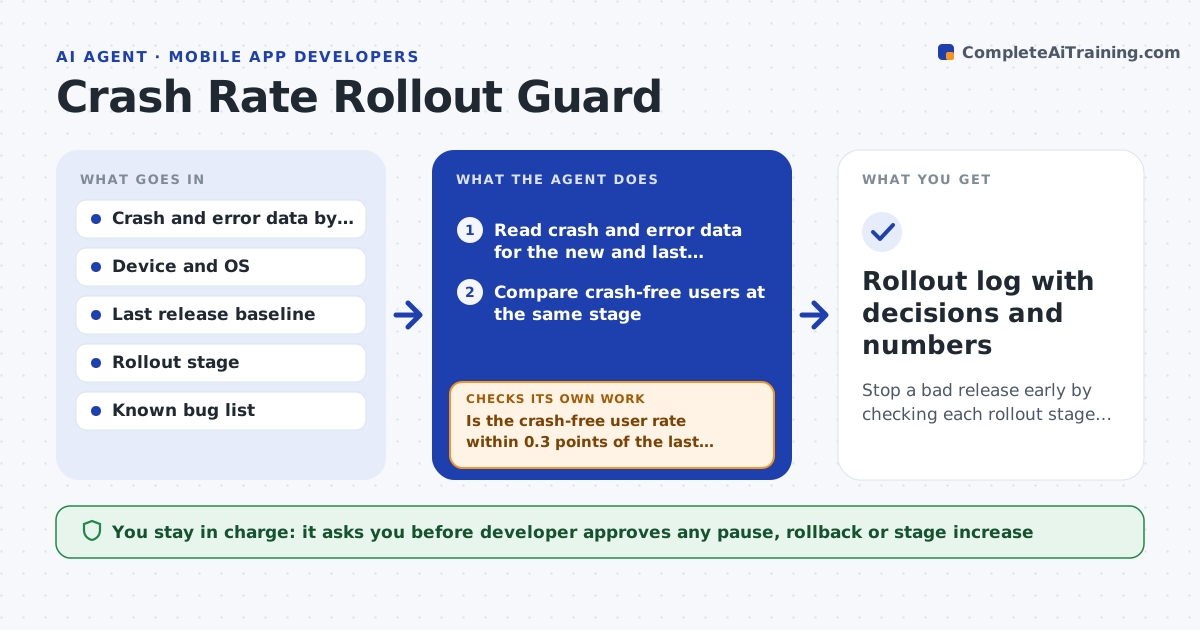
Stop a bad release early by checking each rollout stage against the last release
What it does
With a staged rollout at 10%, then 25%, a crash spike can keep growing while the team sleeps. After each rollout stage, this agent reads crash and error data for the new version and for the last release, split by device, OS version and app screen. It compares rates at the same stage and looks for new clusters, such as a crash only on one chipset. It checks whether each cluster is a known bug or new. It then recommends pause, continue or rollback with the numbers. When the team ships a fix, it rechecks after the next stage. The developer approves any pause or rollback. Edge case: the crash rate is higher only because a small number of users hit one bug repeatedly, so the agent counts affected users, not crashes.
How it works
Follow the arrows from top to bottom. The orange dashed arrow is the loop: when a check fails, the agent goes back and tries again.
Read the steps as a list
- Rollout stage reached
- Read crash and error data for the new and last versions
- Compare crash-free users at the same stage
- Find new clusters by device, OS and screen
- Is the crash-free user rate within 0.3 points of the last release?If not: check enough data and group by cause to see if one cluster explains it. Back to step 2.
- Match clusters to known bugs and rate new ones
- Recommend pause, continue or rollback with evidence
- Developer approves the pause, rollback or next stageThe agent waits here for your OK.
- Apply the decision in the store console
- Do the next stage's numbers confirm the decision?If not: revise the recommendation with the new data. Back to step 2.
- Rollout log with decisions and numbers
How it decides
It compares crash-free users with the last release at the same stage and recommends a pause when it is worse by more than the limit or a new cluster is large.
- Recommend pause when crash-free users fall more than 0.3 points below the last release
- Recommend rollback when a new cluster affects over 1% of users
- Need at least 2,000 sessions before judging a stage
- Count affected users, not crash events
Make it yours
Every agent is a starting point. You choose these settings for your own situation.
- Crash-free difference limit (default 0.3 points)
- Minimum sessions per stage (default 2,000)
- Rollout stages
- Alert channel
- Known bug source
What keeps you in control
It always asks you first
- Developer approves any pause, rollback or stage increase
- Product owner approves a long pause
Hard limits
- Never change the rollout without approval
- Never judge a stage with too little data
It stops when
- Done: rollout completes with healthy numbers
- Stop: rollback completed and the release is withdrawn
Set it up
We guide you through the set-up, step by step
Members get the full set-up guide for this agent. No technical skills needed: you copy, paste and upload.
- One set of instructions to paste into your AI, with the clicks for ChatGPT, Claude, Microsoft 365 Copilot, Gemini and Grok
- The agent then walks you through connecting your own data, one source at a time
- A downloadable copy with the flow chart, the rules and the full guide