AI agent for mobile app developers
App Store Rejection Response Agent
Turn a rejection into a tested fix and a ready resubmission with a reply
What it does
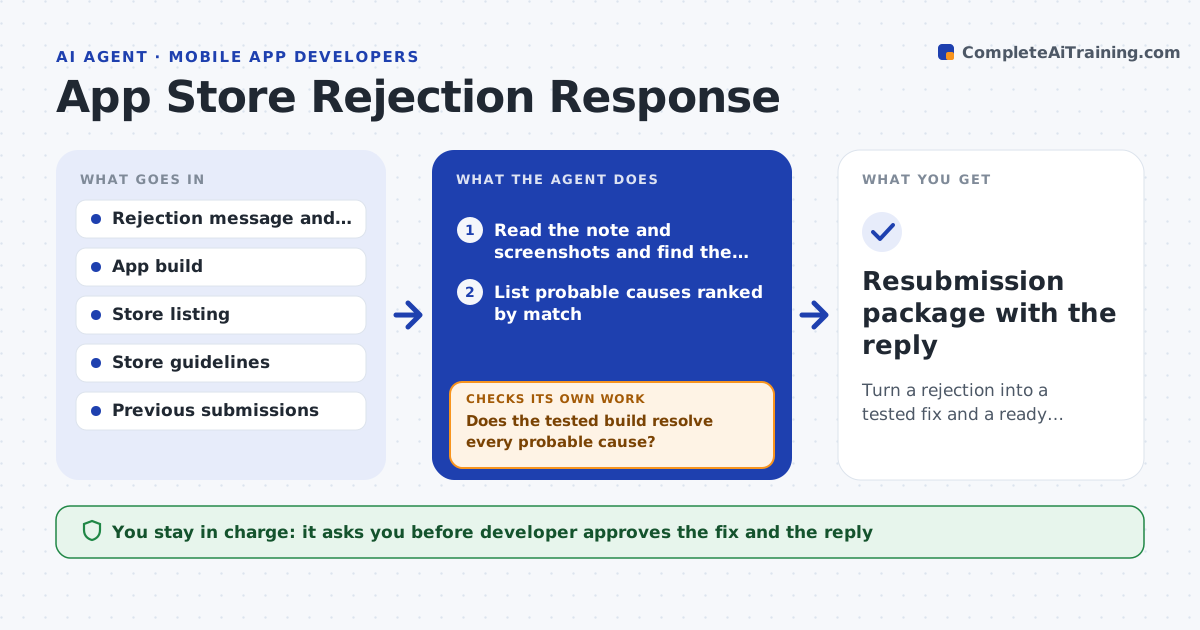
A release is rejected with a short note that cites a guideline number and the developer has to guess what the reviewer saw. This agent reads the rejection message and any attached screenshots, then matches it to the store guidelines and past rejections. It checks the app and its store listing for the likely cause: a missing delete-account option, a purchase flow without a restore button, a metadata mismatch or a permission without a clear reason. It proposes the fix and tests the new build on the same path the reviewer used. It also drafts a clear reply to the reviewer with the steps taken. The developer approves resubmission and the reply. Edge case: the note is vague, so the agent lists two probable causes and fixes both.
How it works
Follow the arrows from top to bottom. The orange dashed arrow is the loop: when a check fails, the agent goes back and tries again.
Read the steps as a list
- Rejection notice received
- Read the note and screenshots and find the cited guideline
- List probable causes ranked by match
- Check the app, listing and review notes for each cause
- Propose a fix for each confirmed cause
- Build and test the fix on the reviewer's path
- Does the tested build resolve every probable cause?If not: recheck the remaining causes and extend the fix. Back to step 3.
- Draft the reply to the reviewer
- Developer approves the build, the reply and resubmissionThe agent waits here for your OK.
- Resubmission package with the reply
How it decides
It ranks probable causes by how closely each matches the cited guideline and the observed app behavior, then fixes in order of likelihood.
- Fix every probable cause when the note is vague
- Test on a clean install and a logged-out state
- Mention only changes actually made in the reply
- Attach screenshots for any new flow
Make it yours
Every agent is a starting point. You choose these settings for your own situation.
- Store (Apple or Google)
- Reply tone and length
- Test devices
- Review notes template
- Who approves resubmission
What keeps you in control
It always asks you first
- Developer approves the fix and the reply
- Developer approves resubmission
Hard limits
- Never submit anything to the store itself
- Never claim a change that was not made
It stops when
- Done: resubmission is approved and sent by the developer
- Stop: the rejection needs a business or legal decision
Set it up
We guide you through the set-up, step by step
Members get the full set-up guide for this agent. No technical skills needed: you copy, paste and upload.
- One set of instructions to paste into your AI, with the clicks for ChatGPT, Claude, Microsoft 365 Copilot, Gemini and Grok
- The agent then walks you through connecting your own data, one source at a time
- A downloadable copy with the flow chart, the rules and the full guide