AI agent for mobile app developers
Release Submission Checklist Agent
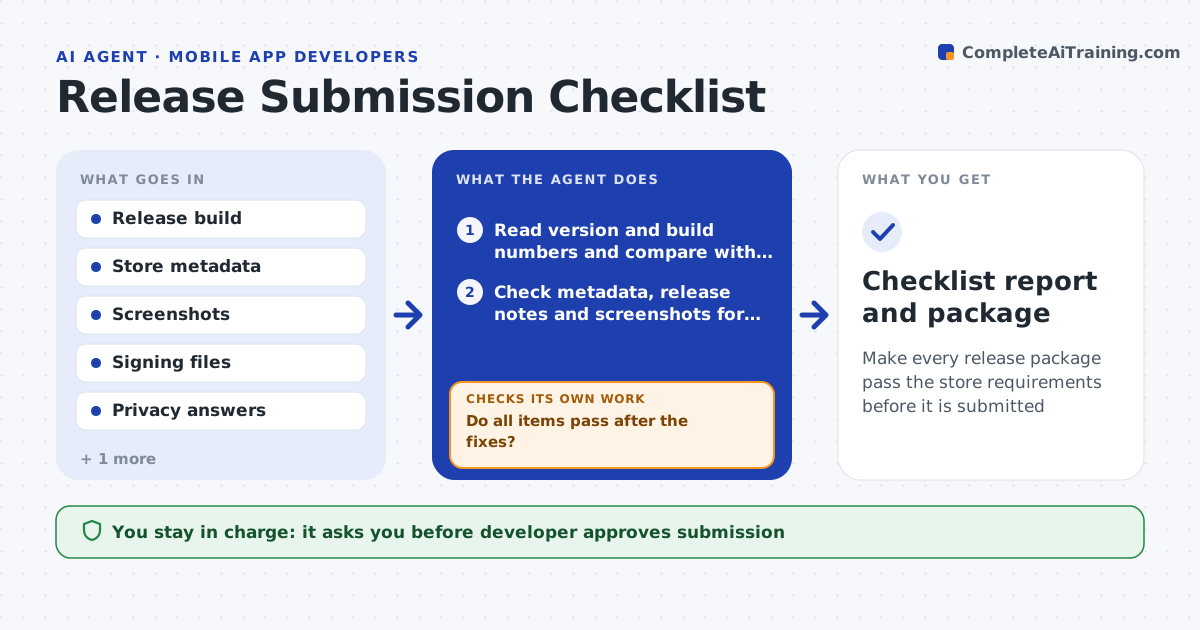
Make every release package pass the store requirements before it is submitted
What it does
Releases fail for small reasons: a build number reused, a screenshot in the wrong size, or a privacy answer that no longer matches the app. This agent runs the release checklist on every candidate. It checks the version and build numbers against the last release, store metadata and release notes, screenshots for size and language, signing certificates and expiry dates, requested permissions and the privacy and data safety answers. It fixes what it safely can, such as bumping a build number in a branch, and flags the rest with the exact issue. It rechecks until every item passes and then assembles the submission package. The developer approves submission. Edge case: an expiring certificate passes today but expires in 9 days, so the agent warns.
How it works
Follow the arrows from top to bottom. The orange dashed arrow is the loop: when a check fails, the agent goes back and tries again.
Read the steps as a list
- Release candidate ready
- Read version and build numbers and compare with the last release
- Check metadata, release notes and screenshots for size and language
- Check signing, certificate dates and permissions
- Compare privacy answers with the app's data use
- List failures and warnings, and fix the safe ones in a branch
- Do all items pass after the fixes?If not: fix or flag what remains and run the checks again. Back to step 2.
- Assemble the submission package
- Developer approves submissionThe agent waits here for your OK.
- Checklist report and package
How it decides
It marks an item as failed when it does not match the store rule or the last release, fixes it if the fix is safe, and escalates anything that needs a decision.
- Block submission on any failed item
- Warn when a certificate expires within 30 days
- Bump a build number automatically but never a version number
- Flag any permission not listed in the privacy answers
Make it yours
Every agent is a starting point. You choose these settings for your own situation.
- Checklist items
- Certificate warning window (default 30 days)
- Languages for screenshots
- Branch for safe fixes
- Store targets
What keeps you in control
It always asks you first
- Developer approves submission
- Product owner approves release notes
Hard limits
- Never submit to the store
- Never change a privacy answer without the developer
It stops when
- Done: all items pass and the package is ready
- Stop: an item needs a decision such as a new privacy answer
Set it up
We guide you through the set-up, step by step
Members get the full set-up guide for this agent. No technical skills needed: you copy, paste and upload.
- One set of instructions to paste into your AI, with the clicks for ChatGPT, Claude, Microsoft 365 Copilot, Gemini and Grok
- The agent then walks you through connecting your own data, one source at a time
- A downloadable copy with the flow chart, the rules and the full guide