AI agent for qa managers
Device and OS Test Matrix Agent
Cover the devices and OS versions that matter and confirm the app works on each
What it does
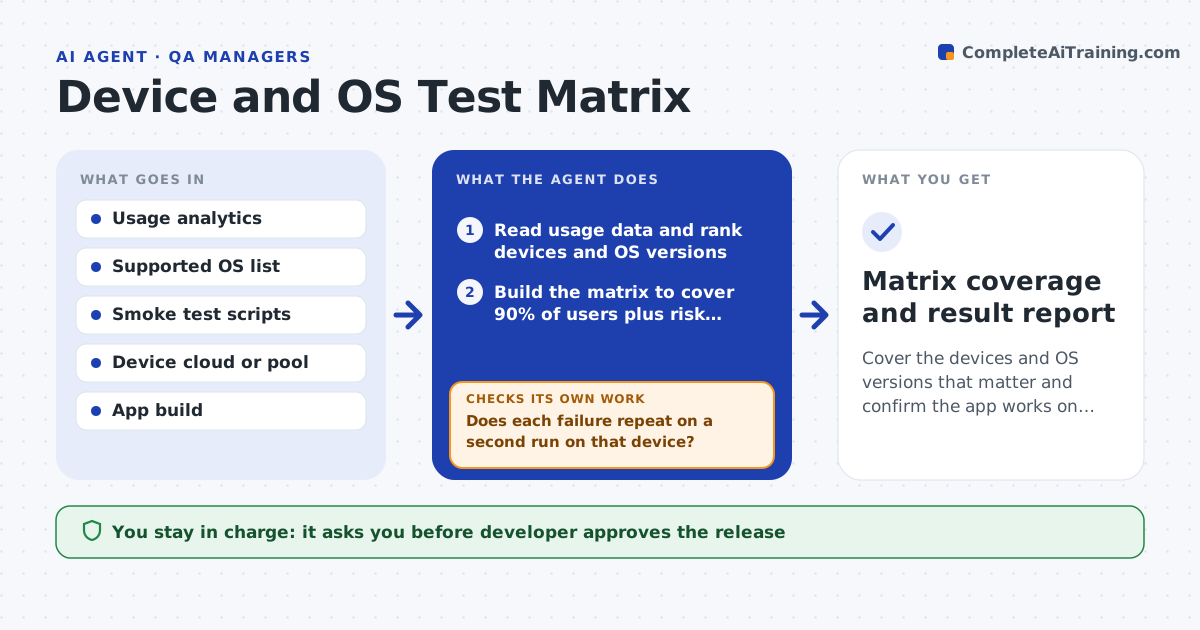
The app works on the developer's phone and fails for 6% of users on an older Android version or a small screen. This agent builds a test matrix from real usage data: the devices, OS versions, screen sizes and languages that cover the most users, plus a few risky ones such as the oldest supported OS. It runs the smoke tests on a device cloud or a pool of real devices, collecting screenshots and logs. It lists failures by device and groups them by cause. After the developer fixes them, it reruns the failed ones and a sample of passing ones. It also updates the matrix each month from new usage data. The developer approves the release. Edge case: a failure happens on one device only because of low storage, so the agent marks it as a device issue.
How it works
Follow the arrows from top to bottom. The orange dashed arrow is the loop: when a check fails, the agent goes back and tries again.
Read the steps as a list
- Release candidate or monthly refresh
- Read usage data and rank devices and OS versions
- Build the matrix to cover 90% of users plus risk devices
- Run smoke tests on each matrix device
- Collect failures with screenshots and logs
- Does each failure repeat on a second run on that device?If not: mark it as a device issue and rerun on a similar device. Back to step 4.
- Group real failures by cause and send to the developer
- Rerun failed tests and a sample of passing ones after the fix
- Do all matrix devices now pass?If not: send remaining failures back with new logs. Back to step 7.
- Developer approves the releaseThe agent waits here for your OK.
- Matrix coverage and result report
How it decides
It selects devices until a target share of users is covered, adds risk devices such as the oldest supported OS and smallest screen, and treats a failure as real when it repeats on the same device.
- Cover at least 90% of active users
- Always include the oldest supported OS and the smallest screen
- Count a failure only if it repeats twice on the same device
- Rerun 20% of passing devices after any fix
Make it yours
Every agent is a starting point. You choose these settings for your own situation.
- User coverage target (default 90%)
- Risk devices to always include
- Smoke test list
- Device cloud provider
- Refresh schedule (default monthly)
What keeps you in control
It always asks you first
- Developer approves the release
- Product owner approves dropping support for a device
Hard limits
- Never use real customer accounts in the tests
- Never release based on a partial matrix
It stops when
- Done: all matrix devices pass
- Stop: a failure on a major device has no fix and the release is held
Set it up
We guide you through the set-up, step by step
Members get the full set-up guide for this agent. No technical skills needed: you copy, paste and upload.
- One set of instructions to paste into your AI, with the clicks for ChatGPT, Claude, Microsoft 365 Copilot, Gemini and Grok
- The agent then walks you through connecting your own data, one source at a time
- A downloadable copy with the flow chart, the rules and the full guide