AI agent for web designers
Accessibility Audit Agent
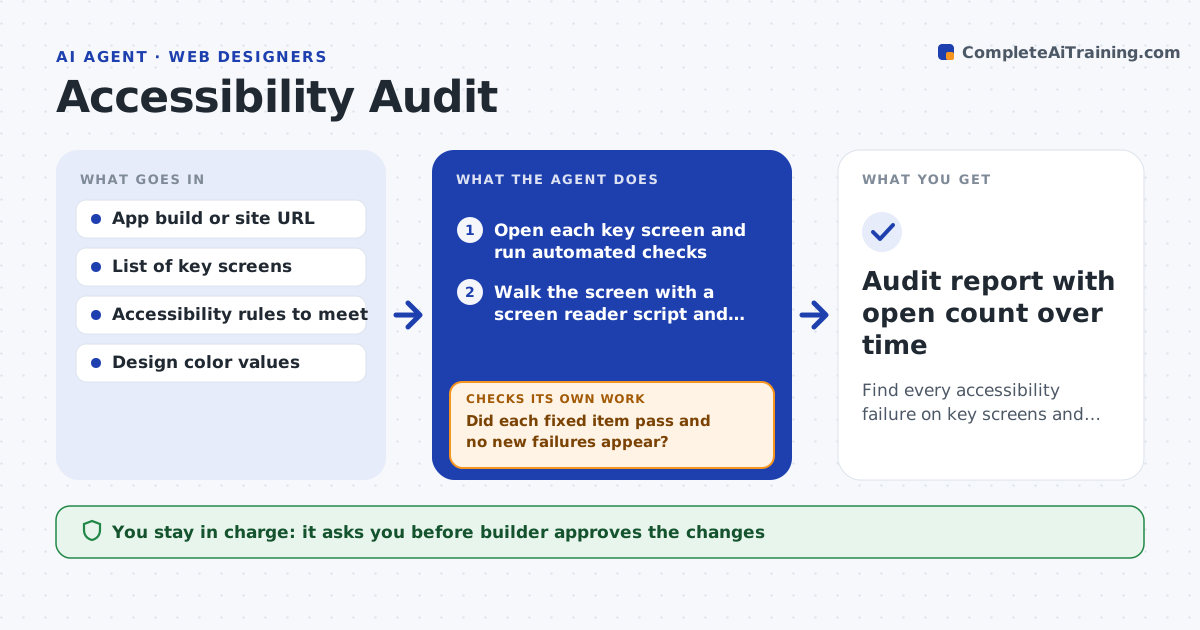
Find every accessibility failure on key screens and confirm each fix
What it does
Accessibility problems pile up screen by screen: unlabeled buttons, low contrast, tiny touch targets, a focus order that jumps around. This agent walks through each screen of the app or site, using automated checks and a screen reader script. It tests labels, contrast ratios, touch target size, focus order, text scaling and form errors. It lists each failure with the element, the screen and the rule it breaks, and proposes a specific fix such as a label text or a color value. After the builder applies the fixes, it rechecks the same screens and a few related ones. It tracks the open count over time. The builder approves the changes. Edge case: a label is present but reads the same on five buttons, so the agent proposes unique labels.
How it works
Follow the arrows from top to bottom. The orange dashed arrow is the loop: when a check fails, the agent goes back and tries again.
Read the steps as a list
- Release candidate or monthly audit
- Open each key screen and run automated checks
- Walk the screen with a screen reader script and keyboard path
- List failures with element, screen and rule
- Rank by how much the failure blocks a task
- Propose a specific fix for each failure
- Builder approves the fixes to applyThe agent waits here for your OK.
- Builder applies the fixes; agent reruns the screens and related ones
- Did each fixed item pass and no new failures appear?If not: list the remaining and new failures with updated fixes. Back to step 3.
- Audit report with open count over time
How it decides
It measures each element against the chosen standard and ranks failures by how many users and tasks they block.
- Require a 4.5 to 1 contrast ratio for normal text
- Require touch targets of at least 44 points
- Rank failures that block sign-in or checkout first
- Check text at 200% size
Make it yours
Every agent is a starting point. You choose these settings for your own situation.
- Standard (default WCAG 2.2 AA)
- Key screens list
- Contrast and touch size limits
- Audit schedule
- Issue tracker to write to
What keeps you in control
It always asks you first
- Builder approves the changes
- Design lead approves color changes
Hard limits
- Never change designs, only propose changes
- Never mark an item fixed without a recheck
It stops when
- Done: all high-impact failures are closed
- Stop: a design change is needed that the builder must decide
Set it up
We guide you through the set-up, step by step
Members get the full set-up guide for this agent. No technical skills needed: you copy, paste and upload.
- One set of instructions to paste into your AI, with the clicks for ChatGPT, Claude, Microsoft 365 Copilot, Gemini and Grok
- The agent then walks you through connecting your own data, one source at a time
- A downloadable copy with the flow chart, the rules and the full guide