AI agent for librarians
Creative Archive Taxonomy Agent
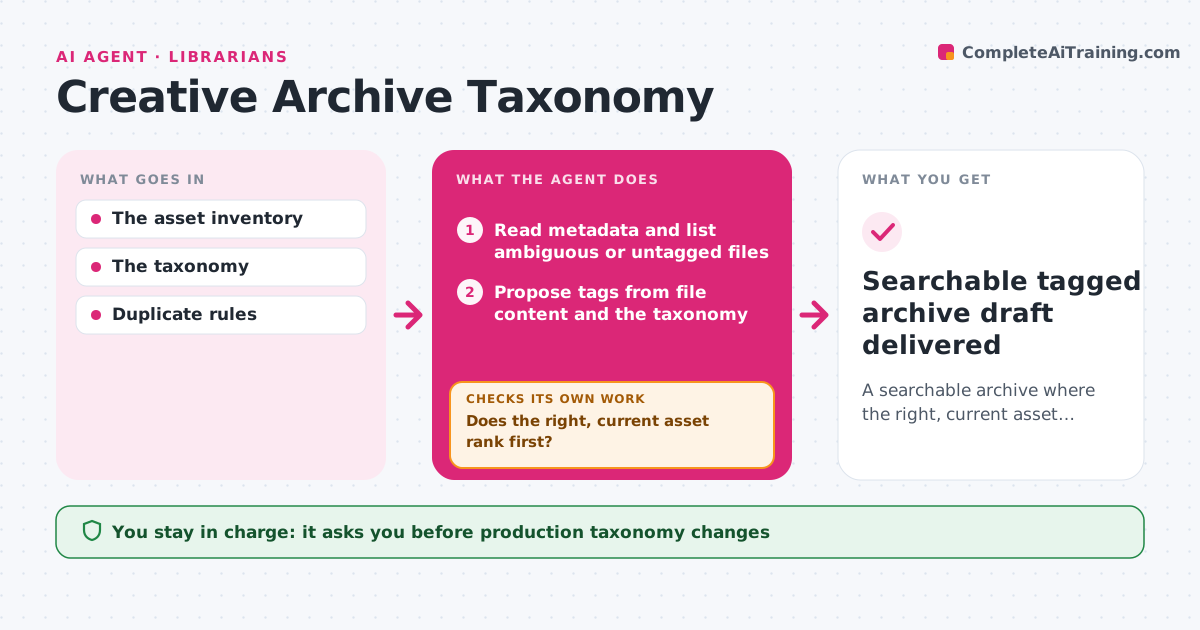
A searchable archive where the right, current asset comes up first.
What it does
Studios collect thousands of assets with inconsistent names and tags, so people keep using old or wrong versions. This agent reads the archive metadata, lists ambiguous or untagged files, starting with the most used, and proposes tags from the studio's taxonomy based on file content and context. It writes tags to a staging copy, then runs test searches for common requests and checks whether the right, current asset ranks first. When a search brings up the wrong file, it refines the tags or marks old versions as deprecated and tests again. It never merges files when the evidence about their identity contradicts itself. The librarian approves taxonomy changes and merges before anything goes live. Edge case: two files with the same name but different colors are kept separate and flagged.
How it works
Follow the arrows from top to bottom. The orange dashed arrow is the loop: when a check fails, the agent goes back and tries again.
Read the steps as a list
- Archive cleanup run
- Read metadata and list ambiguous or untagged files
- Propose tags from file content and the taxonomy
- Write tags to a staging copy of the metadata
- Run test searches for common requests
- Does the right, current asset rank first?If not: refine tags or mark deprecated versions. Back to step 3.
- Librarian approves taxonomy changes and mergesThe agent waits here for your OK.
- Searchable tagged archive draft delivered
How it decides
It tags the most-used ambiguous assets first, then runs test searches; when the wrong or deprecated version ranks first, it refines tags and deprecation markers and tests again.
- Which files first: most-used ambiguous assets.
- Tag refinement: when test searches rank the wrong file first.
- Merge or keep separate: never merge on contradictory evidence.
Make it yours
Every agent is a starting point. You choose these settings for your own situation.
- Taxonomy used for tags (default the studio's controlled vocabulary)
- Test searches run after tagging (default the 50 most common library searches)
- Usage threshold for prioritizing files (default used 5 or more times in the last year)
- Merge rule (default never merge unless file hash or source project match)
- Who approves taxonomy changes (default the librarian)
What keeps you in control
It always asks you first
- Production taxonomy changes
- Deleting files
Hard limits
- Never deletes or merges files without approval.
It stops when
- Done: test searches pass.
- Needs a human: conflicting identity evidence.
Set it up
We guide you through the set-up, step by step
Members get the full set-up guide for this agent. No technical skills needed: you copy, paste and upload.
- One set of instructions to paste into your AI, with the clicks for ChatGPT, Claude, Microsoft 365 Copilot, Gemini and Grok
- The agent then walks you through connecting your own data, one source at a time
- A downloadable copy with the flow chart, the rules and the full guide