AI agent for librarians
Patron Purchase Request Review Agent
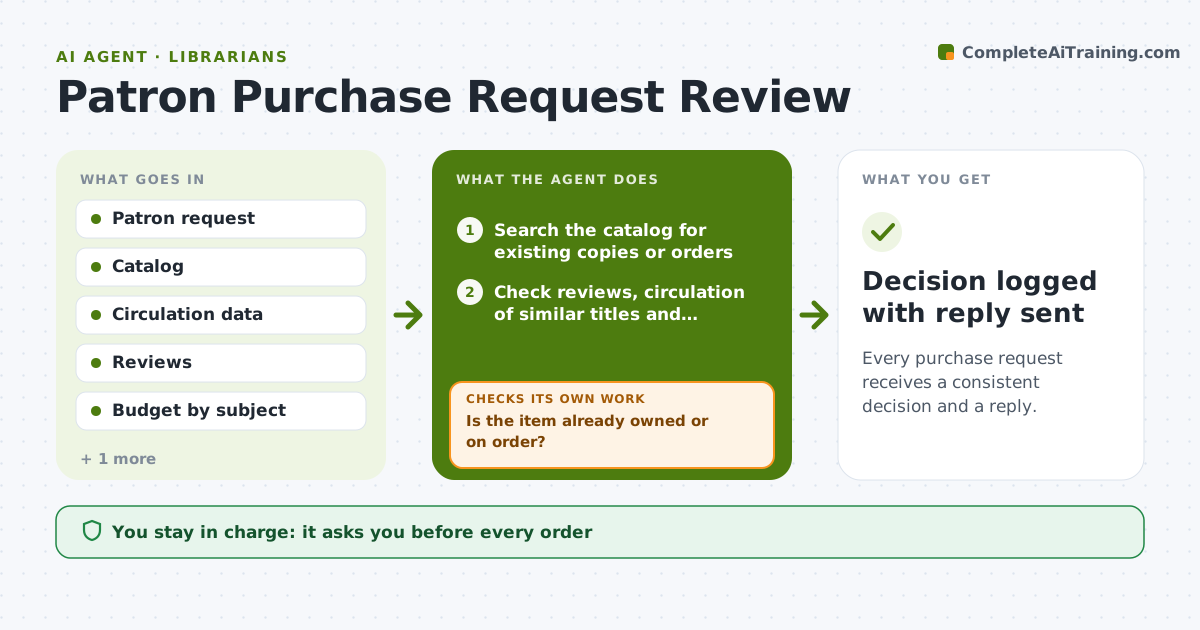
Every purchase request receives a consistent decision and a reply.
What it does
Purchase suggestions pile up in the inbox and get decided one by one, so two patrons asking for the same type of book get different answers. For each request, this agent checks the catalog for existing copies, looks at reviews and circulation of similar titles, checks budget and format availability and drafts a recommendation. If the item is already owned or on order, it prepares a reply with alternatives instead. After the librarian's decision it confirms the order or reply matches the decision. Edge case: the title is in the catalog under a variant ISBN, so the agent counts that as owned. The librarian approves orders and replies.
How it works
Follow the arrows from top to bottom. The orange dashed arrow is the loop: when a check fails, the agent goes back and tries again.
Read the steps as a list
- Patron request arrives
- Search the catalog for existing copies or orders
- Is the item already owned or on order?If not: prepare a reply with holds or alternatives. Back to step 2.
- Check reviews, circulation of similar titles and formats
- Check budget and vendor availability
- Score demand and fit with collection policy
- Draft a recommendation or reply
- Does the draft match the policy and budget?If not: revise the recommendation. Back to step 6.
- Librarian approves orders and repliesThe agent waits here for your OK.
- Decision logged with reply sent
How it decides
It recommends purchase when demand is shown, budget remains and no copy exists, and suggests alternatives or interlibrary loan otherwise.
- Owned or on-order items get a hold offer, not a purchase.
- Buy if similar titles circulate above the collection average.
- Skip when subject budget has under 5% remaining.
- Offer interlibrary loan for items outside the collection policy.
Make it yours
Every agent is a starting point. You choose these settings for your own situation.
- Budget limits by subject
- Circulation threshold
- Formats offered
- Reply tone
- Review sources
What keeps you in control
It always asks you first
- Every order
- Every reply to a patron
Hard limits
- Never place an order itself.
- Do not reveal other patrons' requests.
It stops when
- Done: decision logged and reply approved
- Stop: budget data is unavailable, so the agent holds the request
Set it up
We guide you through the set-up, step by step
Members get the full set-up guide for this agent. No technical skills needed: you copy, paste and upload.
- One set of instructions to paste into your AI, with the clicks for ChatGPT, Claude, Microsoft 365 Copilot, Gemini and Grok
- The agent then walks you through connecting your own data, one source at a time
- A downloadable copy with the flow chart, the rules and the full guide