AI agent for professors
Syllabus Reading Availability Agent
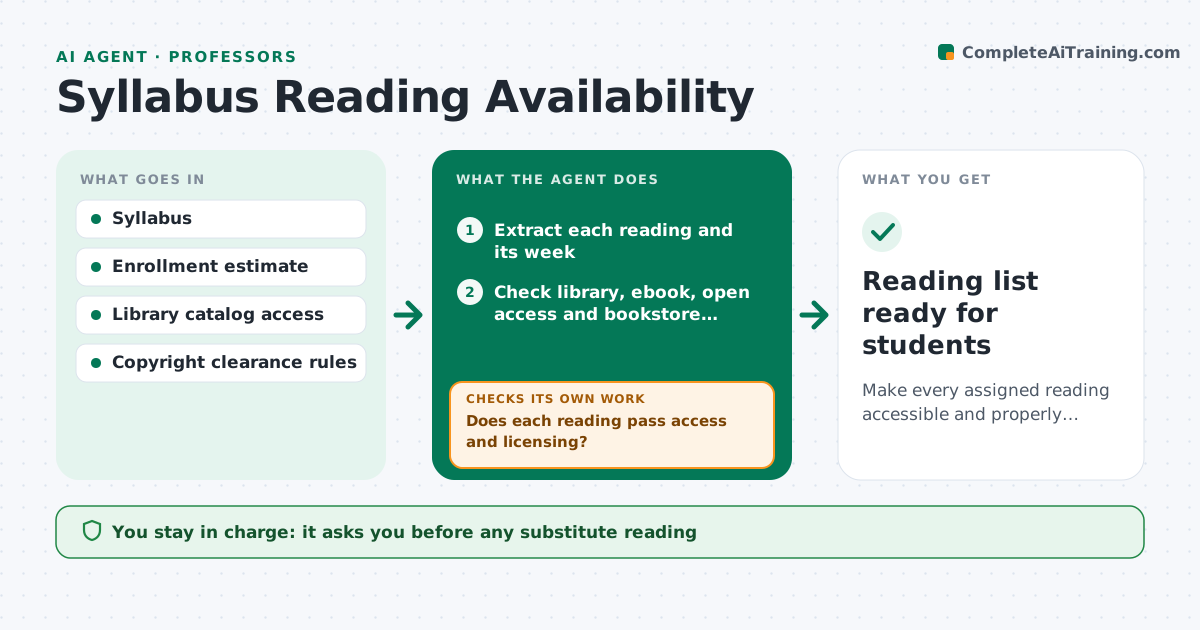
Make every assigned reading accessible and properly licensed for all students by the first week of term.
What it does
Weeks before a term, an instructor finds that a book is out of print, a library has two copies for sixty students, or an article sits behind a paywall. This agent reads the syllabus and lists every reading. For each one it checks library holdings and ebook access, open access versions, publisher licensing for course use and bookstore availability. Readings that fail get alternatives: another edition, an open version, a chapter excerpt under the licensing terms, or a similar text. It checks each alternative the same way before offering it. It then builds a week-by-week list with working links and access notes. It never changes the syllabus. The instructor approves the final list. Edge case: a link that works on campus only is marked as such.
How it works
Follow the arrows from top to bottom. The orange dashed arrow is the loop: when a check fails, the agent goes back and tries again.
Read the steps as a list
- Syllabus uploaded
- Extract each reading and its week
- Check library, ebook, open access and bookstore availability
- Compare simultaneous access to the enrollment estimate
- Does each reading pass access and licensing?If not: search for alternative editions, open versions or excerpts. Back to step 3.
- Do the alternatives pass the same checks?If not: drop the alternative and try the next, then flag the reading for the instructor. Back to step 3.
- Build the week-by-week list with links and access notes
- Test every link
- Instructor approves the final list and any substitutionsThe agent waits here for your OK.
- Reading list ready for students
How it decides
A reading passes if students can reach it legally at no extra cost, or at a cost the instructor allows. Access is counted against enrollment so one-copy items fail.
- Fail a reading if simultaneous access is under 25% of enrollment
- Prefer library-licensed or open access over student purchase
- Mark campus-only links clearly
- Flag costs above the instructor's per-student limit
Make it yours
Every agent is a starting point. You choose these settings for your own situation.
- Enrollment estimate
- Access share required (default 25%)
- Student cost limit
- Libraries to check
- Weeks before term to run
What keeps you in control
It always asks you first
- Any substitute reading
- Final reading list
Hard limits
- Never upload copyrighted material
- Do not change the assigned order without approval
It stops when
- Done: every reading passes or has an approved substitute
- Stop: a core text has no legal access route
Set it up
We guide you through the set-up, step by step
Members get the full set-up guide for this agent. No technical skills needed: you copy, paste and upload.
- One set of instructions to paste into your AI, with the clicks for ChatGPT, Claude, Microsoft 365 Copilot, Gemini and Grok
- The agent then walks you through connecting your own data, one source at a time
- A downloadable copy with the flow chart, the rules and the full guide