AI agent for influencer marketing managers
Creator Content Approval and Disclosure Agent
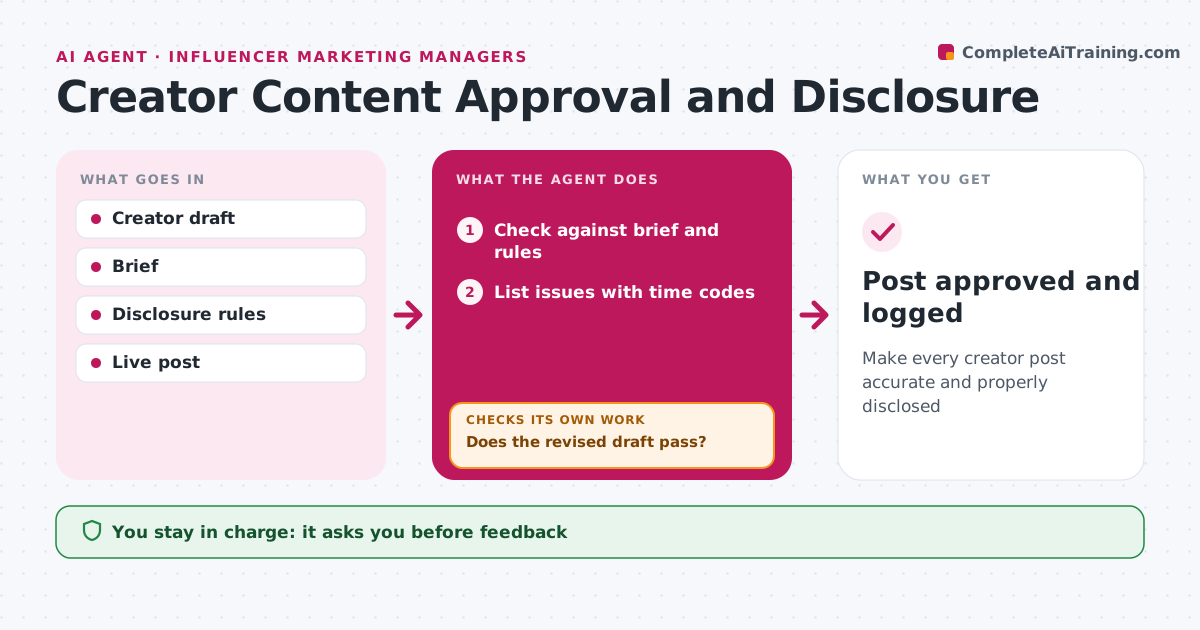
Make every creator post accurate and properly disclosed
What it does
Creator content must meet the brief and the law, and a missing disclosure can mean fines for the brand. When a creator submits a draft, this agent checks it against the brief: key messages, banned claims, how the product is used and brand rules. It checks that the disclosure label is clear and appears in the first lines or seconds. It lists each issue with the time code or line and drafts feedback for the creator. The manager approves the feedback before it is sent. When the revised draft comes back, the agent checks it again and repeats until it passes. After the post goes live, it compares the live version with the approved draft, and flags any change. The manager approves final content. Edge case: any health claim goes to legal review, even if it seems harmless.
How it works
Follow the arrows from top to bottom. The orange dashed arrow is the loop: when a check fails, the agent goes back and tries again.
Read the steps as a list
- Draft submitted
- Check against brief and rules
- List issues with time codes
- Manager approves feedbackThe agent waits here for your OK.
- Does the revised draft pass?If not: send new feedback. Back to step 2.
- Does the live post match the approved draft?If not: ask the creator to fix the live post. Back to step 2.
- Post approved and logged
How it decides
Each draft must meet the brief and disclosure rules. Health claims go to legal.
- Disclosure in the first lines or seconds
- Health claims to legal
- Banned claims removed
Make it yours
Every agent is a starting point. You choose these settings for your own situation.
- Brief rules
- Disclosure rules
- Review timing
What keeps you in control
It always asks you first
- Feedback
- Final content
Hard limits
- Never edits creator content
- Never approves health claims
It stops when
- Done: post live and matching
- Stop: creator withdraws
Set it up
We guide you through the set-up, step by step
Members get the full set-up guide for this agent. No technical skills needed: you copy, paste and upload.
- One set of instructions to paste into your AI, with the clicks for ChatGPT, Claude, Microsoft 365 Copilot, Gemini and Grok
- The agent then walks you through connecting your own data, one source at a time
- A downloadable copy with the flow chart, the rules and the full guide