
AI agent for digital marketing managers
Creator Content Calendar Slot Agent
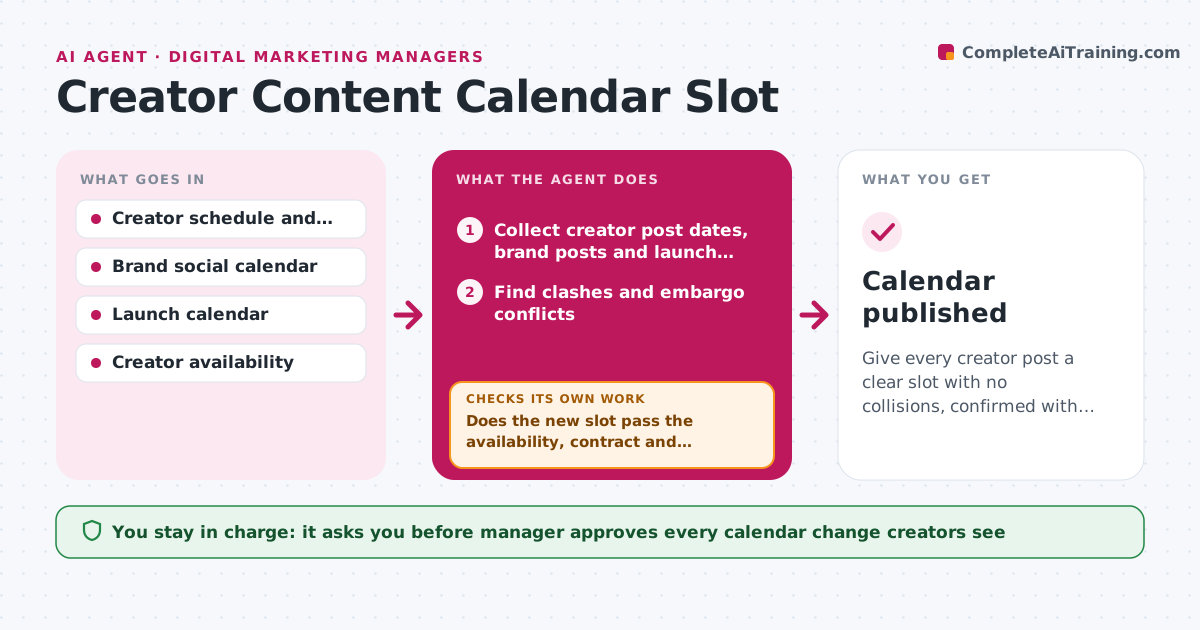
Give every creator post a clear slot with no collisions, confirmed with the creator.
What it does
When creators post on their own schedules, their content lands next to a brand post or on the day of a launch. The agent merges the dates of agreed creator posts with the brand social calendar and the launch calendar. It flags clashes such as two posts on the same product on one day, a creator post before an embargo, or a gap in a required exclusivity window. For each clash it proposes a new slot, then checks the new slot against the creator's availability and contract terms, and against any other post that day. It updates the shared calendar only with approved changes and re-checks the whole calendar afterwards, as one move can cause a new clash. Edge case: a creator who posts for a time zone the brand calendar does not show. The manager approves every change that creators see.
How it works
Follow the arrows from top to bottom. The orange dashed arrow is the loop: when a check fails, the agent goes back and tries again.
Read the steps as a list
- Calendar check runs
- Collect creator post dates, brand posts and launch dates
- Find clashes and embargo conflicts
- Propose a new slot for each clash
- Check the slot against the creator's availability and contract
- Does the new slot pass the availability, contract and clash tests?If not: pick the next best slot and test it again. Back to step 4.
- Manager approves each change that creators will seeThe agent waits here for your OK.
- Update the shared calendar and draft the note to the creator
- Re-read the full calendar after the change
- Did the change create any new clash?If not: propose a fix for the new clash and repeat. Back to step 3.
- Calendar published
How it decides
A clash is two posts on the same topic within 24 hours or a post on a restricted date. A new slot must pass the contract, availability and clash tests.
- Treat posts on the same topic within 24 hours as a clash
- Never move a post before an embargo or outside the contract window
- Offer a creator at most 3 slot options
- Re-read the full calendar after each change
Make it yours
Every agent is a starting point. You choose these settings for your own situation.
- Clash window (default 24 hours)
- Time zones used
- Calendar tools
- Number of slot options (default 3)
- Who approves changes
What keeps you in control
It always asks you first
- Manager approves every calendar change creators see
- Manager approves messages to creators
Hard limits
- Never change a creator's date without approval
- Respect embargo and exclusivity dates
It stops when
- Done: no clashes remain
- Stop: creator and contract dates cannot be matched, ask the manager
Set it up
We guide you through the set-up, step by step
Members get the full set-up guide for this agent. No technical skills needed: you copy, paste and upload.
- One set of instructions to paste into your AI, with the clicks for ChatGPT, Claude, Microsoft 365 Copilot, Gemini and Grok
- The agent then walks you through connecting your own data, one source at a time
- A downloadable copy with the flow chart, the rules and the full guide



