AI agent for influencer marketing managers
Creator Contract Terms Drafting Agent
Turn agreed deal terms into a complete, standard contract
What it does
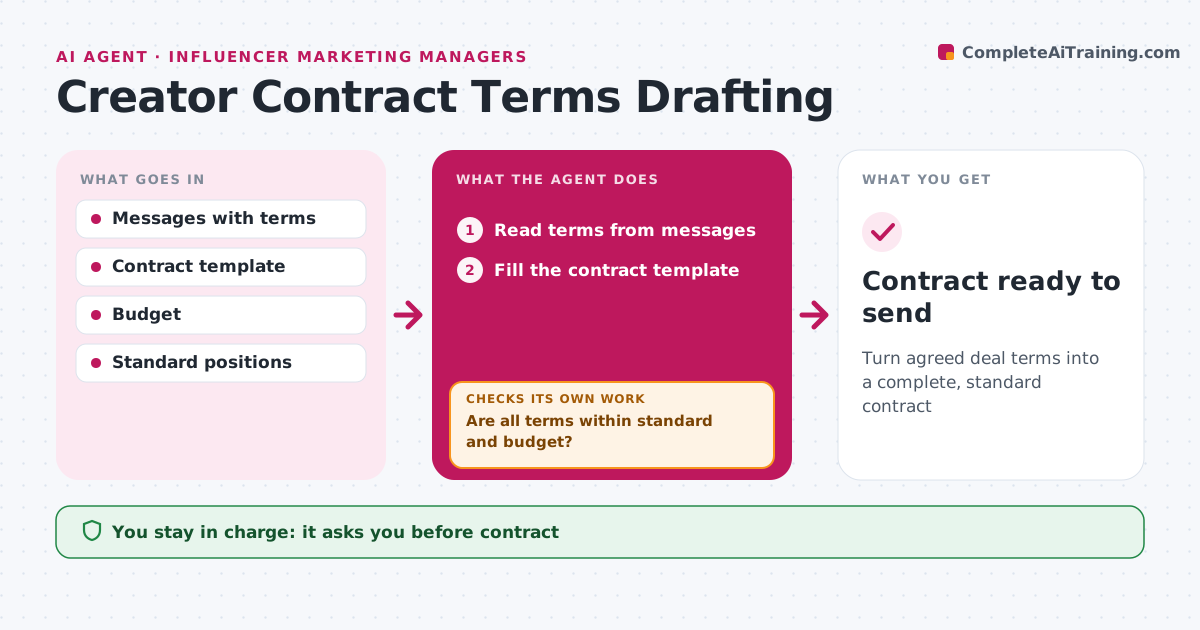
Creator deals need clear terms on deliverables, dates, usage rights, exclusivity and payment, and terms agreed in chat messages are easy to get wrong in the contract. When a creator agrees to terms, this agent reads them from the message thread and fills the contract template. It checks each term against the campaign budget and the brand's standard positions. Anything outside standard, such as longer usage rights or a higher fee, is flagged with the difference. It then checks that the contract has every required clause, including disclosure duties and content approval steps. If a clause is missing, it adds it from the template and checks again. The manager and legal approve the final contract before it is sent. Edge case: exclusivity longer than the standard window needs extra approval before the contract can go out.
How it works
Follow the arrows from top to bottom. The orange dashed arrow is the loop: when a check fails, the agent goes back and tries again.
Read the steps as a list
- Creator agrees to terms
- Read terms from messages
- Fill the contract template
- Are all terms within standard and budget?If not: flag terms for manager review. Back to step 3.
- Does the contract have every required clause?If not: add missing clauses. Back to step 3.
- Manager and legal approveThe agent waits here for your OK.
- Contract ready to send
How it decides
Each term is compared with the standard and budget.
- Exclusivity beyond standard needs approval
- Fees above budget flagged
- Usage rights spelled out
Make it yours
Every agent is a starting point. You choose these settings for your own situation.
- Standard positions
- Required clauses
- Approval rules
What keeps you in control
It always asks you first
- Contract
Hard limits
- Never signs contracts
- Never gives legal advice
It stops when
- Done: contract approved
- Stop: creator withdraws
Set it up
We guide you through the set-up, step by step
Members get the full set-up guide for this agent. No technical skills needed: you copy, paste and upload.
- One set of instructions to paste into your AI, with the clicks for ChatGPT, Claude, Microsoft 365 Copilot, Gemini and Grok
- The agent then walks you through connecting your own data, one source at a time
- A downloadable copy with the flow chart, the rules and the full guide