AI agent for influencer marketing managers
Creator Exclusivity Conflict Agent
Detect and document likely exclusivity breaches early and prepare a fair first response.
What it does
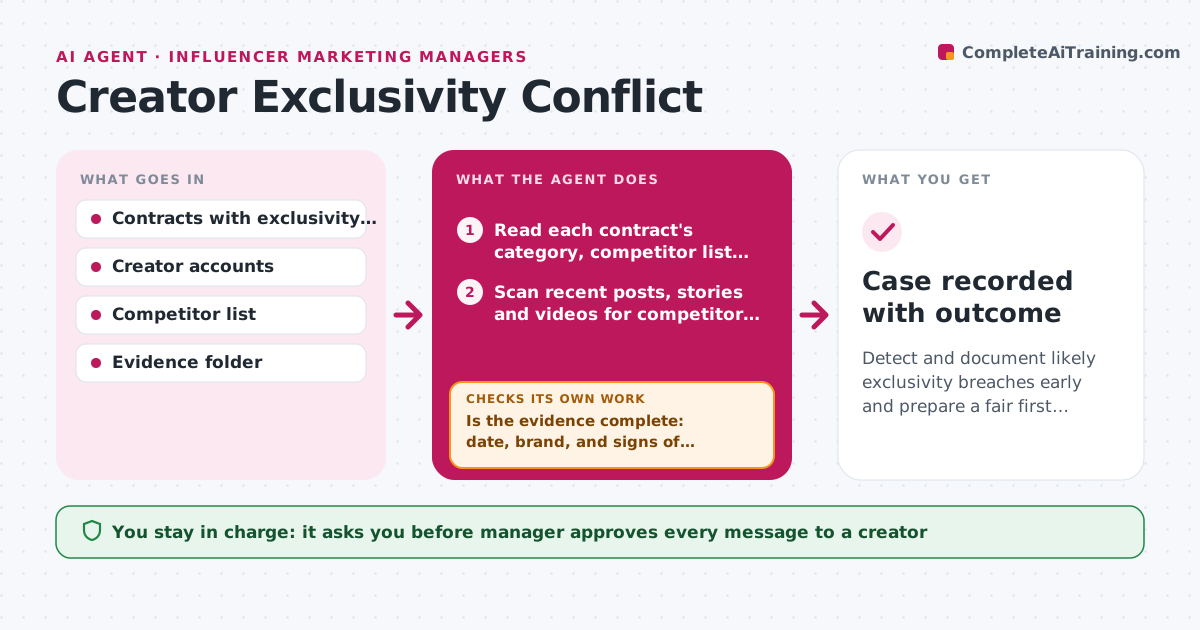
Exclusivity clauses say a creator will not promote competing brands for a set time, but nobody reads every creator's feed. The agent holds each contract's exclusivity terms: the categories, named competitors, start and end dates and what counts as promotion. It watches the contracted creators' recent posts, stories and videos for competitor brands, tags and paid-partnership labels. For every hit, it checks the date against the exclusive period and the product against the category, then collects screenshots and links as evidence. It classifies the hit as a likely breach, a possible breach or not a breach, such as an organic mention before the period began. For a likely breach, it drafts a calm note to the creator. Edge case: a competitor product the creator owned before the contract. The manager approves any message or remedy.
How it works
Follow the arrows from top to bottom. The orange dashed arrow is the loop: when a check fails, the agent goes back and tries again.
Read the steps as a list
- Daily scan of creators under exclusivity
- Read each contract's category, competitor list and dates
- Scan recent posts, stories and videos for competitor brands and tags
- Match each hit to the exclusive period and category
- Capture screenshots, links and timestamps as evidence
- Is the evidence complete: date, brand, and signs of promotion?If not: search the post caption, tags and partnership label again and add them. Back to step 3.
- Classify the hit as likely, possible or not a breach
- Draft a note to the creator for likely breaches
- Manager approves any message or remedyThe agent waits here for your OK.
- Re-check the creator's feed after 7 days
- Case recorded with outcome
How it decides
A hit is a likely breach when it is inside the dates, in the restricted category and shows promotion, such as a tag or paid label. Other hits go to the manager as possible.
- Likely breach: inside dates, in category and promotion signals present
- Possible breach: mention without a tag or label
- Not a breach: post dated before the period
- Re-check the feed 7 days after any note
Make it yours
Every agent is a starting point. You choose these settings for your own situation.
- Platforms to monitor
- Competitor list
- Rating rules for likely and possible
- Re-check delay (default 7 days)
- Message tone
What keeps you in control
It always asks you first
- Manager approves every message to a creator
- Manager approves any remedy such as a fee reduction
Hard limits
- Never accuse a creator without evidence
- Do not send messages or apply penalties itself
It stops when
- Done: all hits classified and logged
- Stop: contract wording is unclear on a category, ask the manager
Set it up
We guide you through the set-up, step by step
Members get the full set-up guide for this agent. No technical skills needed: you copy, paste and upload.
- One set of instructions to paste into your AI, with the clicks for ChatGPT, Claude, Microsoft 365 Copilot, Gemini and Grok
- The agent then walks you through connecting your own data, one source at a time
- A downloadable copy with the flow chart, the rules and the full guide