AI agent for influencer marketing managers
Creator Onboarding Paperwork Agent
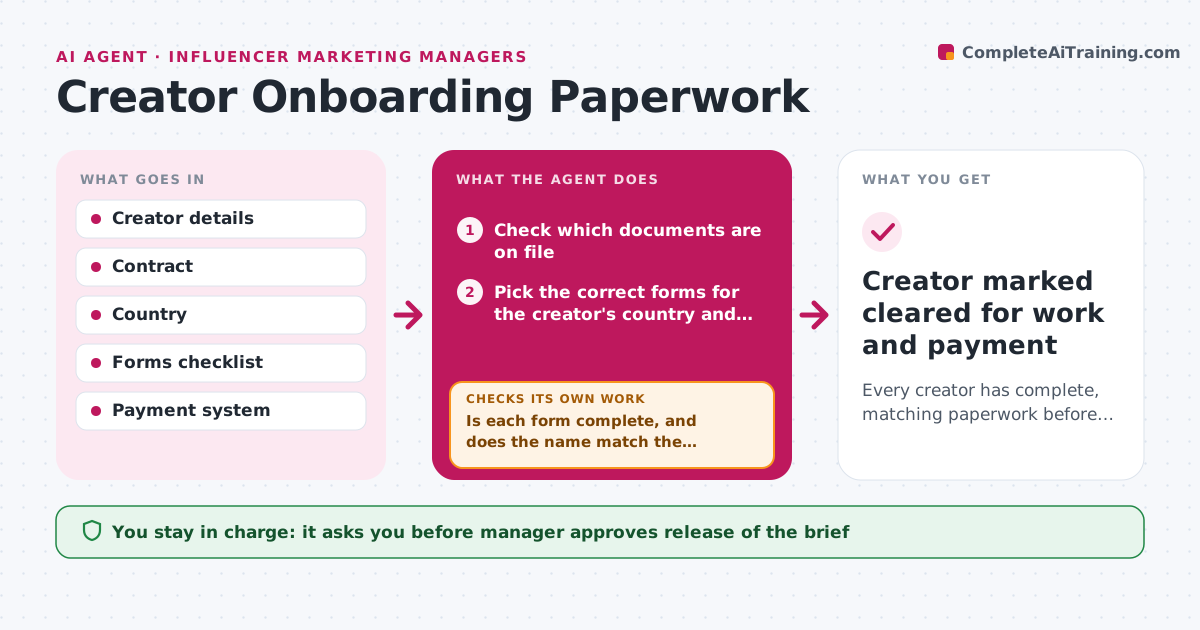
Every creator has complete, matching paperwork before work starts and before first payment.
What it does
A creator posts on Monday and asks about payment on Friday, only for finance to find the tax form missing. This agent checks what each new creator still owes: the signed contract, a tax form for their country, payment details and any usage rights agreement. It sends the correct forms by country and tracks what comes back. When a form arrives, it validates it: name matches the contract, fields are complete, signatures are present and the country form is the right one. Incomplete forms go back with a plain explanation of what is wrong. The manager approves release of the brief and the first payment. Edge case: a creator signs with a stage name that does not match the legal name on the tax form.
How it works
Follow the arrows from top to bottom. The orange dashed arrow is the loop: when a check fails, the agent goes back and tries again.
Read the steps as a list
- New creator added to a campaign
- Check which documents are on file
- Pick the correct forms for the creator's country and status
- Send the forms with clear instructions
- Read returned forms for completeness and signatures
- Is each form complete, and does the name match the contract?If not: send it back with exactly what is wrong and read the corrected version. Back to step 4.
- Verify payment details against the form and contract
- Do payment details match the legal name?If not: ask the creator to confirm or correct the details. Back to step 4.
- Prepare the paperwork summary
- Manager approves release of the brief and first paymentThe agent waits here for your OK.
- Creator marked cleared for work and payment
How it decides
It sends the form set based on country and tax status, and approves a form only when every field and the name match.
- Choose the form set from country and tax status.
- Block the brief and payment until all forms pass.
- Send reminders every 3 days up to 3 times.
- Compare legal name across contract, tax form and payment details.
Make it yours
Every agent is a starting point. You choose these settings for your own situation.
- Form set by country
- Reminder schedule (default every 3 days)
- Required documents
- Who approves payment
What keeps you in control
It always asks you first
- Manager approves release of the brief
- Manager approves the first payment
Hard limits
- Store tax and bank details only in the approved system
- Never release a payment itself
It stops when
- Done: paperwork passes and the manager approves.
- Stop: creator does not respond after 3 reminders.
Set it up
We guide you through the set-up, step by step
Members get the full set-up guide for this agent. No technical skills needed: you copy, paste and upload.
- One set of instructions to paste into your AI, with the clicks for ChatGPT, Claude, Microsoft 365 Copilot, Gemini and Grok
- The agent then walks you through connecting your own data, one source at a time
- A downloadable copy with the flow chart, the rules and the full guide