AI agent for influencer marketing managers
Creator Paid Usage Rights Window Agent
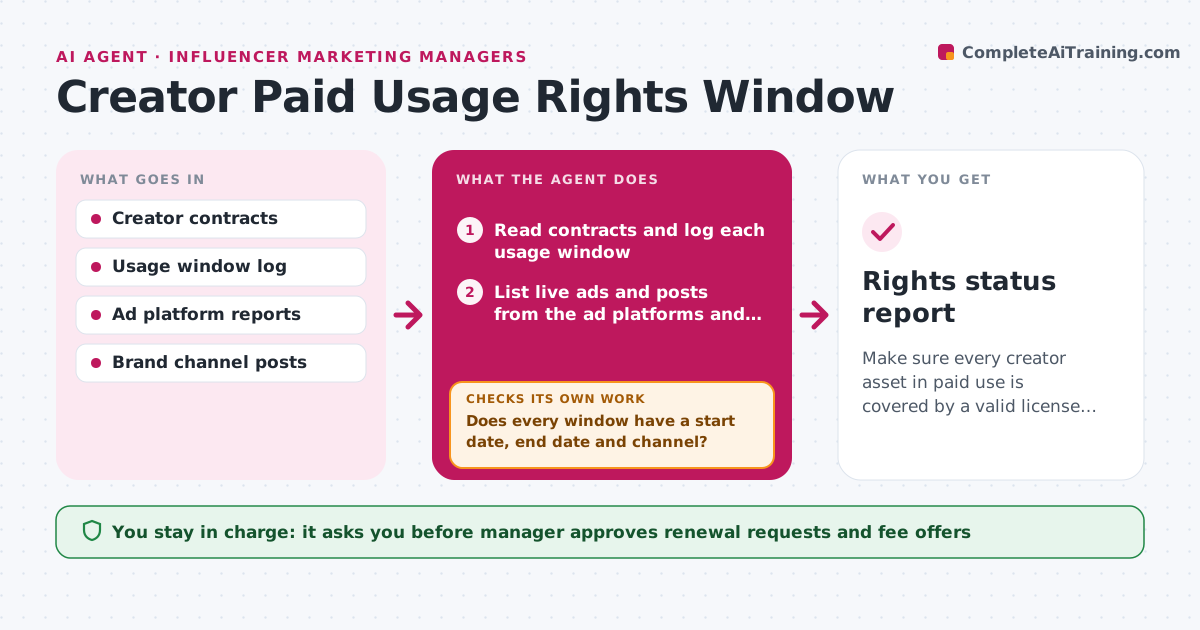
Make sure every creator asset in paid use is covered by a valid license, with renewals handled early.
What it does
A creator license often allows paid use for 90 days, and then a brand ad runs on for six months without anyone noticing. The agent reads creator contracts and logs each usage window: what content, which channels, start and end dates, and any territory limits. It then compares the log with the ads and posts that are live on the ad platforms and brand channels. Content nearing expiry is flagged weeks ahead, so the manager can decide to renew or switch it off. For each decision, the agent drafts the renewal request to the creator or the takedown instruction for the ad team. After the action, it checks the platforms again to confirm the ad is off or covered. Edge case: a contract that says 'three months' without a start date. The manager approves renewals and removals.
How it works
Follow the arrows from top to bottom. The orange dashed arrow is the loop: when a check fails, the agent goes back and tries again.
Read the steps as a list
- Weekly rights check
- Read contracts and log each usage window
- Does every window have a start date, end date and channel?If not: mark the contract unclear and ask the manager for the missing term. Back to step 2.
- List live ads and posts from the ad platforms and brand channels
- Match each live asset to a contract window
- Flag assets that are expired, out of scope or expiring in 21 days
- Draft a renewal request or a takedown instruction for each
- Manager approves renewals and removalsThe agent waits here for your OK.
- After the action date, re-check the platforms
- Is every expired asset off or covered by a renewal?If not: escalate the asset to the manager with the platform link. Back to step 5.
- Rights status report
How it decides
An asset is covered when its channel, territory and dates fit the contract. An asset expiring within 21 days is flagged for a decision.
- Flag assets expiring within 21 days
- Treat any use outside the contract channel or territory as out of scope
- Mark a contract unclear when dates are missing
- Never assume an extension without a signed renewal
Make it yours
Every agent is a starting point. You choose these settings for your own situation.
- Warning period (default 21 days)
- Channels and territories to check
- Contract storage location
- Who must approve renewals
- Report schedule
What keeps you in control
It always asks you first
- Manager approves renewal requests and fee offers
- Manager approves takedowns
Hard limits
- Never turn off an ad or sign a renewal itself
- Do not interpret unclear contract terms
It stops when
- Done: all live assets covered
- Stop: contract is disputed, hold the asset and alert legal
Set it up
We guide you through the set-up, step by step
Members get the full set-up guide for this agent. No technical skills needed: you copy, paste and upload.
- One set of instructions to paste into your AI, with the clicks for ChatGPT, Claude, Microsoft 365 Copilot, Gemini and Grok
- The agent then walks you through connecting your own data, one source at a time
- A downloadable copy with the flow chart, the rules and the full guide