AI agent for influencer marketing managers
Creator Rate Benchmark Agent
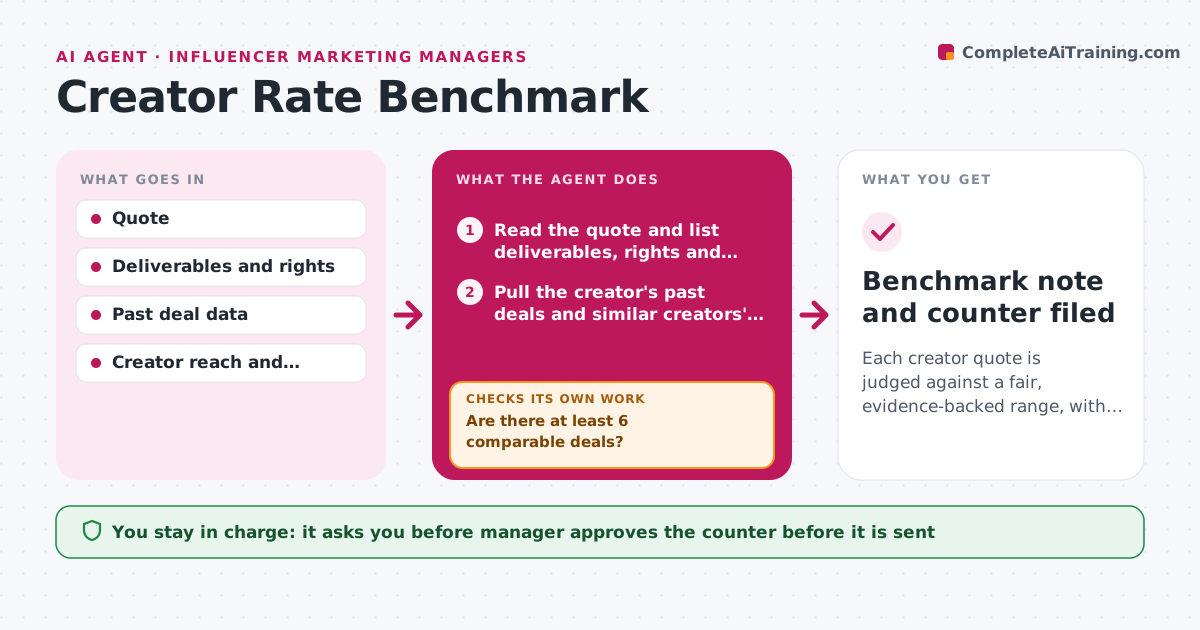
Each creator quote is judged against a fair, evidence-backed range, with a counter ready when needed.
What it does
One creator quotes 2,000 dollars for a video and another with a similar audience quotes 6,000, and the manager has nothing to compare against. For each quote, this agent builds a comparison set: the creator's own past deals, similar creators by reach and engagement, and the planned deliverables including usage rights and exclusivity. It adjusts for those extras and calculates a fair range. If the comparison set is too thin, it widens the criteria, for example a wider follower band or more platforms, and recalculates. Quotes far outside the range get a counter range with reasoning. The manager approves the counter before it is sent. Edge case: the quote includes 12 months of usage rights, which adds a premium.
How it works
Follow the arrows from top to bottom. The orange dashed arrow is the loop: when a check fails, the agent goes back and tries again.
Read the steps as a list
- Creator quote received
- Read the quote and list deliverables, rights and exclusivity
- Pull the creator's past deals and similar creators' rates
- Are there at least 6 comparable deals?If not: widen the follower and engagement band and add platforms, then recount. Back to step 3.
- Adjust for usage rights, exclusivity and rush
- Calculate the fair range
- Does the quote sit within 25 percent above the range?If not: build a counter range and check it against the budget. Back to step 4.
- Draft the counter with reasoning
- Manager approves the counterThe agent waits here for your OK.
- Benchmark note and counter filed
How it decides
A quote is out of range when it is more than 25 percent above the top of the fair range. The set needs at least 6 comparable deals.
- Require at least 6 comparable deals.
- Add a usage rights premium by months of use.
- Call a quote out of range above 25 percent over the top of the range.
- Offer a range, not a single figure, in the counter.
Make it yours
Every agent is a starting point. You choose these settings for your own situation.
- Comparable deal count (default 6)
- Out-of-range threshold (default 25 percent)
- Rights premium table
- Platforms covered
What keeps you in control
It always asks you first
- Manager approves the counter before it is sent
Hard limits
- Do not name other creators' rates in the counter
- Never send the counter itself
It stops when
- Done: benchmark filed and counter approved.
- Stop: not enough data even after widening, so the manager decides by hand.
Set it up
We guide you through the set-up, step by step
Members get the full set-up guide for this agent. No technical skills needed: you copy, paste and upload.
- One set of instructions to paste into your AI, with the clicks for ChatGPT, Claude, Microsoft 365 Copilot, Gemini and Grok
- The agent then walks you through connecting your own data, one source at a time
- A downloadable copy with the flow chart, the rules and the full guide