AI agent for influencer marketing managers
Creator Renewal Scoring Agent
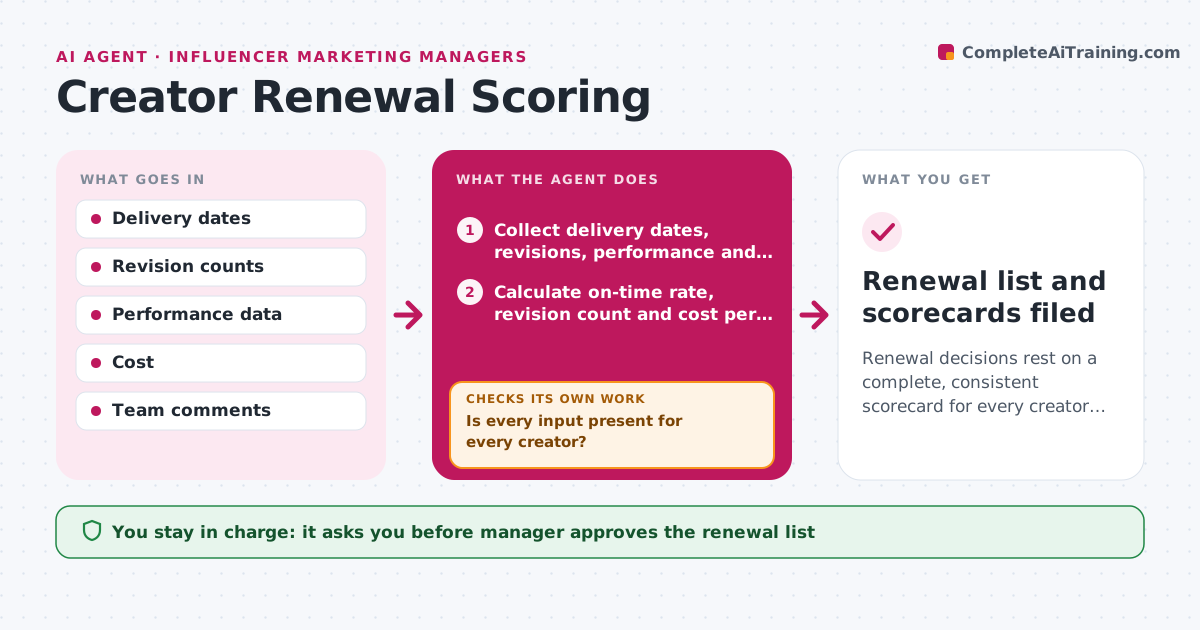
Renewal decisions rest on a complete, consistent scorecard for every creator in the campaign.
What it does
At the end of a campaign, the creators who were easy and effective often get renewed, and the rest depends on who the manager remembers. This agent collects the data for each creator: on-time delivery, number of revisions, performance versus cost, audience fit and comments from the team. It scores each creator using weights the manager sets. Before scoring it checks the data for gaps. Missing data, such as no comments from the design team, is requested from the right people, and the score is rerun when it arrives. It prepares a ranked renewal list with the reasons. The manager approves the final list. Edge case: a creator had a low result but a bad brief, so the agent notes it.
How it works
Follow the arrows from top to bottom. The orange dashed arrow is the loop: when a check fails, the agent goes back and tries again.
Read the steps as a list
- Campaign closes
- Collect delivery dates, revisions, performance and cost for each creator
- Calculate on-time rate, revision count and cost per result
- Is every input present for every creator?If not: request the missing data from the right teams and recalculate. Back to step 2.
- Collect team comments and audience fit notes
- Score each creator with the weighted formula
- Do any scores contradict the notes, such as a high score with serious complaints?If not: review the notes, adjust the context flags and rescore. Back to step 6.
- Rank creators and write the reasons for each
- Manager approves the renewal listThe agent waits here for your OK.
- Renewal list and scorecards filed
How it decides
It scores each factor from 1 to 5 using the manager's weights and does not score a creator until all five inputs exist.
- Do not score a creator with missing inputs.
- Weight performance 40 percent, delivery 25, ease of work 20, fit 15 by default.
- Flag any creator with 3 or more revision rounds.
- Note when a poor result had a known cause such as a late brief.
Make it yours
Every agent is a starting point. You choose these settings for your own situation.
- Scoring weights
- Inputs required
- Revision flag level (default 3)
- Renewal list format
What keeps you in control
It always asks you first
- Manager approves the renewal list
Hard limits
- Show the data behind each score
- Never inform the creator of a decision itself
It stops when
- Done: list approved and filed.
- Stop: key data cannot be obtained, so the creator is left unscored.
Set it up
We guide you through the set-up, step by step
Members get the full set-up guide for this agent. No technical skills needed: you copy, paste and upload.
- One set of instructions to paste into your AI, with the clicks for ChatGPT, Claude, Microsoft 365 Copilot, Gemini and Grok
- The agent then walks you through connecting your own data, one source at a time
- A downloadable copy with the flow chart, the rules and the full guide