AI agent for accounts receivable specialists
Credit Memo Request Validation Agent
Every credit memo backed by evidence and the right amount
What it does
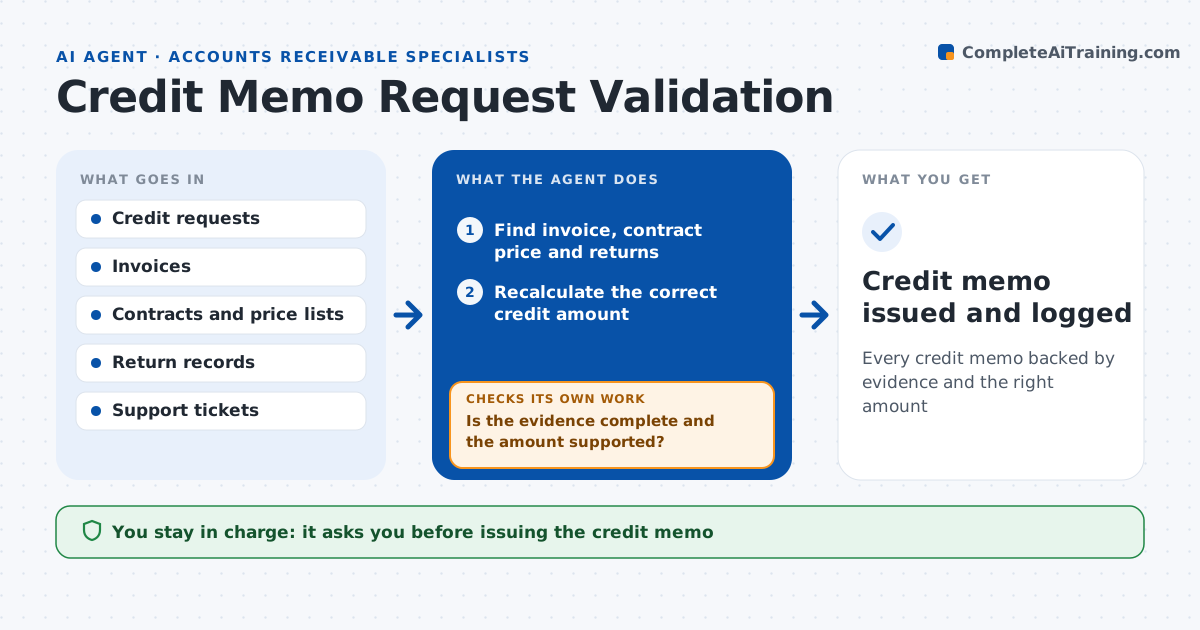
Sales, support and customers ask for credits for returns, pricing errors and service issues, and credits issued without checks leak revenue. This agent checks each request before a credit is issued. It finds the original invoice, the contract or price list, any return receipt and the support ticket. It recalculates the right credit amount from the evidence and compares it to the request. If evidence is missing, it asks the requester for it and checks again once received. It looks for earlier credits on the same invoice line to catch duplicates. It then drafts the credit memo with the reason code and routes it for approval based on amount, with larger credits going to a manager. The approver always signs before a credit is issued. Edge case: two people ask for a credit on the same invoice line, so the agent catches the duplicate.
How it works
Follow the arrows from top to bottom. The orange dashed arrow is the loop: when a check fails, the agent goes back and tries again.
Read the steps as a list
- Credit request submitted
- Find invoice, contract price and returns
- Recalculate the correct credit amount
- Is the evidence complete and the amount supported?If not: ask the requester for the missing proof. Back to step 2.
- Check for earlier credits on the same line
- Draft credit memo with reason code
- Approver signs based on amountThe agent waits here for your OK.
- Credit memo issued and logged
How it decides
It recalculates the credit from source documents and only drafts it when evidence supports the amount.
- Price error: credit the difference to the contract price only
- Return: credit only units received back
- Credits above $5,000: manager approval
Make it yours
Every agent is a starting point. You choose these settings for your own situation.
- Approval limits by amount
- Required evidence per reason code
- Who can request credits
- Reason code list
What keeps you in control
It always asks you first
- Issuing the credit memo
- Credits above the set limit
Hard limits
- Never issues credits itself
- Never changes the original invoice
It stops when
- Done: credit memo issued or request rejected with reason
- Stop: requester cannot provide evidence
Set it up
We guide you through the set-up, step by step
Members get the full set-up guide for this agent. No technical skills needed: you copy, paste and upload.
- One set of instructions to paste into your AI, with the clicks for ChatGPT, Claude, Microsoft 365 Copilot, Gemini and Grok
- The agent then walks you through connecting your own data, one source at a time
- A downloadable copy with the flow chart, the rules and the full guide