AI agent for loan officers
Credit Report Review and Rescore Planning Agent
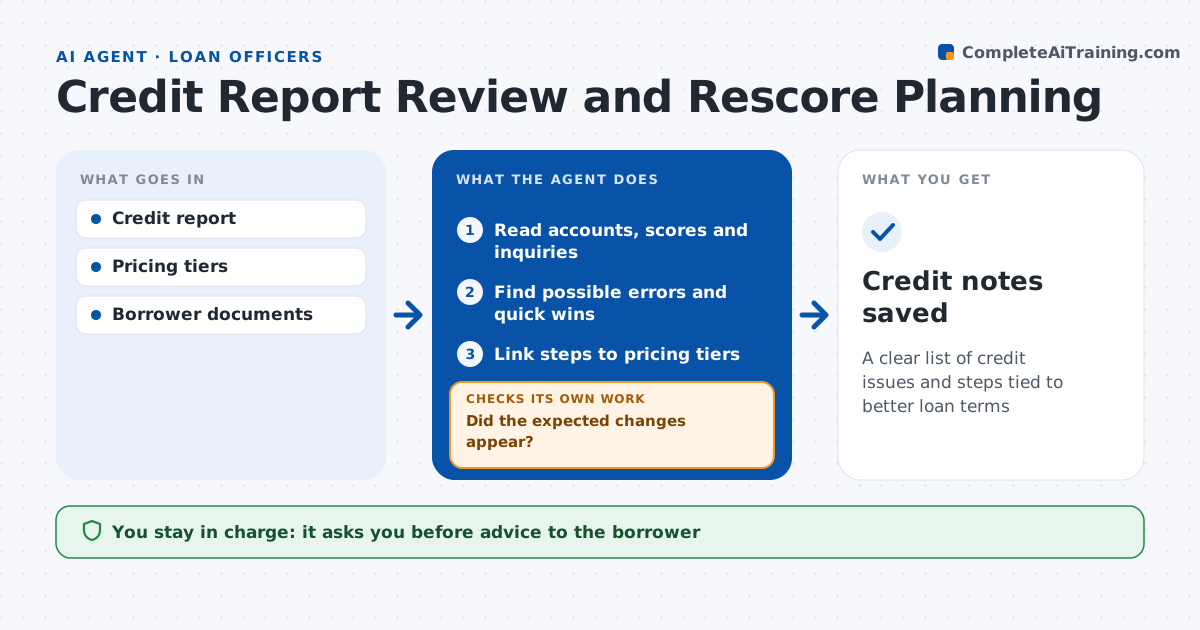
A clear list of credit issues and steps tied to better loan terms
What it does
A few points on a credit score can change a borrower's rate tier, but borrowers rarely know which steps would help. When a credit report comes in, this agent reads the scores, accounts, balances, late payments and inquiries. It looks for likely errors such as duplicate accounts or paid debts still showing balances, and quick wins such as paying a card under 30% utilization. It links each step to the pricing tier the borrower is close to and lists any documents needed. The loan officer decides what to suggest, and the borrower decides what to do. After a rescore or update, the agent reads the new report and checks whether the expected changes appeared. If not, it finds out why and plans the next step. Edge case: a collection account appears under two agencies, so the agent flags it as a possible duplicate.
How it works
Follow the arrows from top to bottom. The orange dashed arrow is the loop: when a check fails, the agent goes back and tries again.
Read the steps as a list
- Credit report pulled
- Read accounts, scores and inquiries
- Find possible errors and quick wins
- Link steps to pricing tiers
- Loan officer decides what to suggestThe agent waits here for your OK.
- Read updated report after changes
- Did the expected changes appear?If not: recheck the account and list next steps. Back to step 3.
- Credit notes saved
How it decides
It ranks steps by how close the borrower is to the next pricing tier and how easy the step is.
- Score within 20 points of next tier: show steps
- Card utilization over 30%: suggest paydown amount
- Same debt listed twice: flag
Make it yours
Every agent is a starting point. You choose these settings for your own situation.
- Pricing tiers
- Utilization targets
- Steps allowed
- Notes format
What keeps you in control
It always asks you first
- Advice to the borrower
- Ordering a rescore
Hard limits
- Never promises score changes
- Never disputes items for the borrower
It stops when
- Done: notes saved
- Stop: borrower declines changes
Set it up
We guide you through the set-up, step by step
Members get the full set-up guide for this agent. No technical skills needed: you copy, paste and upload.
- One set of instructions to paste into your AI, with the clicks for ChatGPT, Claude, Microsoft 365 Copilot, Gemini and Grok
- The agent then walks you through connecting your own data, one source at a time
- A downloadable copy with the flow chart, the rules and the full guide