AI agent for crisis communications managers
Crisis Holding Statement Readiness Agent
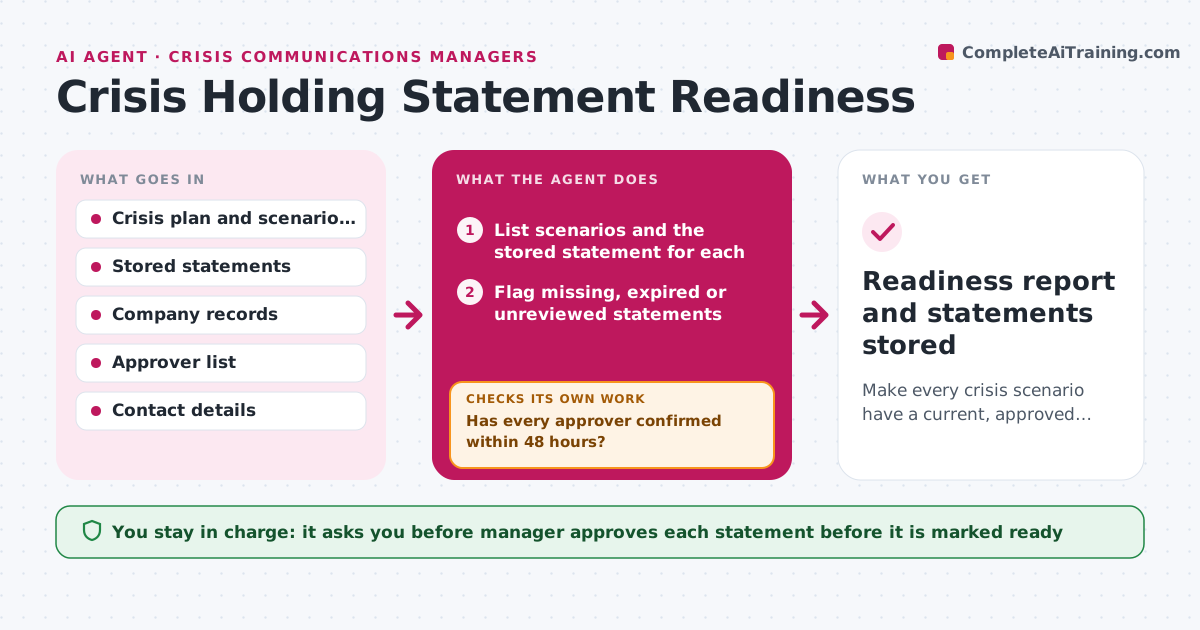
Make every crisis scenario have a current, approved holding statement with reachable approvers.
What it does
A holding statement is useless if it is outdated or its approvers are on holiday. For each crisis scenario in the plan, such as a data breach, a product recall or an executive scandal, the agent checks that a statement exists, was reviewed within the set period, and names approvers. It compares facts in the statement, such as company name, product lines and contacts, with current records and drafts updates where facts changed. Then it tests reachability: it checks approvers' calendars and sends a test confirmation to each person, retrying through another channel if there is no reply. Gaps become a task list. Edge case: the legal approver has changed jobs and the old name remains. The manager approves each statement before it is stored as ready.
How it works
Follow the arrows from top to bottom. The orange dashed arrow is the loop: when a check fails, the agent goes back and tries again.
Read the steps as a list
- Quarterly readiness run begins
- List scenarios and the stored statement for each
- Flag missing, expired or unreviewed statements
- Compare facts in each statement with current company records
- Draft updates where facts have changed
- Send a test confirmation to each named approver
- Has every approver confirmed within 48 hours?If not: retry by a second channel, then ask the manager for a replacement approver. Back to step 6.
- Compile gaps and the updated statements
- Does every scenario now have a statement, current facts and confirmed approvers?If not: return to the facts check for the scenarios still open. Back to step 3.
- Manager approves each statement as readyThe agent waits here for your OK.
- Readiness report and statements stored
How it decides
A scenario is ready only if its statement is current, its facts match records, and every approver has confirmed reachability in the last 30 days.
- Statement expires if not reviewed in 6 months
- Reachability test must succeed within 48 hours
- Treat any change in executive, product or legal entity as a fact change
- A scenario with no named legal approver is not ready
Make it yours
Every agent is a starting point. You choose these settings for your own situation.
- Scenario list
- Review interval (default 6 months)
- Reachability window (default 48 hours)
- Contact channels and order
- Who must approve each scenario
What keeps you in control
It always asks you first
- Manager approves each statement before it is marked ready
- Manager approves changes to the approver list
Hard limits
- Never release a statement outside the team
- Do not mark a statement ready without approval
It stops when
- Done: all scenarios ready or listed as open gaps
- Stop: crisis plan file cannot be found, report to the manager
Set it up
We guide you through the set-up, step by step
Members get the full set-up guide for this agent. No technical skills needed: you copy, paste and upload.
- One set of instructions to paste into your AI, with the clicks for ChatGPT, Claude, Microsoft 365 Copilot, Gemini and Grok
- The agent then walks you through connecting your own data, one source at a time
- A downloadable copy with the flow chart, the rules and the full guide