AI agent for public affairs specialists
Crisis Recovery Sentiment Tracking Agent
The manager sees an evidence-based recovery picture each day, with causes behind any setback.
What it does
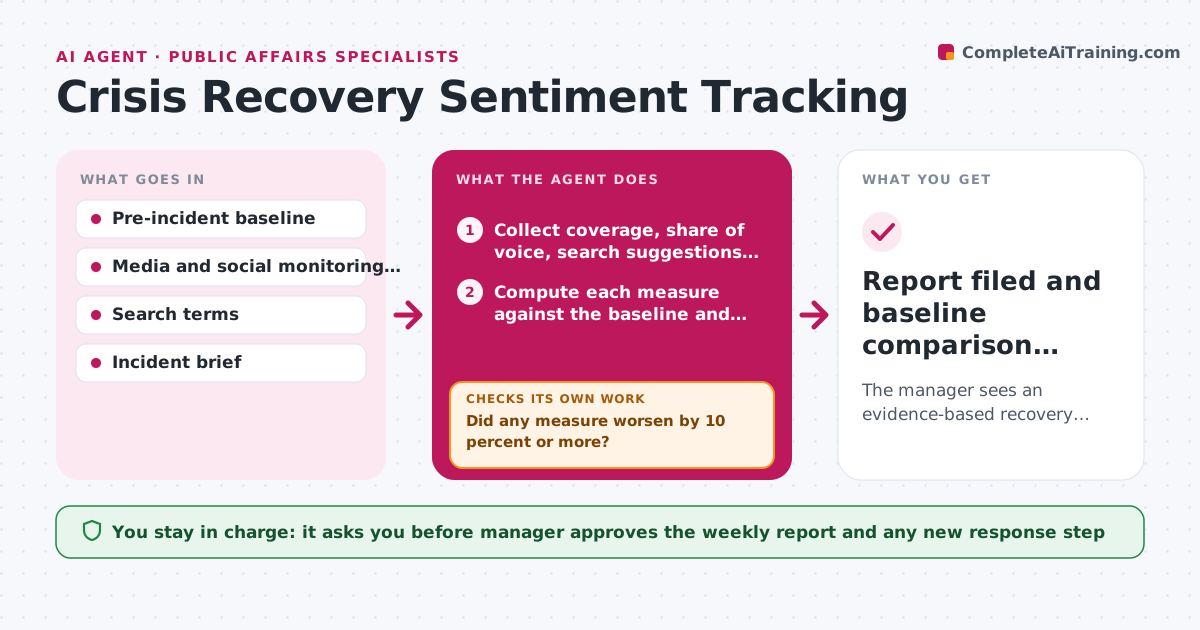
After an incident, leaders ask whether things are getting better, and the answer is usually a feeling. This agent measures it every day against a pre-incident baseline: coverage tone, share of voice, search suggestions and the main themes in social posts. It records the numbers and compares them with the baseline and the previous day. If a measure moves the wrong way, it digs into the posts and outlets driving it to find the cause, then checks whether the cause is a single outlet or a wider group. It drafts a weekly recovery report with a suggested next step. The manager approves the report and any new response. Edge case: a spike comes from one viral post, so the agent labels it isolated.
How it works
Follow the arrows from top to bottom. The orange dashed arrow is the loop: when a check fails, the agent goes back and tries again.
Read the steps as a list
- Daily tracking run
- Collect coverage, share of voice, search suggestions and social posts
- Compute each measure against the baseline and yesterday
- Did any measure worsen by 10 percent or more?If not: if data looks incomplete, refetch the last 24 hours before moving on. Back to step 2.
- Open the posts and outlets driving the change
- Classify the cause as isolated, a group or a new story angle
- Is the cause supported by at least 3 examples?If not: pull more samples and reclassify. Back to step 5.
- Draft the daily note and weekly recovery report with a suggested step
- Manager approves the weekly report and any new response stepThe agent waits here for your OK.
- Report filed and baseline comparison updated
How it decides
A measure is a setback when it worsens by 10 percent or more from the previous 3-day average. It digs into the top sources behind it.
- Flag a setback at a 10 percent worsening against the 3-day average.
- Treat a cause as real with at least 3 examples.
- Call recovery when all measures sit within 15 percent of baseline for 7 days.
- Escalate a new angle to the manager the same day.
Make it yours
Every agent is a starting point. You choose these settings for your own situation.
- Measures tracked
- Setback threshold (default 10 percent)
- Recovery definition (default 7 days within 15 percent)
- Report recipients
What keeps you in control
It always asks you first
- Manager approves the weekly report and any new response step
Hard limits
- Report numbers with their source
- Do not respond publicly on its own
It stops when
- Done: all measures near baseline for 7 days and manager closes tracking.
- Stop: monitoring tools down, so the manager is told.
Set it up
We guide you through the set-up, step by step
Members get the full set-up guide for this agent. No technical skills needed: you copy, paste and upload.
- One set of instructions to paste into your AI, with the clicks for ChatGPT, Claude, Microsoft 365 Copilot, Gemini and Grok
- The agent then walks you through connecting your own data, one source at a time
- A downloadable copy with the flow chart, the rules and the full guide