AI agent for carpenters
Custom Furniture Job Costing Agent
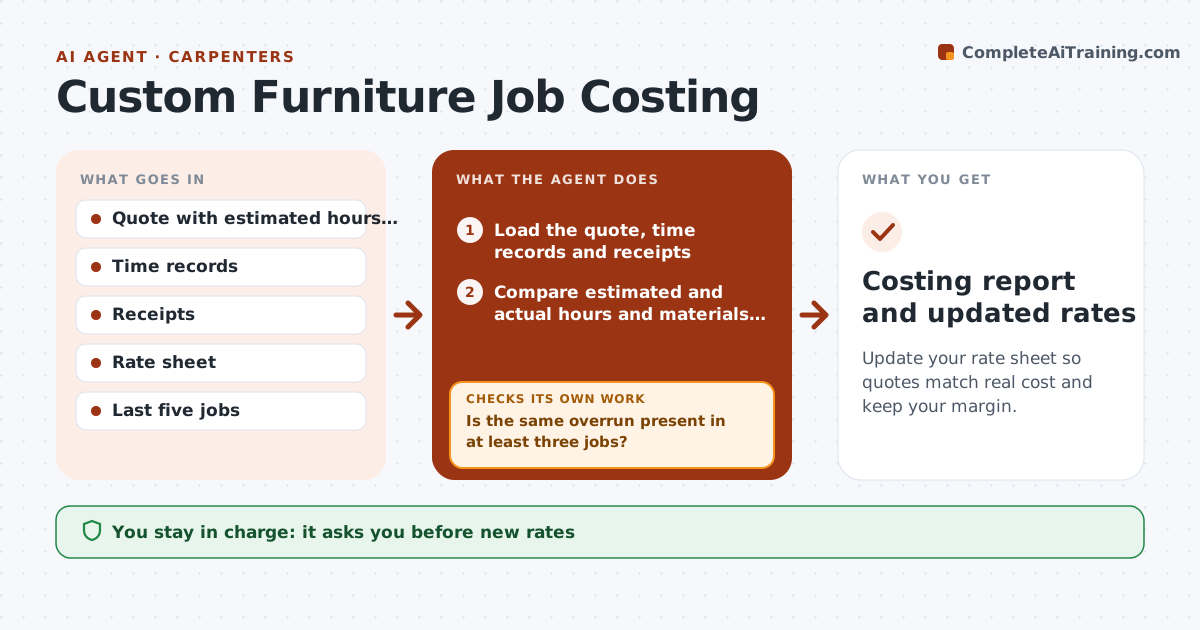
Update your rate sheet so quotes match real cost and keep your margin.
What it does
On custom furniture, the quote is a guess and the real cost shows up later. After each job, this agent compares estimated and actual hours and materials by item, such as milling, joinery, finishing and hardware. It finds the biggest overruns and calculates how far your rates are off. It then proposes changes to your rate sheet, such as a higher finishing hour allowance for a certain wood. Before suggesting a change, it tests it against your last five jobs to see whether the new rate would have fit them. You approve new rates. Edge case: one job overran because the client changed the design, and the agent excludes it from the rate change.
How it works
Follow the arrows from top to bottom. The orange dashed arrow is the loop: when a check fails, the agent goes back and tries again.
Read the steps as a list
- Job is invoiced
- Load the quote, time records and receipts
- Compare estimated and actual hours and materials by item
- Find the largest overruns and mark changes made by the client
- Is the same overrun present in at least three jobs?If not: Record it as a one-off and do not change the rate. Back to step 4.
- Calculate a new rate or allowance for the item
- Test the new rate against the last five jobs
- Does the new rate fit the past jobs better than the old one?If not: Adjust the proposal and retest. Back to step 6.
- Carpenter approves the new ratesThe agent waits here for your OK.
- Update the rate sheet draft
- Costing report and updated rates
How it decides
It only proposes a rate change if the same overrun appears in at least three jobs and the new rate fits the previous jobs better.
- Client-driven changes are excluded from rate changes
- A pattern needs at least 3 jobs (default)
- Overruns above 10% of an item are highlighted (default)
- The new rate must reduce average error across five jobs
Make it yours
Every agent is a starting point. You choose these settings for your own situation.
- Pattern rule (default 3 jobs)
- Overrun highlight level (default 10%)
- Number of past jobs to test (default 5)
- Hourly rate
- Material markup
What keeps you in control
It always asks you first
- New rates
Hard limits
- Never changes live quotes
- Excludes client change orders
- Shows the data behind every rate
It stops when
- Done: report and approved rates
- Stop: too few jobs to find a pattern; keep collecting data
Set it up
We guide you through the set-up, step by step
Members get the full set-up guide for this agent. No technical skills needed: you copy, paste and upload.
- One set of instructions to paste into your AI, with the clicks for ChatGPT, Claude, Microsoft 365 Copilot, Gemini and Grok
- The agent then walks you through connecting your own data, one source at a time
- A downloadable copy with the flow chart, the rules and the full guide