AI agent for carpenters
Jobsite Delivery Check-In Agent
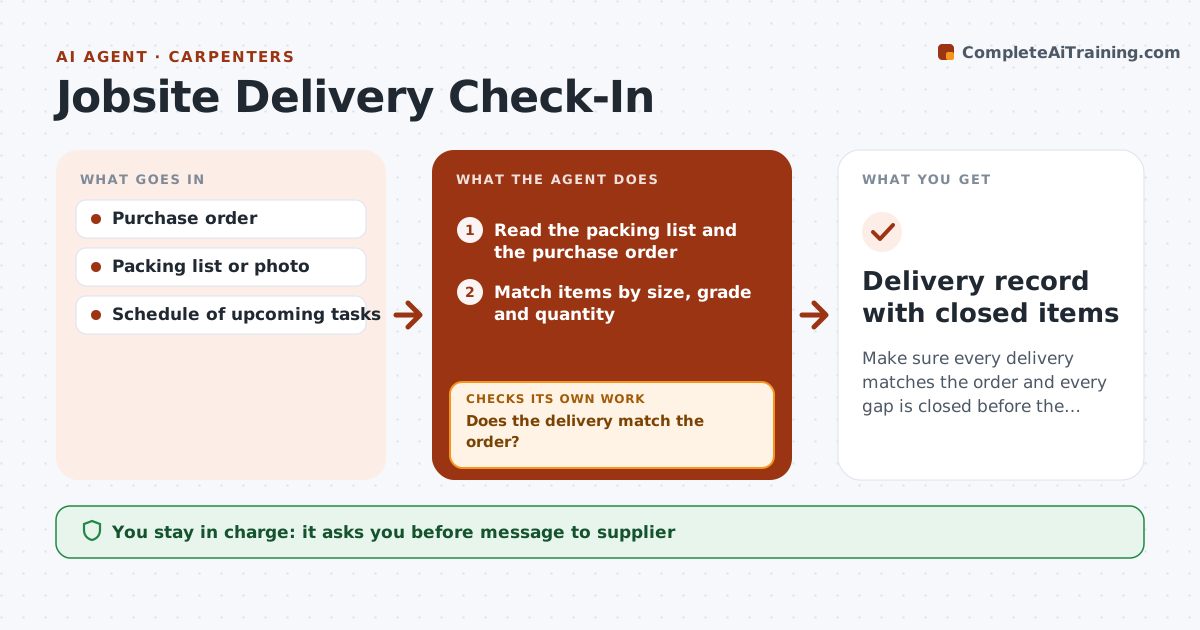
Make sure every delivery matches the order and every gap is closed before the crew needs it.
What it does
A short or wrong delivery can idle a crew for a day. When a delivery arrives, you send the agent a photo of the packing list or type the items. It compares the list with the purchase order, flags shortages, substitutions and damaged items, and shows the effect on the next work in the schedule. It drafts a note to the supplier asking for the missing items with the delivery date needed. When the replacement arrives, it checks the new list against the open items and closes them. You approve any change to the order. Edge case: the supplier sent 2x6 in a different grade, and the agent flags the substitution.
How it works
Follow the arrows from top to bottom. The orange dashed arrow is the loop: when a check fails, the agent goes back and tries again.
Read the steps as a list
- Delivery arrives on site
- Read the packing list and the purchase order
- Match items by size, grade and quantity
- Does the delivery match the order?If not: List shortages, substitutions and damage. Back to step 3.
- Check which upcoming tasks depend on the open items
- Draft a note to the supplier with needed-by dates
- Carpenter approves the note and any order changeThe agent waits here for your OK.
- Send the note and log the response
- Check the new delivery against the open items
- Are all open items closed?If not: Keep them open and update the supplier. Back to step 5.
- Delivery record with closed items
How it decides
It matches by item, size, grade and quantity. It ranks open items by how soon the crew needs them.
- Different grade or size counts as a substitution, not a match
- Items needed within 2 days are urgent (default)
- Damaged items are open until replaced
- Photos are kept with the record
Make it yours
Every agent is a starting point. You choose these settings for your own situation.
- Urgency window (default 2 days)
- Who receives supplier notes
- Substitution rules
- Tracking sheet
- Required photo set
What keeps you in control
It always asks you first
- Message to supplier
- Changes to the order
Hard limits
- Never places orders or pays
- Never contacts the supplier without approval
- Keeps the delivery photo record
It stops when
- Done: all items match or are resolved
- Stop: item cannot be supplied; carpenter finds an alternative
Set it up
We guide you through the set-up, step by step
Members get the full set-up guide for this agent. No technical skills needed: you copy, paste and upload.
- One set of instructions to paste into your AI, with the clicks for ChatGPT, Claude, Microsoft 365 Copilot, Gemini and Grok
- The agent then walks you through connecting your own data, one source at a time
- A downloadable copy with the flow chart, the rules and the full guide