AI agent for product managers
Customer Feedback to Product Request Agent
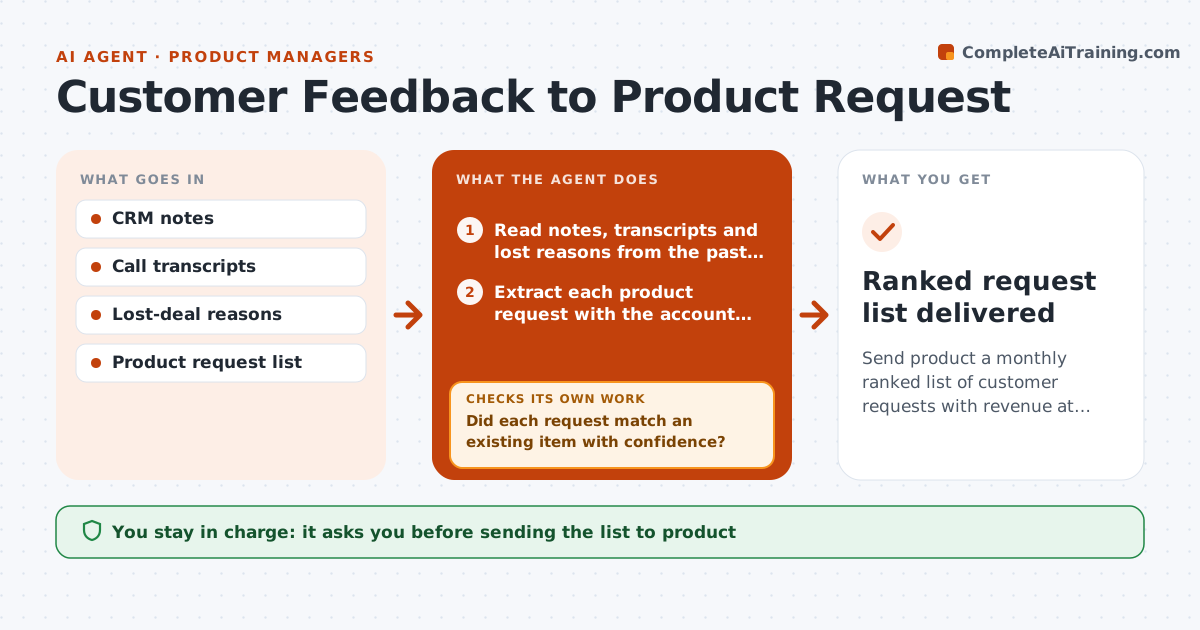
Send product a monthly ranked list of customer requests with revenue at stake
What it does
Sales hears what buyers need, but the requests sit in call notes and emails where product teams never see them. Each month this agent reads deal notes, lost-deal reasons from the last two quarters and call transcripts. It pulls out each product request with the account and deal value, then matches it to the existing product request list. If a request cannot be matched with confidence, it groups similar ones and asks a sales manager to confirm the wording. It ranks requests by revenue at stake and number of accounts, and a request needs at least three accounts to enter the main list. Single-account requests above $250,000 are shown separately. The sales leader approves the list before it goes to product. Edge case: one large prospect's request is shown separately so it does not dominate the ranking.
How it works
Follow the arrows from top to bottom. The orange dashed arrow is the loop: when a check fails, the agent goes back and tries again.
Read the steps as a list
- Monthly product sync approaching
- Read notes, transcripts and lost reasons from the past month
- Extract each product request with the account and deal value
- Match requests to the existing product request list
- Did each request match an existing item with confidence?If not: group similar unmatched requests and ask a manager to confirm wording. Back to step 3.
- Rank requests by revenue at stake and number of accounts
- Sales leader approves the list sent to productThe agent waits here for your OK.
- Ranked request list delivered
How it decides
Requests are ranked by total pipeline and lost revenue that mentioned them, with a minimum of three separate accounts to enter the main list.
- Main list requires at least three accounts
- Show single-account requests above 250k separately
- Include lost deals only from the last two quarters
Make it yours
Every agent is a starting point. You choose these settings for your own situation.
- Minimum accounts for the main list (default 3)
- Lookback period
- Sources to read
- Recipients at product
What keeps you in control
It always asks you first
- Sending the list to product
- Promising a feature date to any customer
Hard limits
- Never adds items to the product backlog directly
- Never tells customers a feature is planned
It stops when
- Done: list approved and delivered
- Stop: no notes logged in the period
Set it up
We guide you through the set-up, step by step
Members get the full set-up guide for this agent. No technical skills needed: you copy, paste and upload.
- One set of instructions to paste into your AI, with the clicks for ChatGPT, Claude, Microsoft 365 Copilot, Gemini and Grok
- The agent then walks you through connecting your own data, one source at a time
- A downloadable copy with the flow chart, the rules and the full guide