AI agent for product managers
Customer Advisory Board Preparation Agent
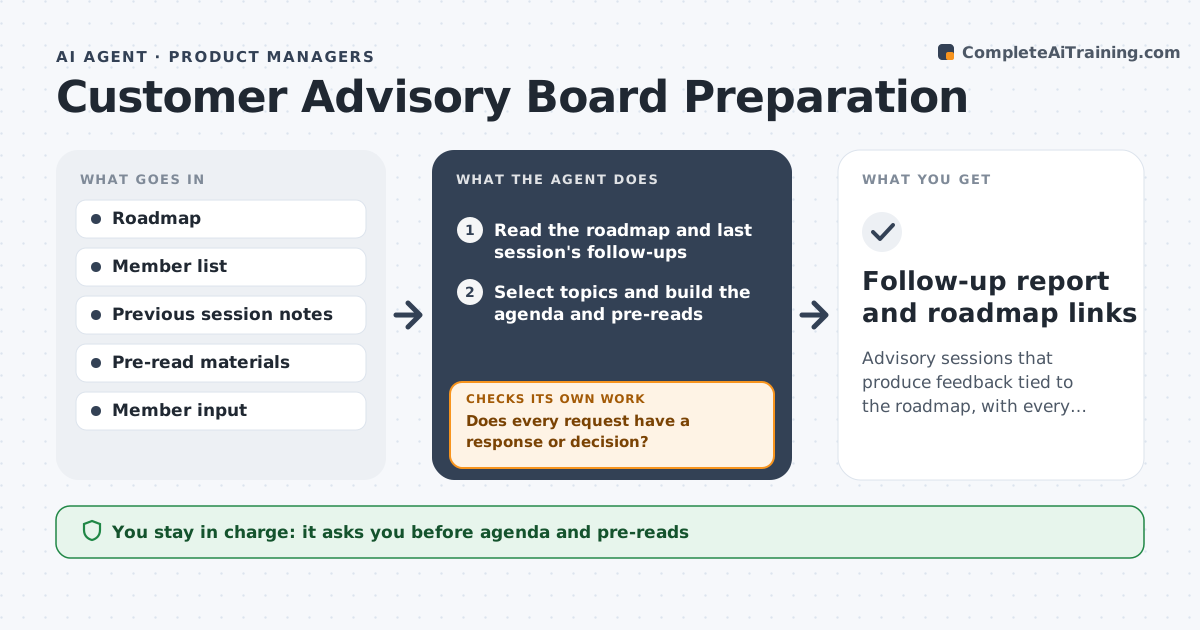
Advisory sessions that produce feedback tied to the roadmap, with every request answered.
What it does
The advisory board meets for two hours, the notes get filed, and six months later no one can say what happened to their requests. This agent selects topics from the roadmap, builds the agenda and pre-reads and collects member input beforehand. After the session, it maps feedback to roadmap items and checks that every request has a response. It also keeps a running list of promises and open questions from earlier sessions, so each new meeting starts by reporting back. Members who see their input used are more likely to keep attending. Edge case: two members ask for conflicting features, so the agent lists both views. The leader approves outgoing follow-ups.
How it works
Follow the arrows from top to bottom. The orange dashed arrow is the loop: when a check fails, the agent goes back and tries again.
Read the steps as a list
- Board meeting scheduled
- Read the roadmap and last session's follow-ups
- Select topics and build the agenda and pre-reads
- Leader approves the agenda and pre-readsThe agent waits here for your OK.
- Send requests and collect member input
- Summarize member input by topic
- After the meeting, map feedback to roadmap items
- Does every request have a response or decision?If not: list the missing ones and draft responses. Back to step 7.
- Leader approves follow-upsThe agent waits here for your OK.
- Follow-up report and roadmap links
How it decides
It picks topics where member input would change a decision and maps feedback to existing or new roadmap items.
- Choose topics that can change a roadmap decision.
- Every request gets a response, even if it is a no.
- Conflicting requests are shown side by side.
- Send pre-reads at least 7 days ahead.
Make it yours
Every agent is a starting point. You choose these settings for your own situation.
- Number of topics
- Pre-read timing
- Member list
- Response categories
- Roadmap tool
What keeps you in control
It always asks you first
- Agenda and pre-reads
- All follow-ups to members
Hard limits
- Do not send anything to members without approval.
- Do not promise features.
It stops when
- Done: all requests answered and follow-ups sent
- Stop: members do not respond to input requests after two reminders
Set it up
We guide you through the set-up, step by step
Members get the full set-up guide for this agent. No technical skills needed: you copy, paste and upload.
- One set of instructions to paste into your AI, with the clicks for ChatGPT, Claude, Microsoft 365 Copilot, Gemini and Grok
- The agent then walks you through connecting your own data, one source at a time
- A downloadable copy with the flow chart, the rules and the full guide