AI agent for diplomats
Customs and Privileges Clearance Agent
Each shipment or vehicle is cleared with complete papers, no storage fees and a record of every step
What it does
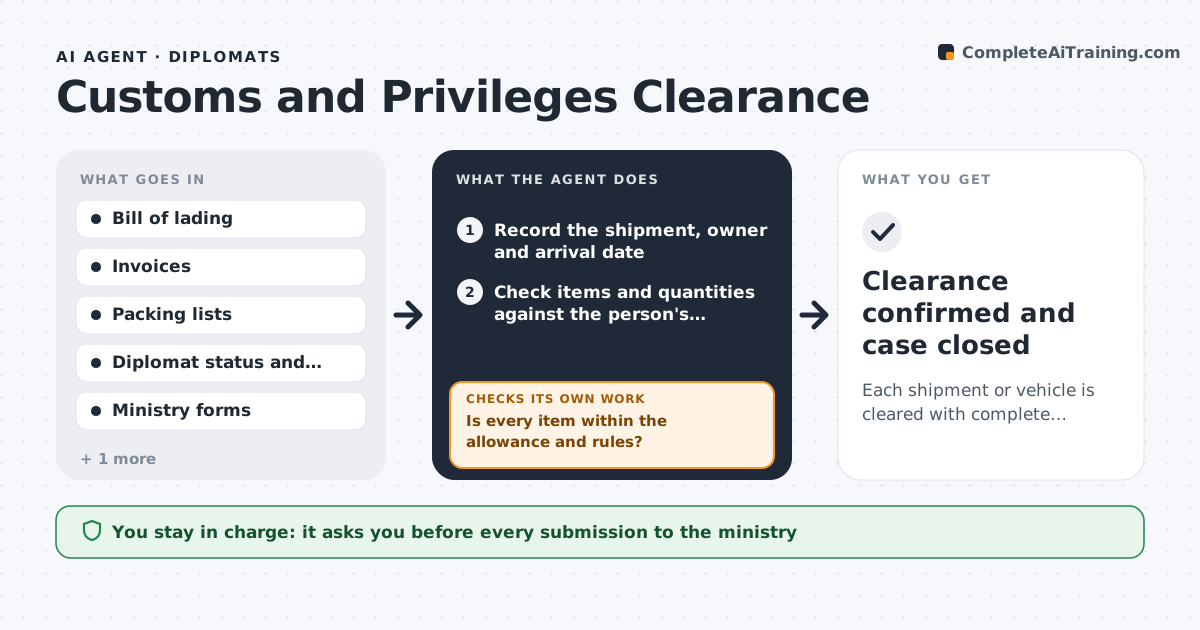
Diplomats and embassies import household goods, vehicles and supplies free of duty, but each shipment needs the right documents and approval from the host ministry. Missing papers cause weeks of delay and storage fees. This agent tracks each shipment from the moment the bill of lading is received. It checks the documents against the privilege rules for the type of item and the person's status: allowances, quantity limits, timing after arrival and required forms. It drafts the request to the host ministry, tracks its status and checks again when the ministry replies. If a document is missing or an item exceeds the allowance, it flags it, asks for the correction and rechecks. The officer approves each submission. Edge case: a vehicle exceeds the one duty-free car per household, and the agent flags it before submission.
How it works
Follow the arrows from top to bottom. The orange dashed arrow is the loop: when a check fails, the agent goes back and tries again.
Read the steps as a list
- A shipping document arrives
- Record the shipment, owner and arrival date
- Check items and quantities against the person's allowance and timing rules
- Is every item within the allowance and rules?If not: flag the item and ask the person for a decision or an exception request. Back to step 3.
- List required forms and compare with documents received
- Is the document set complete and consistent?If not: request the missing or corrected document from the shipper or owner. Back to step 3.
- Draft the request to the host ministry
- Officer approves each submissionThe agent waits here for your OK.
- Submit and track the ministry's status
- Alert the officer to storage fee deadlines and replies
- Clearance confirmed and case closed
How it decides
It checks every item against allowance and timing rules and treats missing forms or over-limit items as stoppers until corrected.
- Check allowances per person and per household
- Alert 5 days before storage fees begin
- Resubmit within 2 days of a ministry query
- Require matching names and values across documents
Make it yours
Every agent is a starting point. You choose these settings for your own situation.
- Allowance rules by status
- Storage alert days (default 5)
- Ministry contacts
- Forms required
What keeps you in control
It always asks you first
- Every submission to the ministry
Hard limits
- Never submits to the ministry without approval
- Does not interpret law beyond the rules provided
- Records all communication
It stops when
- Done: shipment is cleared
- Stop: a required document cannot be obtained
Set it up
We guide you through the set-up, step by step
Members get the full set-up guide for this agent. No technical skills needed: you copy, paste and upload.
- One set of instructions to paste into your AI, with the clicks for ChatGPT, Claude, Microsoft 365 Copilot, Gemini and Grok
- The agent then walks you through connecting your own data, one source at a time
- A downloadable copy with the flow chart, the rules and the full guide