AI agent for customs brokers
Customs Audit Preparation Agent
Assemble a complete, organized audit response before the deadline.
What it does
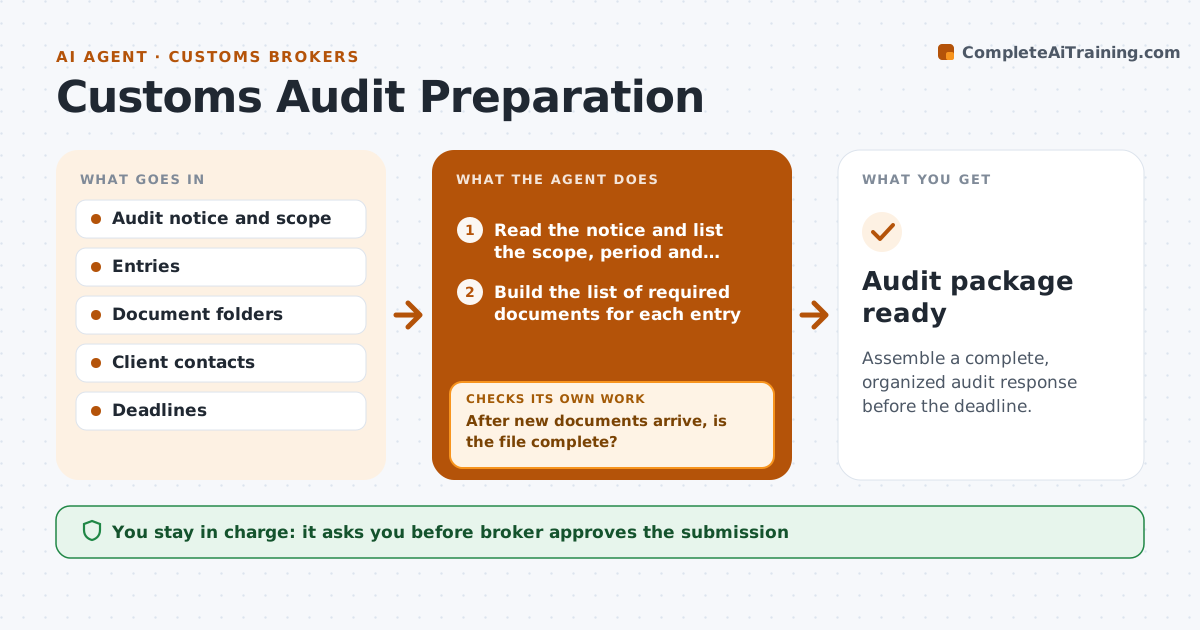
A customs audit notice requests five years of entries for a product group within thirty days, and the documents sit in email, shared drives and the filing system. From the audit scope, the agent builds a list of required items, such as entries, commercial invoices, packing lists, classification support, proof of payment and origin proof. It gathers what exists, checks each entry for completeness, and lists gaps. For each gap, it sends a request to the client or supplier with the exact document and date, and tracks the replies. After each batch of documents arrives, it checks completeness again, so the list always shows what is still open. It prepares the package index. The broker approves what is submitted. Edge case: documents in another language that need translation.
How it works
Follow the arrows from top to bottom. The orange dashed arrow is the loop: when a check fails, the agent goes back and tries again.
Read the steps as a list
- Audit notice arrives
- Read the notice and list the scope, period and deadline
- Build the list of required documents for each entry
- Gather documents from folders, email and the filing system
- Check each entry for completeness and consistency
- List gaps with the exact document needed
- Send requests to the client and suppliers
- After new documents arrive, is the file complete?If not: update the gap list and send reminders for what is still open. Back to step 4.
- Build the package index and a cover summary
- Broker approves what is submittedThe agent waits here for your OK.
- Audit package ready
How it decides
An entry is complete when all required documents for it are present and match. The package is ready when no gaps remain or the broker accepts the gaps.
- Count an entry complete only with all required documents
- Send requests in one list per client
- Remind every 3 days until the deadline minus 7 days
- Flag documents needing translation early
Make it yours
Every agent is a starting point. You choose these settings for your own situation.
- Document checklist
- Reminder interval (default 3 days)
- Contacts
- Index format
- Deadline buffer (default 7 days)
What keeps you in control
It always asks you first
- Broker approves the submission
- Broker approves contacting suppliers
Hard limits
- Never submit documents to customs itself
- Do not alter or recreate records
It stops when
- Done: package approved and submitted
- Stop: deadline cannot be met, tell the broker to ask for an extension
Set it up
We guide you through the set-up, step by step
Members get the full set-up guide for this agent. No technical skills needed: you copy, paste and upload.
- One set of instructions to paste into your AI, with the clicks for ChatGPT, Claude, Microsoft 365 Copilot, Gemini and Grok
- The agent then walks you through connecting your own data, one source at a time
- A downloadable copy with the flow chart, the rules and the full guide