AI agent for customs brokers
Customs Classification and Duty Check Agent
Each new or changed product has an approved tariff code with a duty and landed cost estimate.
What it does
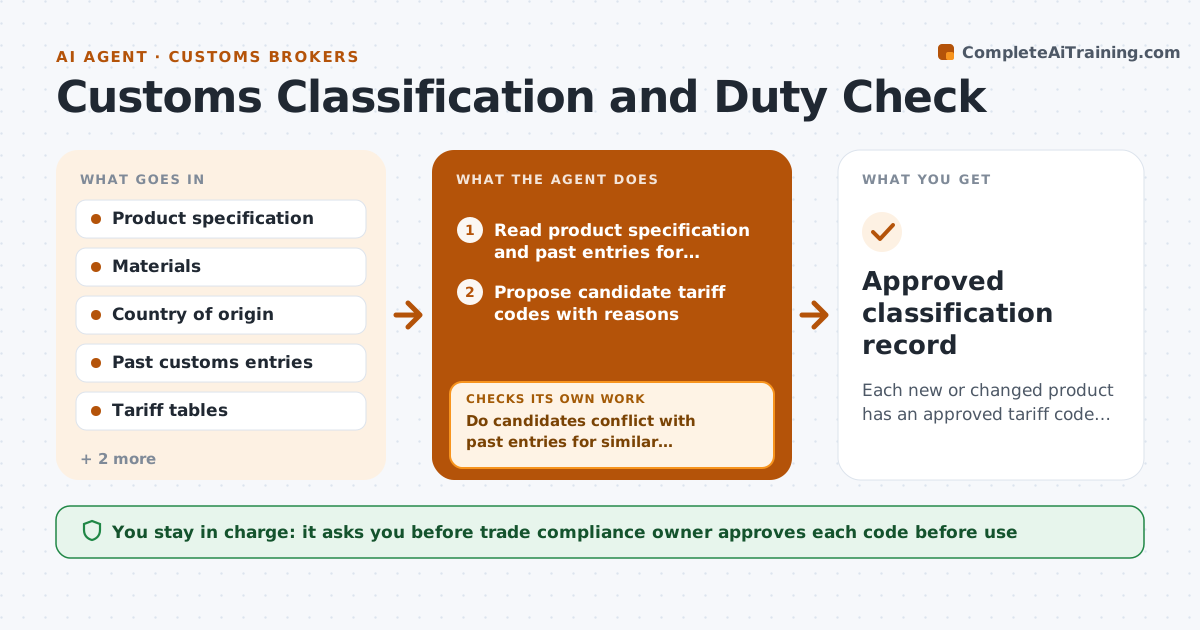
A new product arrives with a guessed tariff code and nobody checks it until a customs query comes in. This agent works when a product is new or changed. It reads the product data, such as materials, function and construction, and proposes candidate codes with reasons. It compares each against past entries for similar goods and the current rate tables, and flags conflicts, such as the same product filed under two codes before. It checks origin rules and any duty changes, like added tariffs, then recomputes landed cost. If origin or rates change the result, it reruns. A trade compliance owner approves the code before it is used. Edge case: a product with a mixed material gets two candidates, each with the duty difference shown.
How it works
Follow the arrows from top to bottom. The orange dashed arrow is the loop: when a check fails, the agent goes back and tries again.
Read the steps as a list
- New or changed product
- Read product specification and past entries for similar goods
- Propose candidate tariff codes with reasons
- Do candidates conflict with past entries for similar goods?If not: List the conflict, review the differences and narrow the candidates. Back to step 3.
- Look up duty rates, origin rules and current additional tariffs
- Compute duty and landed cost per candidate
- Is origin and rate information complete and current?If not: Request the missing origin data and rerun the lookup. Back to step 5.
- Rank candidates and draft the recommendation
- Trade compliance owner approves the codeThe agent waits here for your OK.
- Approved classification record
How it decides
It ranks candidate codes by fit to product function and materials, then by consistency with past accepted entries.
- Prefer the code accepted on past entries when the product matches
- Show every candidate within 2 percentage points of duty difference
- Recompute landed cost when additional tariffs apply
- Escalate to the owner when no past entry exists
Make it yours
Every agent is a starting point. You choose these settings for your own situation.
- Tariff tables and countries
- Which products need review
- Duty difference to highlight (default 2 points)
- Landed cost fields
What keeps you in control
It always asks you first
- Trade compliance owner approves each code before use
Hard limits
- Never file customs entries or give legal opinions
- Never use a code without approval
It stops when
- Done: approved code recorded
- Stop: product details too thin to classify
Set it up
We guide you through the set-up, step by step
Members get the full set-up guide for this agent. No technical skills needed: you copy, paste and upload.
- One set of instructions to paste into your AI, with the clicks for ChatGPT, Claude, Microsoft 365 Copilot, Gemini and Grok
- The agent then walks you through connecting your own data, one source at a time
- A downloadable copy with the flow chart, the rules and the full guide