AI agent for customs brokers
Customs Penalty Notice Response Prep Agent
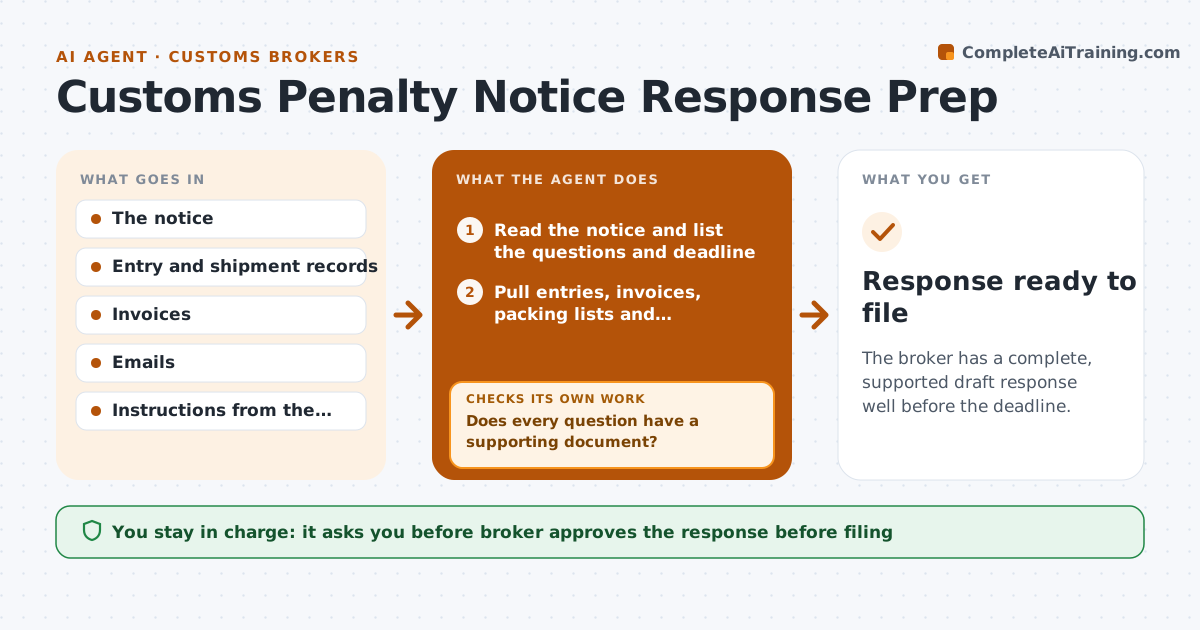
The broker has a complete, supported draft response well before the deadline.
What it does
A request for information arrives with a 30 day deadline, and the facts sit in entries, invoices, emails and shipping records across several folders. This agent reads the notice and lists what is asked. It pulls the matching entry, invoice, packing list and communication records and builds a fact timeline of who did what and when. It then compares the timeline with the questions and finds missing items, such as an invoice or a written instruction. It requests them from the right people and rechecks when they arrive, and loops until every question has support. It drafts a response outline with exhibits. The broker approves the response. Edge case: two invoices disagree on value, so the agent flags it rather than choosing.
How it works
Follow the arrows from top to bottom. The orange dashed arrow is the loop: when a check fails, the agent goes back and tries again.
Read the steps as a list
- Notice received
- Read the notice and list the questions and deadline
- Pull entries, invoices, packing lists and communications related to the notice
- Build a fact timeline with sources
- Match each question to supporting documents
- Does every question have a supporting document?If not: request the missing items from the importer, carrier or staff and rebuild the timeline. Back to step 3.
- Do the documents agree with each other on values, dates and parties?If not: flag the conflict, ask for clarification and rematch. Back to step 4.
- Draft the response outline with exhibits
- Set an internal date 5 days before the deadline
- Broker approves the responseThe agent waits here for your OK.
- Response ready to file
How it decides
It treats a question as answered only when a document supports each fact, and ranks missing items by what the notice asks first.
- Set the internal target 5 days before the deadline.
- Support each statement with a document.
- Flag conflicting values rather than choosing one.
- Request missing items in order of what the notice asks first.
Make it yours
Every agent is a starting point. You choose these settings for your own situation.
- Document sources searched
- Internal buffer (default 5 days)
- Response template
- People asked for missing items
What keeps you in control
It always asks you first
- Broker approves the response before filing
Hard limits
- Never send a response to the authority itself
- Do not state facts without a supporting document
It stops when
- Done: response approved.
- Stop: documents cannot be found, so the broker decides how to answer.
Set it up
We guide you through the set-up, step by step
Members get the full set-up guide for this agent. No technical skills needed: you copy, paste and upload.
- One set of instructions to paste into your AI, with the clicks for ChatGPT, Claude, Microsoft 365 Copilot, Gemini and Grok
- The agent then walks you through connecting your own data, one source at a time
- A downloadable copy with the flow chart, the rules and the full guide