AI agent for customer experience managers
CX Improvement Initiative Tracking Agent
Know which CX improvements worked and which need another look
What it does
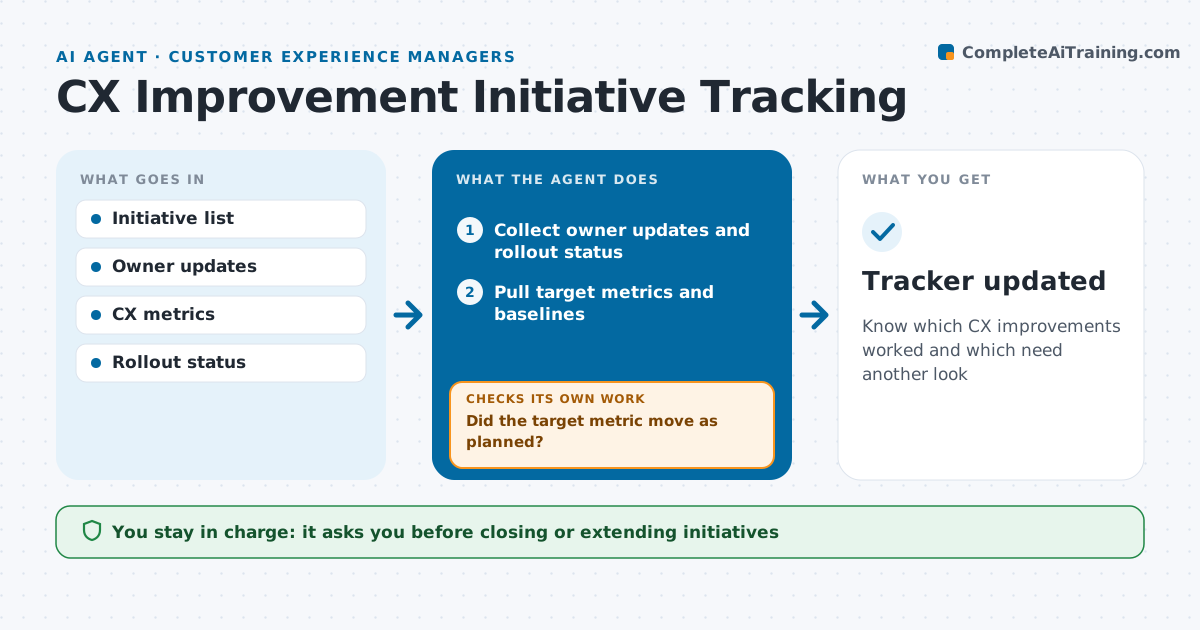
Customer experience projects get launched with energy and then nobody checks whether they worked. For each initiative, this agent records the problem, owner, target metric and baseline. Every two weeks it checks progress with owners and pulls the target metric. After the change goes live, it compares results with the baseline and with a similar period last year to account for seasonality. If the metric did not move, it checks whether the change was fully rolled out and whether another cause is behind the problem, then updates the status. It drafts a portfolio summary for leadership. The manager approves closing or extending any initiative. Edge case: an initiative that improves one metric but hurts another, such as fewer calls but lower satisfaction, is flagged.
How it works
Follow the arrows from top to bottom. The orange dashed arrow is the loop: when a check fails, the agent goes back and tries again.
Read the steps as a list
- Biweekly initiative review
- Collect owner updates and rollout status
- Pull target metrics and baselines
- Compare results with baseline and same period last year
- Did the target metric move as planned?If not: check rollout coverage and other causes, then update status. Back to step 2.
- Draft portfolio summary
- Manager approves closing or extending initiativesThe agent waits here for your OK.
- Tracker updated
How it decides
It judges each initiative by its target metric against baseline and a same-period comparison.
- Wait four weeks after go-live before judging
- Flag initiatives that hurt another key metric
- Partial rollouts are judged on the rolled-out part only
Make it yours
Every agent is a starting point. You choose these settings for your own situation.
- Review frequency
- Waiting period after go-live
- Metrics tracked
- Summary audience
What keeps you in control
It always asks you first
- Closing or extending initiatives
- Sharing the summary
Hard limits
- Never changes metric definitions
- Never closes initiatives without approval
It stops when
- Done: initiative closed
- Stop: owner leaves with no replacement
Set it up
We guide you through the set-up, step by step
Members get the full set-up guide for this agent. No technical skills needed: you copy, paste and upload.
- One set of instructions to paste into your AI, with the clicks for ChatGPT, Claude, Microsoft 365 Copilot, Gemini and Grok
- The agent then walks you through connecting your own data, one source at a time
- A downloadable copy with the flow chart, the rules and the full guide