AI agent for customer success managers
Feature Request Closure Agent
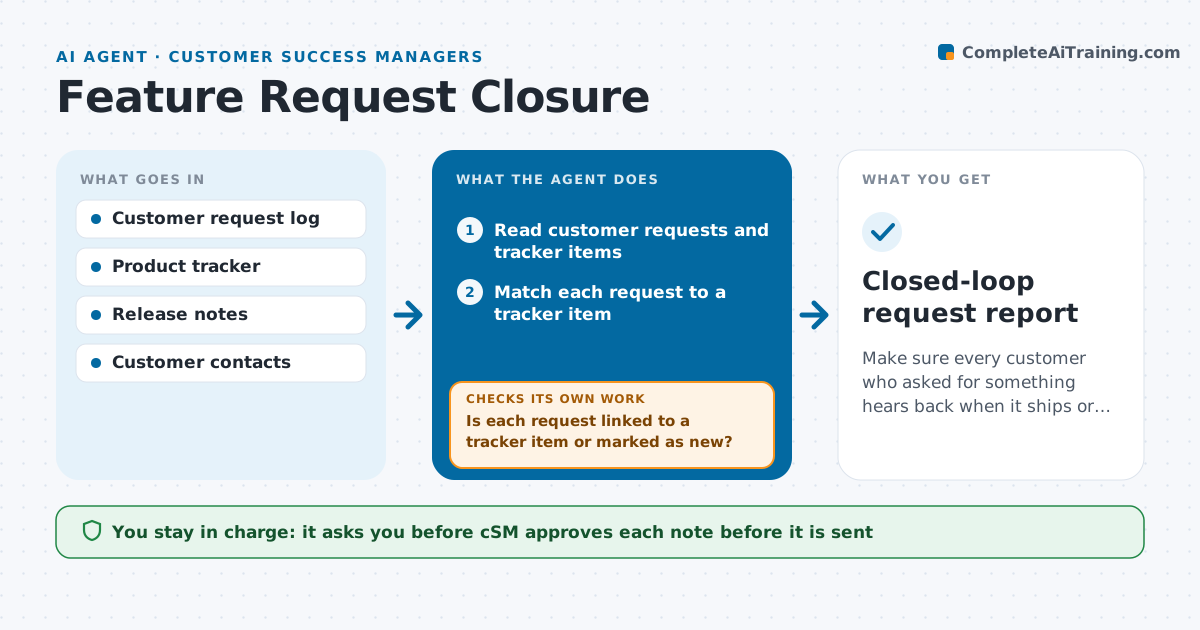
Make sure every customer who asked for something hears back when it ships or is declined.
What it does
A customer asked for an export option nine months ago, and when it ships, nobody tells them. This agent keeps each request logged by customers connected to the matching item in the product tracker, even when the wording differs. It checks the status of each item regularly: new, planned, shipped, declined or merged. When something ships or is declined, it finds the customers who asked and drafts a short note for each, written for their situation, with a link to the release notes or a reason for the decision. After approval, it logs the follow-up and checks that the customer's request record is updated and, a few weeks later, whether they used the feature. Edge case: a request is merged into a broader feature that only partly solves it, so the agent says so in the note.
How it works
Follow the arrows from top to bottom. The orange dashed arrow is the loop: when a check fails, the agent goes back and tries again.
Read the steps as a list
- Weekly tracker check
- Read customer requests and tracker items
- Match each request to a tracker item
- Is each request linked to a tracker item or marked as new?If not: search again with other wording and flag unclear ones to the CSM. Back to step 3.
- Find items whose status changed
- Draft a note for each customer who asked
- CSM approves the notesThe agent waits here for your OK.
- Send the notes and update the request log
- Check feature usage after three weeks
- Has the customer used the feature or replied?If not: propose a short follow-up with a tip or a guide. Back to step 6.
- Closed-loop request report
How it decides
A request matches a tracker item when the problem described is the same, even if the words differ. Notes are drafted only when the status changes to shipped, declined or merged.
- Match requests by the underlying problem, not exact wording
- Note when a request is only partly solved by a merged item
- Send a note within 5 days of a status change
- Skip customers who cancelled
Make it yours
Every agent is a starting point. You choose these settings for your own situation.
- Statuses that trigger notes
- Days to respond after a change (default 5)
- Message tone
- Usage check delay (default 3 weeks)
- Tracker and log sources
What keeps you in control
It always asks you first
- CSM approves each note before it is sent
Hard limits
- Never send a note without CSM approval
- Never promise a date or feature that is not on the tracker
It stops when
- Done: all changed requests are answered and logged
- Stop: the tracker item is private and cannot be shared
Set it up
We guide you through the set-up, step by step
Members get the full set-up guide for this agent. No technical skills needed: you copy, paste and upload.
- One set of instructions to paste into your AI, with the clicks for ChatGPT, Claude, Microsoft 365 Copilot, Gemini and Grok
- The agent then walks you through connecting your own data, one source at a time
- A downloadable copy with the flow chart, the rules and the full guide