AI agent for team leads
Daily Entry Backlog and Priority Agent
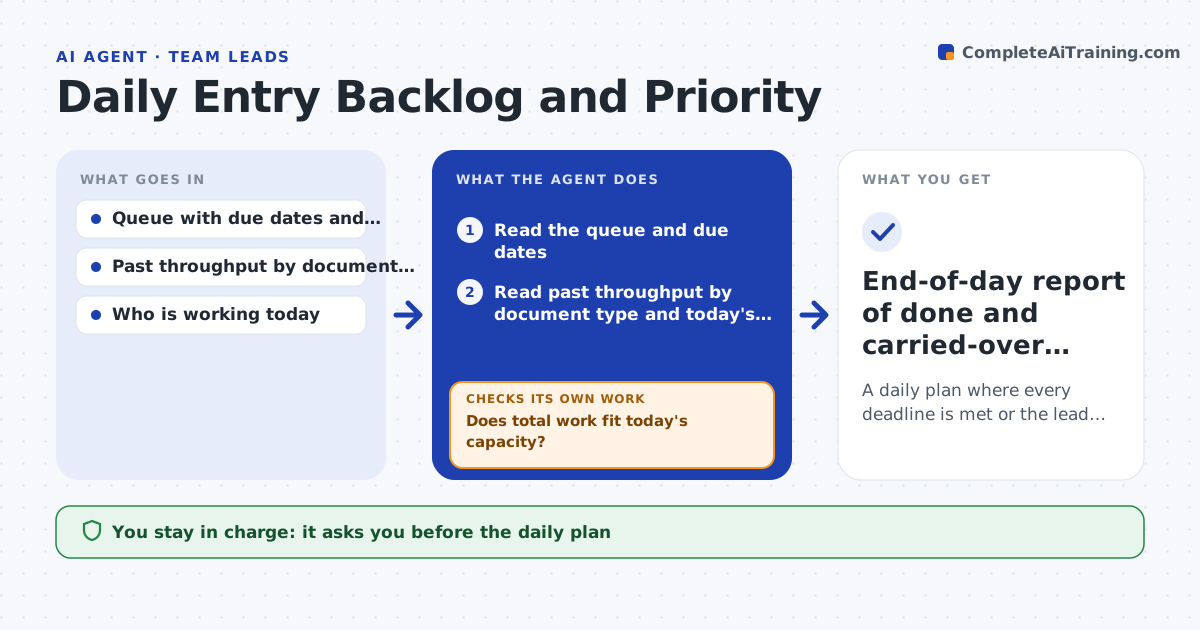
A daily plan where every deadline is met or the lead knows early which ones will not be
What it does
The team lead starts each day with hundreds of items and has to guess which ones can wait. This agent reads the queue and the due dates, then estimates the time each batch needs from the team's own past throughput by document type. It sorts by deadline and customer priority, and assigns batches to the people available, taking account of skills and absences. At midday it checks progress against the plan and reshuffles if a batch is running slow or a rush item arrives. If the plan no longer fits the capacity, it lists what will be late and by how much. The lead approves the plan and any change to promised deadlines. Edge case: a batch from a customer with a contractual deadline is placed first even when it is small.
How it works
Follow the arrows from top to bottom. The orange dashed arrow is the loop: when a check fails, the agent goes back and tries again.
Read the steps as a list
- Start of the working day
- Read the queue and due dates
- Read past throughput by document type and today's availability
- Estimate time per batch and sort by deadline and priority
- Does total work fit today's capacity?If not: mark batches that will slip and propose overtime or a move to tomorrow. Back to step 3.
- Assign batches to people by skill and availability
- Lead approves the plan and any changed commitmentsThe agent waits here for your OK.
- Check progress at midday
- Is each batch on track for its deadline?If not: reassign work or change the order, then update the lead. Back to step 3.
- End-of-day report of done and carried-over batches
How it decides
Batches are ordered by contractual deadline first, then due date, then customer priority. Time estimates come from the last 30 working days.
- Contractual deadlines go first
- Add 15 percent to estimates for new document types
- Flag any batch projected to finish later than its due time
- Move small rush items ahead only when they fit the capacity
Make it yours
Every agent is a starting point. You choose these settings for your own situation.
- Throughput window in days (default 30)
- Priority rules by customer
- Time of the midday check
- Buffer added for new document types (default 15 percent)
What keeps you in control
It always asks you first
- The daily plan
- Any change to a promised deadline
Hard limits
- Never changes customer commitments itself
- Never assigns work to someone marked absent
It stops when
- Done: day closed with all batches done or deliberately carried over
- Stop: the queue cannot be read
Set it up
We guide you through the set-up, step by step
Members get the full set-up guide for this agent. No technical skills needed: you copy, paste and upload.
- One set of instructions to paste into your AI, with the clicks for ChatGPT, Claude, Microsoft 365 Copilot, Gemini and Grok
- The agent then walks you through connecting your own data, one source at a time
- A downloadable copy with the flow chart, the rules and the full guide