AI agent for operations analysts
Event Sponsor Fulfilment Evidence Agent
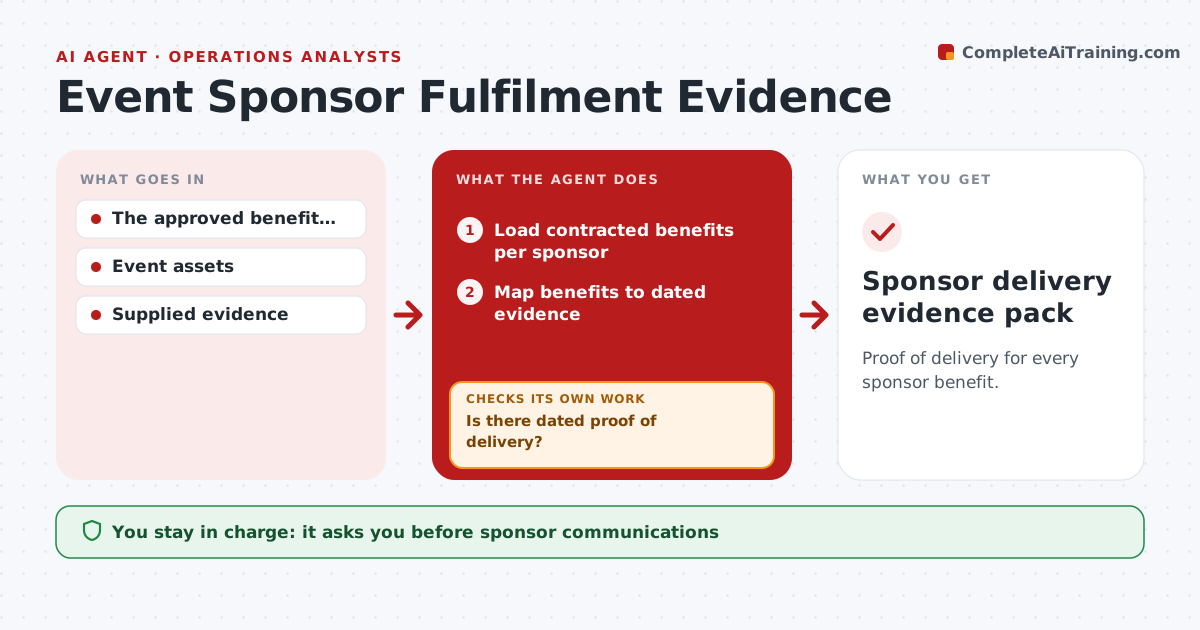
Proof of delivery for every sponsor benefit.
What it does
Event sponsors are promised benefits such as logo placements, stage mentions and booth space, but proof that they were delivered is scattered. On event day and at wrap-up, this agent maps each contracted benefit to dated evidence of delivery, such as event-day photos, recordings or system logs. A pre-event mockup or draft is not proof. For each benefit without proof, it creates a missing-deliverable check for the production or marketing team and checks again when evidence arrives. It prepares a fulfilment report for each sponsor. The partnerships lead approves anything sent to sponsors; contractual acceptance stays with them. Edge case: a mention happened but in a different session than contracted, so the agent reports it as a variance.
How it works
Follow the arrows from top to bottom. The orange dashed arrow is the loop: when a check fails, the agent goes back and tries again.
Read the steps as a list
- Event day or wrap-up
- Load contracted benefits per sponsor
- Map benefits to dated evidence
- Is there dated proof of delivery?If not: create a missing-deliverable check. Back to step 3.
- List variances from the contract
- Prepare the fulfilment report
- Partnerships lead approves sponsor communicationThe agent waits here for your OK.
- Sponsor delivery evidence pack
How it decides
It checks each benefit for actual dated evidence and chases what's missing.
- Proof is dated evidence of the actual placement.
- Drafts and mockups are not proof.
- Deliveries that differ from the contract are reported as variances.
- Sponsor messages need the partnerships lead's approval.
Make it yours
Every agent is a starting point. You choose these settings for your own situation.
- Sponsor contracts and benefit lists
- Accepted evidence types (photo, recording, analytics log)
- Days after the event to finish the report (default 10)
- Who approves sponsor communication
- Report format per sponsor
What keeps you in control
It always asks you first
- Sponsor communications
- Contractual acceptance
Hard limits
- No contractual statements.
It stops when
- Done: all benefits evidenced or flagged.
Set it up
We guide you through the set-up, step by step
Members get the full set-up guide for this agent. No technical skills needed: you copy, paste and upload.
- One set of instructions to paste into your AI, with the clicks for ChatGPT, Claude, Microsoft 365 Copilot, Gemini and Grok
- The agent then walks you through connecting your own data, one source at a time
- A downloadable copy with the flow chart, the rules and the full guide