AI agent for team leads
Support Backlog Aging Rescue Agent
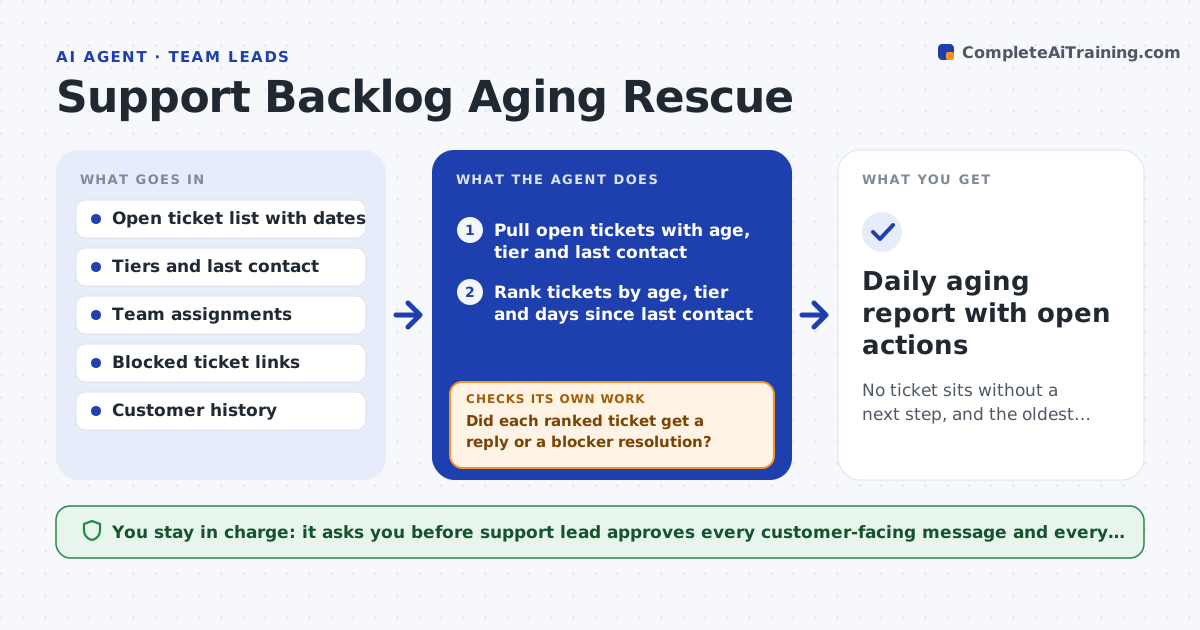
No ticket sits without a next step, and the oldest and most important tickets move first.
What it does
In a busy queue, new tickets get attention and old ones sink. Customers who wrote twice last week wait while the team answers today's. Each morning this agent ranks open tickets by age, customer tier and last contact. For each aging ticket it checks whether a reply is missing or the ticket is blocked on another team. It drafts a next step: a nudge, an escalation, or a close-out check to the customer. After the team acts it rereads the queue to see whether the ticket moved or still has no response. Tickets that did not move go back to the lead with a note. It never sends anything to a customer. Edge case: a ticket is 9 days old but waiting on engineering, so the agent drafts a status request to engineering rather than a reply to the customer.
How it works
Follow the arrows from top to bottom. The orange dashed arrow is the loop: when a check fails, the agent goes back and tries again.
Read the steps as a list
- Morning queue refresh
- Pull open tickets with age, tier and last contact
- Rank tickets by age, tier and days since last contact
- Diagnose each top ticket: no reply, blocked, or waiting on customer
- Draft a next step per ticket
- Support lead approves any customer-facing messageThe agent waits here for your OK.
- Reread the queue after the team's work
- Did each ranked ticket get a reply or a blocker resolution?If not: reassign and redraft the next step, and mark it on the lead's list. Back to step 3.
- Draft a close-out check for tickets waiting on the customer over 7 days
- Daily aging report with open actions
How it decides
It ranks by age first, then tier, then days since the last contact. It chooses the next step by the cause: no reply, blocked on another team, or waiting on the customer.
- Put any ticket over 7 days at the top
- Raise priority one level for top-tier customers
- Draft a close-out check after 7 days of customer silence
- Route blocked tickets to the blocking team before contacting the customer
Make it yours
Every agent is a starting point. You choose these settings for your own situation.
- Age threshold for top of list (default 7 days)
- Tier weights
- Run time
- Closure wait in days
- Queues in scope
What keeps you in control
It always asks you first
- Support lead approves every customer-facing message and every closure
Hard limits
- Never message customers directly
- Never close a ticket without lead approval
It stops when
- Done: every ranked ticket has a documented next step and movement
- Stop: a ticket is blocked and the blocker has not responded in 2 days
Set it up
We guide you through the set-up, step by step
Members get the full set-up guide for this agent. No technical skills needed: you copy, paste and upload.
- One set of instructions to paste into your AI, with the clicks for ChatGPT, Claude, Microsoft 365 Copilot, Gemini and Grok
- The agent then walks you through connecting your own data, one source at a time
- A downloadable copy with the flow chart, the rules and the full guide