AI agent for production coordinators
Daily Production Meeting Preparation Agent
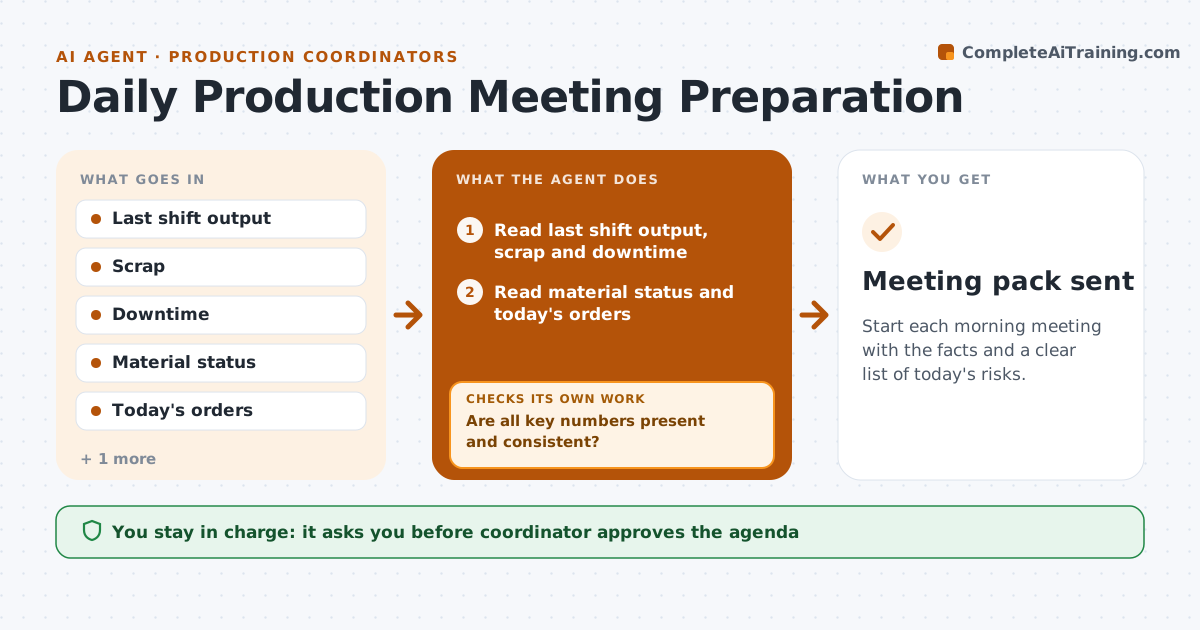
Start each morning meeting with the facts and a clear list of today's risks.
What it does
The morning meeting often begins with each person guessing what went wrong overnight. This agent reads last shift's output, scrap, downtime and material status, plus today's orders. It flags risks such as a line down, a missing material or an order due. It asks owners for numbers that are missing and builds the agenda in the order of the risks. It checks that every flagged risk has an owner. The coordinator approves the agenda before it is sent. Edge case: a number that does not match between the shift report and the system is flagged for the owner to confirm before the meeting.
How it works
Follow the arrows from top to bottom. The orange dashed arrow is the loop: when a check fails, the agent goes back and tries again.
Read the steps as a list
- Morning before the meeting
- Read last shift output, scrap and downtime
- Read material status and today's orders
- Flag risks to today's orders
- Are all key numbers present and consistent?If not: Ask the owners for the missing or mismatched numbers. Back to step 2.
- Assign an owner to each risk
- Order the agenda by impact
- Coordinator approves the agendaThe agent waits here for your OK.
- Send the agenda and numbers to attendees
- Does every risk have an owner and a next step?If not: Ask the coordinator to assign one. Back to step 6.
- Meeting pack sent
How it decides
It ranks risks by order impact and starts the agenda with the ones that could stop shipping today.
- Flag any order with less than a day of float
- Flag downtime above 30 minutes
- Flag scrap above the target
- Ask owners for missing numbers 30 minutes before
Make it yours
Every agent is a starting point. You choose these settings for your own situation.
- Time to send the pack
- Downtime and scrap thresholds
- Float limit (default 1 day)
- Attendee list
What keeps you in control
It always asks you first
- Coordinator approves the agenda
Hard limits
- Never change production data
- Never send the pack without approval
It stops when
- Done: the agenda and numbers are sent
- Stop: data is unavailable and the coordinator is told
Set it up
We guide you through the set-up, step by step
Members get the full set-up guide for this agent. No technical skills needed: you copy, paste and upload.
- One set of instructions to paste into your AI, with the clicks for ChatGPT, Claude, Microsoft 365 Copilot, Gemini and Grok
- The agent then walks you through connecting your own data, one source at a time
- A downloadable copy with the flow chart, the rules and the full guide