AI agent for production coordinators
Daily Schedule Re-sequencing Agent
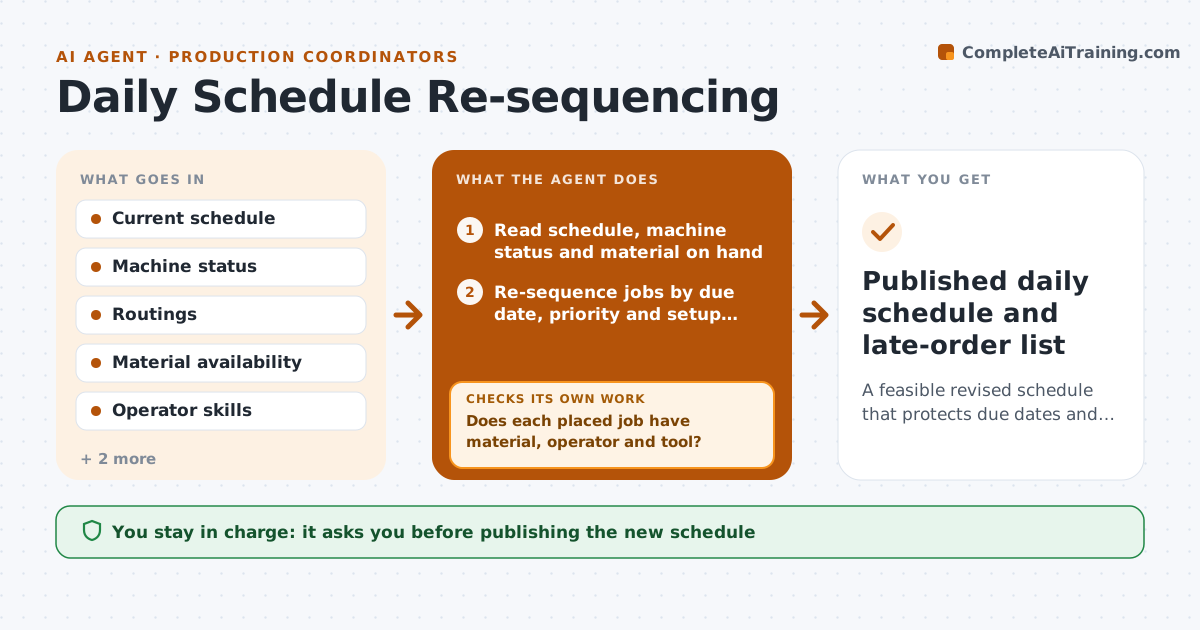
A feasible revised schedule that protects due dates and shows any late orders
What it does
The daily schedule breaks when a machine stops, material is late or a rush order lands, and replanning by hand leaves orders late without warning. Each morning, or when a disruption is reported, this agent reads the schedule, machine status, material on hand and order due dates. It re-sequences jobs by due date and priority, with customer priority orders first when dates tie, and groups similar setups only when no order becomes late. It places a job only when material, a qualified operator and the tool are all available, and checks that two jobs sharing one tool do not overlap. If a job cannot start, it moves it later and pulls forward the next feasible one. It calculates new finish times and lists late orders and by how much. The planner approves the sequence and any customer date change.
How it works
Follow the arrows from top to bottom. The orange dashed arrow is the loop: when a check fails, the agent goes back and tries again.
Read the steps as a list
- Disruption reported or morning run
- Read schedule, machine status and material on hand
- Re-sequence jobs by due date, priority and setup family
- Does each placed job have material, operator and tool?If not: move the blocked job later and pull forward the next feasible one. Back to step 3.
- Are there no tool conflicts between machines?If not: shift one of the conflicting jobs to a later slot. Back to step 3.
- Calculate new finish times and list late orders
- Draft customer date change notes for late orders
- Planner approves the sequence and any due date changesThe agent waits here for your OK.
- Published daily schedule and late-order list
How it decides
It orders jobs by due date and priority, groups similar setups when it does not push a job late, and only places a job when material, operator and tool are all available.
- Customer priority orders go first when due dates tie
- Group setups only if no order becomes late
- Never schedule a job without confirmed material
Make it yours
Every agent is a starting point. You choose these settings for your own situation.
- Priority rules for customers
- Setup families
- Planning horizon (default 3 days)
- When the morning run happens
What keeps you in control
It always asks you first
- Publishing the new schedule
- Changing a promised customer date
Hard limits
- Never sends date changes to customers
- Never overrides a quality hold
It stops when
- Done: schedule approved
- Stop: no feasible sequence meets a priority order; escalate to plant manager
Set it up
We guide you through the set-up, step by step
Members get the full set-up guide for this agent. No technical skills needed: you copy, paste and upload.
- One set of instructions to paste into your AI, with the clicks for ChatGPT, Claude, Microsoft 365 Copilot, Gemini and Grok
- The agent then walks you through connecting your own data, one source at a time
- A downloadable copy with the flow chart, the rules and the full guide