AI agent for logistics coordinators
Dangerous Goods Shipment Compliance Agent
Every hazardous shipment correctly classified, packed and documented before pickup
What it does
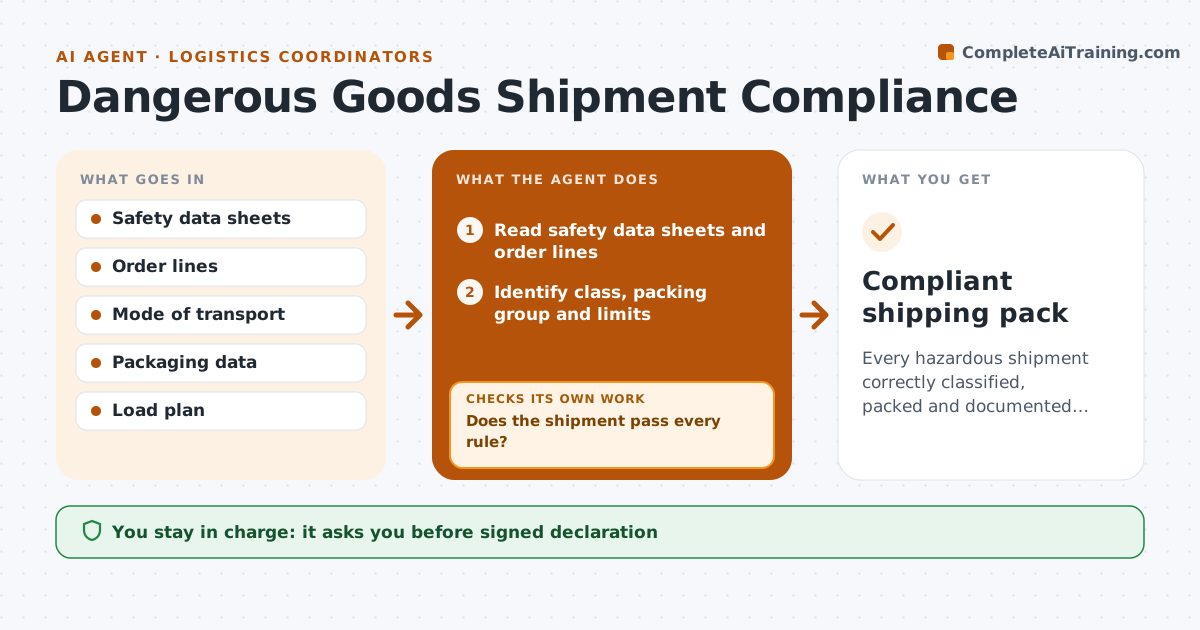
Batteries, chemicals, aerosols and other hazardous goods have strict rules by mode of transport, and a mistake can mean fines, rejected cargo or danger. When a hazardous order arrives, this agent reads the safety data sheets and order lines and identifies the class, packing group and quantity limits. It drafts the shipping declaration, labels and marks. It then checks the plan against the rule set for road, air or sea, including segregation from other goods on the same load. Lithium batteries packed with equipment follow different rules than loose batteries. If anything fails, such as a quantity over the passenger aircraft limit, it suggests a mode change, a split or repacking and redrafts. Any failing shipment is blocked. A trained dangerous goods person signs off before shipping. Edge case: a safety data sheet older than its revision date is requested again.
How it works
Follow the arrows from top to bottom. The orange dashed arrow is the loop: when a check fails, the agent goes back and tries again.
Read the steps as a list
- Hazardous order received
- Read safety data sheets and order lines
- Identify class, packing group and limits
- Draft declaration, labels and marks
- Check rules for mode and load segregation
- Does the shipment pass every rule?If not: suggest a mode change, split or repack and redraft. Back to step 4.
- Trained dangerous goods person signs offThe agent waits here for your OK.
- Compliant shipping pack
How it decides
It applies the rule set for the mode and blocks any shipment where class, quantity, packaging or segregation fails.
- Mode-specific rules apply
- Segregation is checked against the whole load
- Battery packing type changes the rules
Make it yours
Every agent is a starting point. You choose these settings for your own situation.
- Modes used
- Rule set editions
- Signer list
- Products flagged as hazardous
What keeps you in control
It always asks you first
- Signed declaration
Hard limits
- Never signs declarations
- Never releases shipments
It stops when
- Done: signed pack ready
- Stop: safety data sheet missing or outdated, request it
Set it up
We guide you through the set-up, step by step
Members get the full set-up guide for this agent. No technical skills needed: you copy, paste and upload.
- One set of instructions to paste into your AI, with the clicks for ChatGPT, Claude, Microsoft 365 Copilot, Gemini and Grok
- The agent then walks you through connecting your own data, one source at a time
- A downloadable copy with the flow chart, the rules and the full guide