AI agent for logistics coordinators
Shipment Document Consistency Agent
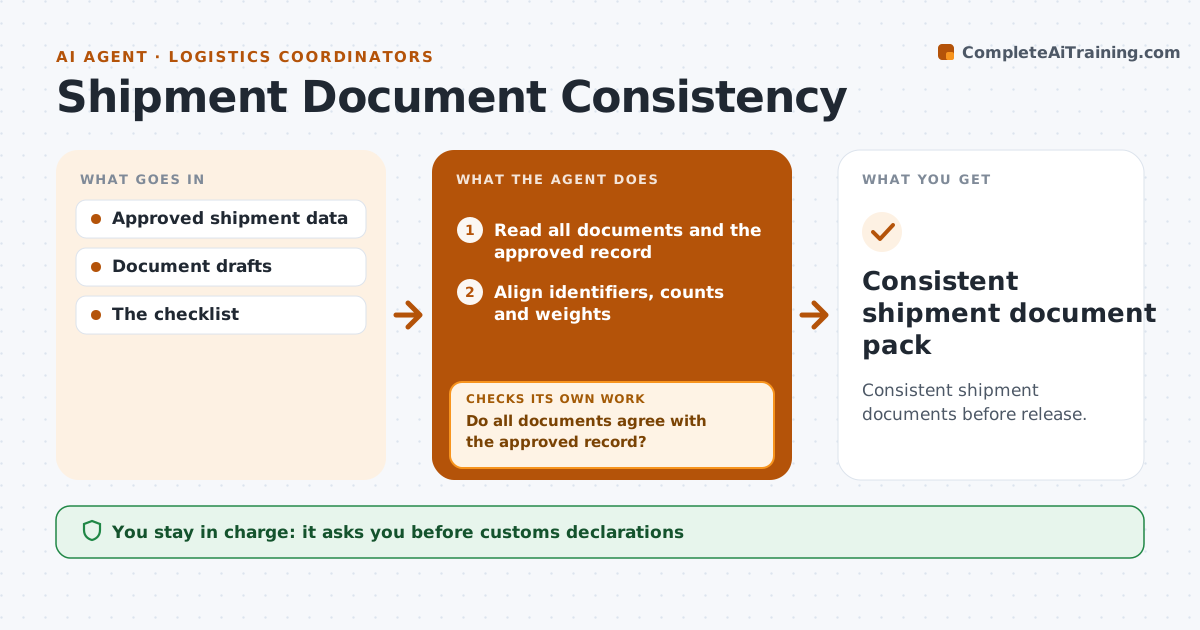
Consistent shipment documents before release.
What it does
Shipment papers such as the packing list, invoice and waybill often disagree on references, carton counts or weights, which causes delays at pickup or customs. When the documents are drafted, this agent lines up the identifiers, counts and weights across all of them. It corrects working copies from the approved shipment record. When a value is disputed, it checks the warehouse source, such as the scan log or scale reading. Weight differences without a verified source stay open instead of being guessed. The logistics administrator releases the shipment and handles customs declarations. Edge case: the invoice says 14 cartons and the packing list says 15; the warehouse scan confirms 15.
How it works
Follow the arrows from top to bottom. The orange dashed arrow is the loop: when a check fails, the agent goes back and tries again.
Read the steps as a list
- Shipment documents drafted
- Read all documents and the approved record
- Align identifiers, counts and weights
- Do all documents agree with the approved record?If not: correct from the record or verify with the warehouse. Back to step 3.
- Prepare corrected working copies
- Are any values still unverified?If not: keep them open and list them for the administrator. Back to step 3.
- Logistics administrator releasesThe agent waits here for your OK.
- Consistent shipment document pack
How it decides
It corrects from the approved record and verifies disputed values with the warehouse source.
- The approved shipment record is the source of truth.
- Disputed values are checked against the warehouse source.
- Unverified weights stay open, never guessed.
Make it yours
Every agent is a starting point. You choose these settings for your own situation.
- Documents included in the check
- Which warehouse sources count as verified
- Weight tolerance (default 1%)
- Who releases shipments
What keeps you in control
It always asks you first
- Customs declarations
- Shipment release
Hard limits
- No customs filing.
It stops when
- Done: consistent.
Set it up
We guide you through the set-up, step by step
Members get the full set-up guide for this agent. No technical skills needed: you copy, paste and upload.
- One set of instructions to paste into your AI, with the clicks for ChatGPT, Claude, Microsoft 365 Copilot, Gemini and Grok
- The agent then walks you through connecting your own data, one source at a time
- A downloadable copy with the flow chart, the rules and the full guide