AI agent for astronomers
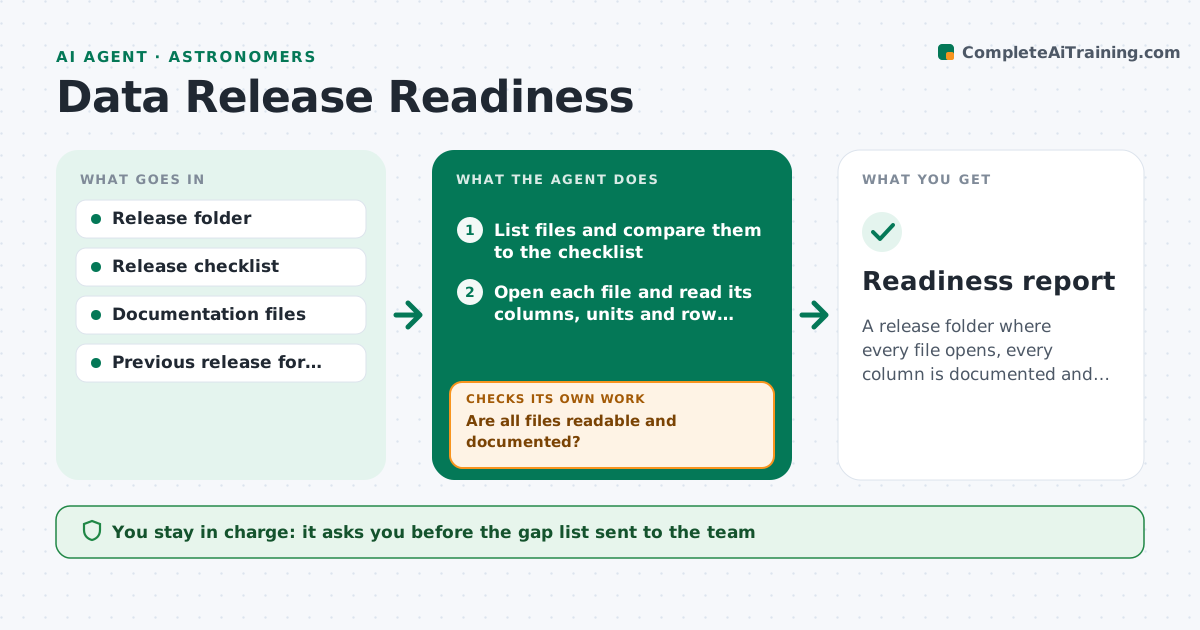
Data Release Readiness Agent
A release folder where every file opens, every column is documented and the version notes are complete.
What it does
A dataset goes public and the first emails ask what column 14 means and why there are two versions. This agent checks the release folder before it ships. It compares the folder to your release checklist, opens every file to confirm it reads without errors, and compares column names, units and flags to the documentation. It checks that version numbers, a change log, a license and citation text are present. Gaps are listed for the owner as a draft message, and the agent rechecks after fixes. It repeats until the checklist is complete or you stop it. The lead approves publication. Edge case: a column that is documented but empty in some files is listed as a possible data loss.
How it works
Follow the arrows from top to bottom. The orange dashed arrow is the loop: when a check fails, the agent goes back and tries again.
Read the steps as a list
- Release candidate folder ready
- List files and compare them to the checklist
- Open each file and read its columns, units and row counts
- Compare columns and units to the documentation
- Are all files readable and documented?If not: list unreadable files and undocumented columns for the owner. Back to step 3.
- Check version number, change log, license and citation text
- Owner approves the gap list sent to the teamThe agent waits here for your OK.
- Recheck the folder after fixes
- Is the checklist now complete?If not: return the remaining gaps and recheck after the next fix. Back to step 3.
- Lead approves publicationThe agent waits here for your OK.
- Readiness report
How it decides
A file passes if it opens and its columns match the documentation. The release passes when all checklist items are present and no open gaps remain.
- Column in files but not in documentation: block release
- Row count drops against the previous release without a note: ask for an explanation
- Missing license or citation text: block release
- Units differ from the documentation: block until corrected
Make it yours
Every agent is a starting point. You choose these settings for your own situation.
- Checklist items
- File formats read
- Allowed change in row count (default 1 percent)
- Required licenses
- Report format
What keeps you in control
It always asks you first
- The gap list sent to the team
- Publication of the release
Hard limits
- Never publish or upload anything
- Never edit data files
It stops when
- Done: checklist complete and report issued
- Stop: owner defers the release
Set it up
We guide you through the set-up, step by step
Members get the full set-up guide for this agent. No technical skills needed: you copy, paste and upload.
- One set of instructions to paste into your AI, with the clicks for ChatGPT, Claude, Microsoft 365 Copilot, Gemini and Grok
- The agent then walks you through connecting your own data, one source at a time
- A downloadable copy with the flow chart, the rules and the full guide