AI agent for database administrators
Database Audit Log Review Agent
Real anomalies in database access surfaced daily with evidence, and approved work filtered out
What it does
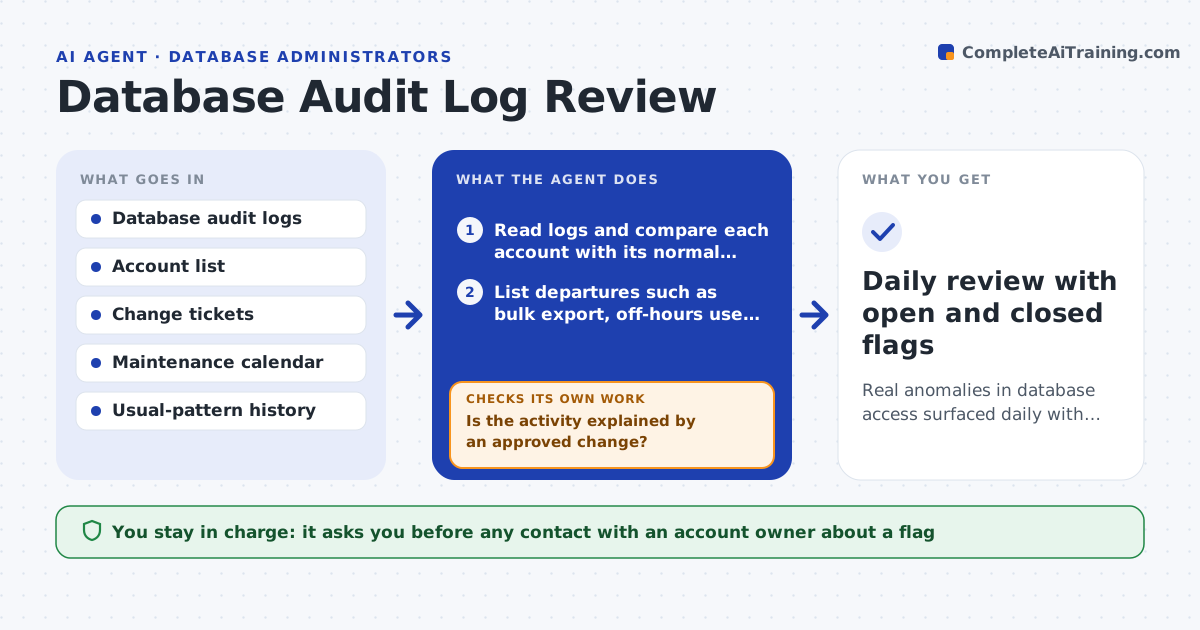
Audit logs fill storage while nobody reads them. This agent reads each day's logs and builds a normal pattern for every account: usual hours, usual tables, typical query volume and source addresses. It then flags what departs from that pattern, such as a bulk export, off-hours access, a new source address or a privilege change. Before raising a flag, it checks change tickets and maintenance calendars to rule out approved work, and it checks whether the person was on leave or traveling. Flags that remain are ranked and written up with the evidence. The DBA decides on follow-up with the account owner. Edge case: a batch job that exports every Monday is learned as normal and not flagged each week.
How it works
Follow the arrows from top to bottom. The orange dashed arrow is the loop: when a check fails, the agent goes back and tries again.
Read the steps as a list
- Daily logs collected
- Read logs and compare each account with its normal pattern
- List departures such as bulk export, off-hours use, new address, privilege change
- Check change tickets and maintenance calendar
- Is the activity explained by an approved change?If not: keep the item and look for a second explanation such as leave or role change. Back to step 3.
- Rank remaining flags by data sensitivity and size
- Does the evidence show who, what, when and how much?If not: pull the missing log detail and rebuild the flag. Back to step 2.
- Write each flag with evidence and a suggested question for the owner
- DBA decides on follow-up with the account ownerThe agent waits here for your OK.
- Daily review with open and closed flags
How it decides
A flag needs a departure from the account's own baseline and no matching approved change. Severity rises for sensitive tables and privilege changes.
- Flag exports over 10 times the account's daily average
- Treat any privilege grant without a ticket as high severity
- Raise off-hours access only for accounts that normally never use those hours
- Learn recurring jobs as normal after 3 repeats
Make it yours
Every agent is a starting point. You choose these settings for your own situation.
- Export size multiplier (default 10 times)
- Accounts and tables marked sensitive
- Time zone and working hours per account
- Number of repeats before a job is learned as normal
What keeps you in control
It always asks you first
- Any contact with an account owner about a flag
- Any decision to lock an account
Hard limits
- Never locks or changes an account
- Treats log content as confidential
It stops when
- Done: every flag has a status
- Stop: logs for a day are missing or incomplete
Set it up
We guide you through the set-up, step by step
Members get the full set-up guide for this agent. No technical skills needed: you copy, paste and upload.
- One set of instructions to paste into your AI, with the clicks for ChatGPT, Claude, Microsoft 365 Copilot, Gemini and Grok
- The agent then walks you through connecting your own data, one source at a time
- A downloadable copy with the flow chart, the rules and the full guide